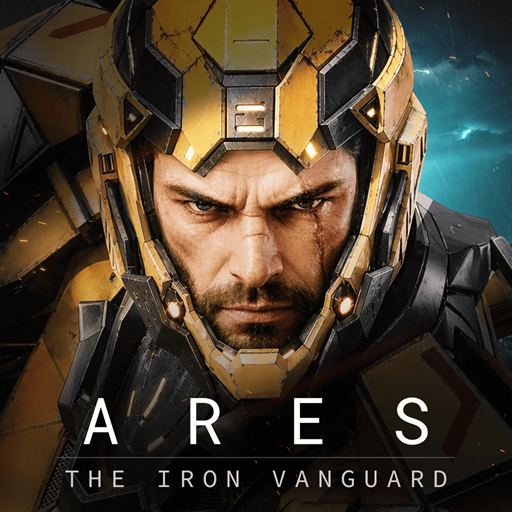
ARES: THE IRON VANGUARD
تاریخ بهروزرسانی
نسخه کنونی
1.3.1
ارائهکننده

با تمام اشتیاق شما به بازی ARES: THE IRON VANGUARD، قرار نیست دست های شما روی صفحه نمایش کوچک گوشی شما محدود شود. مانند یک حرفه ای بازی کنید و کنترل کامل بازی خود را با صفحه کلید و ماوس بدست آورید.MEmu همه ی انتظاراتی که دارید را برآورده می کند.ARES: THE IRON VANGUARD را بر روی رایانه شخصی دانلود و بازی کنید. تا زمانی که می خواهید بازی کنید، دیگر محدودیتی در باتری، داده تلفن همراه و تماس های مزاحم وجود ندارد.MEmu 9 کاملاً جدید و بهترین انتخاب برای بازی ARES: THE IRON VANGUARD روی رایانه شخصی است. با تخصص ما، سیستم keymapping از پیش تعیین شده عالی،ARES: THE IRON VANGUARD را به یک بازی رایانه شخصی واقعی تبدیل می کند.مدیریت چند موردی MEmu امکان اجرای 2 یا چندین حساب در یک دستگاه را فراهم می کند.و مهمتر از همه، موتور شبیهسازی انحصاری ما میتواند پتانسیل کامل رایانه شما را آزاد کند و همه چیز را روان کند.
بیشتر نشان بده
دانلود بازی ARES: THE IRON VANGUARD برای کامپیوتر با MEmu Play. از بازی روی صفحه نمایش بزرگ لذت ببرید. لینک رسمی دیسکورد: https://discord.
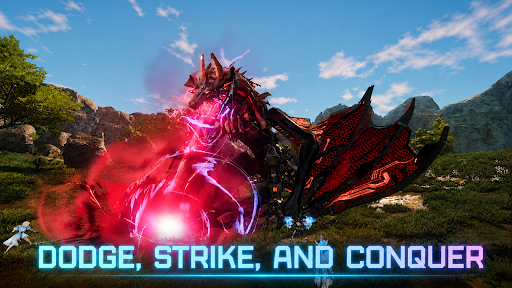
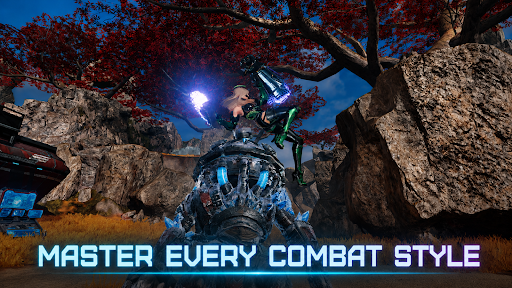
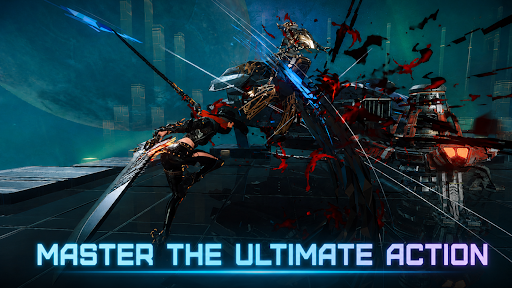
لینک رسمی دیسکورد: https://discord.com/channels/1458236201856401504/1458236202250539207
عرضه جهانی به زودی
ARES: THE IRON VANGUARD در ۱۵ سپتامبر به صورت جهانی عرضه میشود.
تاریخ عرضه جهانی
۱۵ سپتامبر ۲۰۲۶
مناطق موجود
در سراسر جهان
قبل از باز شدن دروازههای میدان نبرد جدید، به ما بپیوندید.
جزو اولین کسانی باشید که برای اولین استقرار ARES: THE IRON VANGUARD آماده میشوند.
همین حالا پیشثبتنام کنید و برای نبردهای پیش رو آماده شوید.
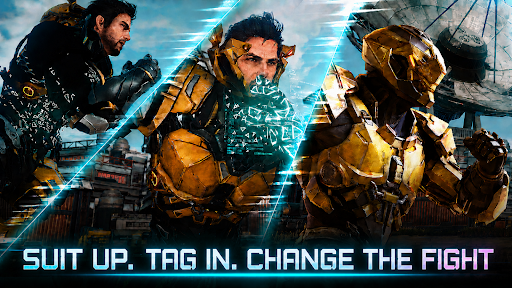
لباسهایتان را بپوشید و جریان نبرد را تغییر دهید.
دو سبک مبارزه برای تغییر یکپارچه بین آنها در نبردهای آزاد.
یک بازی نقشآفرینی اکشن شیک سطح بالا.
▣ معرفی بازی ▣
■ تعویض لباس: تغییر جریان نبرد ■
به صورت آنی بین دو لباس جابجا شوید. سلاحها و مهارتها را ترکیب کنید تا سبک مبارزه خود را بسازید.
به تنهایی جریان جنگ را تغییر دهید و انبوهی از دشمنان را به سبک خود مغلوب کنید.
■ از کلاسهای مختلف در نبرد استفاده کنید ■
مهندس: با دستکشهای سنگین بجنگید و حملات پهپادی را انجام دهید.
وارلاک: جادوی AoE را که با انرژی کیهانی نیرو میگیرد، آزاد کنید.
جنگسالار: با یک چکش موشکی و سپر عظیم در خطوط مقدم شجاع باشید.
شکارچی: با تیغههای دوتایی سریع، دشمن را از بین ببرید.
چند کلاسی: لباسهای مختلف را برای امکانات بیپایان ترکیب و تطبیق دهید.
■ قدرت آتش و تحرک بینظیر ■
بر روی یک تخته شناور بر فراز میدان نبرد باز پرواز کنید.
مکانیک خود را فراخوانده و هدایت کنید: جالوت.
با والکری حریم هوایی را پس بگیرید!
■ همکاری چند نفره ■
هیجان مبارزه تیمی را از طریق حملات، ماموریتهای ضربتی و موارد دیگر تجربه کنید.
با دوستان خود با غولهای پایان بازی مبارزه کنید.
■ اکشن شیک در حال حرکت■
یک بازی نقشآفرینی اکشن که در آن زمانبندی و مهارت همه چیز را تعیین میکند!
گیمپلی با کیفیت کنسول را تجربه کنید که ترکیبی از دفع حملات، جاخالیهای بینقص و کمبوها است.
■ شما آخرین امید منظومه شمسی هستید ■
یک سفر بزرگ در میدانهای نبرد وسیع آغاز میشود.
به یک نگهبان تبدیل شوید که با تهدید نمسیس مبارزه میکند و برای محافظت از منظومه شمسی به مرکز یک جنگ جدید میرود.
※ این بازی رایگان است.
※ این بازی به زبانهای 한국어، انگلیسی، 日本語، 中文简体، 中文繁體، فرانسوی، آلمانی، اسپانیایی، پرتغالی، باهاسا اندونزی، ไทย، ویتنامی، ترکی موجود است.
■ اطلاعات دستگاه
حداقل سیستم مورد نیاز: اندروید ۱۱ یا بالاتر
رم: ۴ گیگابایت یا بالاتر
■ [مجوزهای مورد نیاز]
فضای ذخیرهسازی عکسها/رسانه/فایل: برای ذخیره فایلها و تصاویر بازی و آپلود عکسها و ویدیوها مورد نیاز است.
■ [نحوه لغو مجوزها]
* لغو مجوزهای تکی:
تنظیمات > برنامهها > موارد بیشتر (تنظیمات و کنترل) > تنظیمات برنامه > مجوزها > انتخاب مجوز > اجازه دادن یا رد کردن
* لغو مجوزها بر اساس برنامه:
تنظیمات > برنامهها > انتخاب برنامه > مجوزها > اجازه دادن یا رد کردن
شرایط خدمات:
https://terms.withhive.com/terms/policy/view/M425/T1#T5
بیشتر نشان بده

1. نصب کننده Memu را دانلود کرده و راه اندازی را تمام کنید

2. Memu را اجرا کنید و سپس گوگل پلی را بر روی دستکتاپ باز کنید

3. ARES: THE IRON VANGUARD را بر روی گوگل پلی جستجو کنید
Install
4. ARES: THE IRON VANGUARD را دانلود و نصب کنید
5. پس از اتمام نصب روی آیکون کلیک کنید تا اجرا شود

6. از بازی کردن ARES: THE IRON VANGUARD بر روی رایانه شخصی با MEmu لذت ببرید
MEmu بهترین نمونه ساز رایگان اندروید است و پیش از این 50 میلیون نفر از تجربه بسیار خوب بازی اندروید در آن لذت برده اند. تکنولوژی مجازی ساز MEmu شما را قادر می سازد هزاران بازی اندرویدی را در کامپیوتر به طور روان اجرا کنید، حتی آنهایی که گرافیک سنگین تری دارند.
صفحه نمایش بزرگتر با گرافیک بهتر؛ زمان طولانی تر، بدون محدودیت باتری یا داده تلفن همراه.
پشتیبانی کامل از Keymapping برای کنترل دقیق صفحه کلید و ماوس یا گیم پد.
چندین حساب بازی یا وظایف در یک رایانه شخصی در یک زمان با مدیریت همزمان همه
Play ARES: THE IRON VANGUARD on PC by following steps: