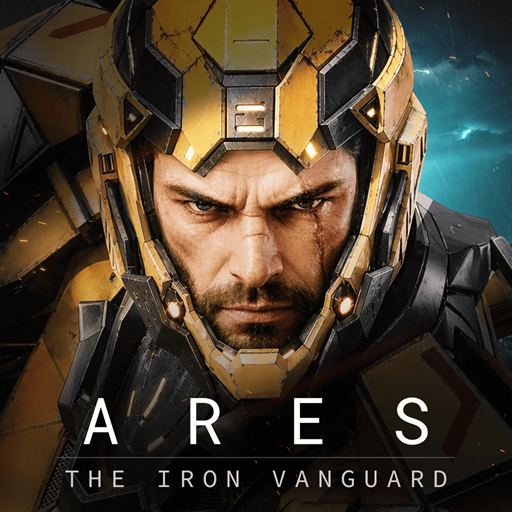
ARES: THE IRON VANGUARD
Zaktualizowano
Aktualna wersja
1.3.1
Sprzedawca

Przy całej swojej pasji do grania w ARES: THE IRON VANGUARD, twoje ręce nie powinny być ograniczone na małym ekranie telefonu. Graj jak zawodowiec i uzyskaj pełną kontrolę nad grą za pomocą klawiatury i myszy. MEmu oferuje ci wszystko, czego oczekujesz. Pobierz i graj ARES: THE IRON VANGUARD na PC. Graj tak długo, jak chcesz, bez ograniczeń baterii, danych komórkowych i niepokojących połączeń. Zupełnie nowy MEmu 9 to najlepszy wybór do grania w ARES: THE IRON VANGUARD na PC. Przygotowany dzięki naszej wiedzy, znakomity, wstępnie ustawiony system mapowania klawiszy sprawia, że ARES: THE IRON VANGUARD jest prawdziwą grą na PC. Zakodowany naszą absorpcją, menedżer wielu instancji umożliwia granie na 2 lub więcej kontach na tym samym urządzeniu. A co najważniejsze, nasz emulator może uwolnić pełny potencjał twojego komputera, sprawić, że wszystko będzie płynne. Dbamy nie tylko o to, jak grasz, ale także o cały proces czerpania radości z grania.
Pokaż więcej
Ciesz się wspaniałym doświadczeniem podczas grania w ARES: THE IRON VANGUARD na komputerze z aplikacją MEMU App Player. Jest to potężny darmowy emulator Androida pozwalający grać w tysiące gier na Androida. Oficjalny link do Discorda: https://discord.
Oficjalny link do Discorda: https://discord.com/channels/1458236201856401504/1458236202250539207
Globalna premiera już wkrótce
ARES: THE IRON VANGUARD ukaże się na całym świecie 15 września.
Data globalnej premiery
15 września 2026 r.
Dostępne regiony
Na całym świecie
Dołącz, zanim otworzą się bramy nowego pola bitwy.
Bądź jednym z pierwszych, którzy przygotują się na pierwszą edycję ARES: THE IRON VANGUARD.
Zarejestruj się już teraz i przygotuj się na nadchodzące bitwy.
Przygotuj się i zmień bieg bitwy.
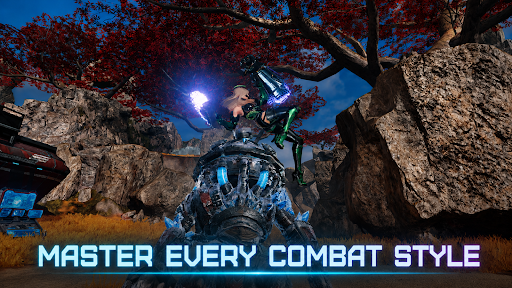
Dwa style walki, między którymi możesz płynnie przełączać się w płynnej walce.
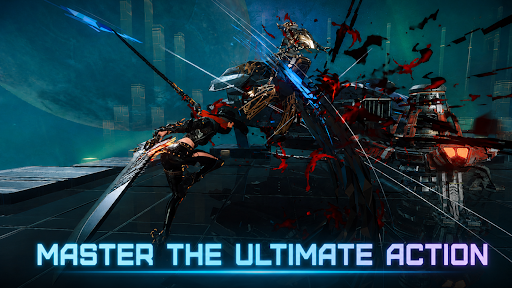
Stylowa gra RPG akcji na najwyższym poziomie.
▣ Wprowadzenie do gry ▣
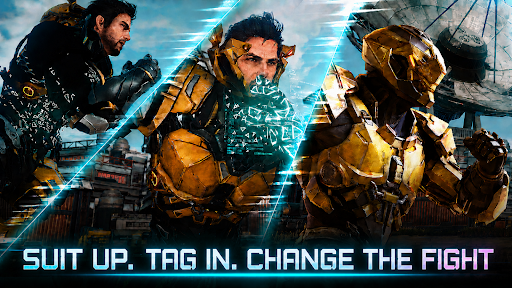
■ Zmiana kombinezonów: Zmień bieg bitwy ■
Przełączaj się między dwoma kombinezonami w czasie rzeczywistym. Łącz broń i umiejętności, aby stworzyć własny styl walki.
Samodzielnie odwróć losy wojny i zdominuj hordy wrogów w wielkim stylu.
■ Używaj wielu klas w walce ■
Inżynier: walcz w ciężkich rękawicach i atakuj dronami.
Czarnoksiężnik: uwolnij magię obszarową zasilaną energią kosmiczną.
Wódz: staw czoła liniom frontu z potężnym młotem rakietowym i tarczą.
Łowca: przecinaj wrogów szybkimi, podwójnymi ostrzami.
Wieloklasowość: Mieszaj i dopasowuj różne kombinezony, aby uzyskać nieskończone możliwości.
■ Niezrównana siła ognia i mobilność ■
Suwaj nad otwartym polem bitwy na latającej desce.
Wezwij i pilotuj swojego mecha: Goliatha.
Odzyskaj przestrzeń powietrzną z Walkirią!
■ Tryb wieloosobowy w trybie współpracy ■
Poczuj dreszczyk emocji związany z walką opartą na współpracy w rajdach, misjach szturmowych i nie tylko.
Walcz z bossami w końcowej fazie gry ze znajomymi.
■ Stylowa akcja w podróży ■
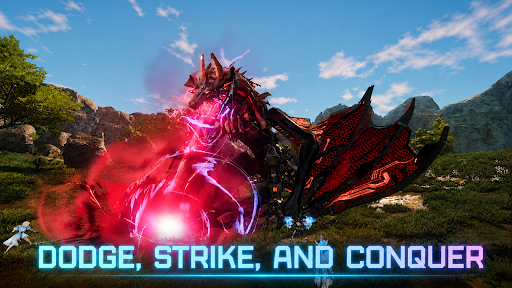
Gra RPG akcji, w której o wszystkim decydują wyczucie czasu i umiejętności!
Doświadcz rozgrywki na konsolę, która łączy parowanie, perfekcyjne uniki i kombinacje.
■ Jesteś ostatnią nadzieją Układu Słonecznego ■
Rozgrywa się wielka podróż przez rozległe pola bitew.
Zostań Strażnikiem walczącym z zagrożeniem ze strony Nemezis i wkrocz w sam środek nowej wojny, aby chronić Układ Słoneczny.
※ Gra jest darmowa.
※ Gra jest dostępna w następujących językach: koreańskim, angielskim, japońskim, chińskim, chińskim, francuskim, niemieckim, hiszpańskim, portugalskim, indonezyjskim, ไทย, wietnamskim i tureckim.
■ Informacje o urządzeniu
Minimalne wymagania: Android 11 lub nowszy
Pamięć RAM: 4 GB lub więcej
■ [Wymagane uprawnienia]
Zdjęcia/Multimedia/Pamięć masowa: Wymagana do zapisywania plików gry i obrazów oraz przesyłania zdjęć i filmów.
■ [Jak cofnąć uprawnienia]
* Cofnij poszczególne uprawnienia:
Ustawienia > Aplikacje > Więcej (Ustawienia i kontrola) > Ustawienia aplikacji > Uprawnienia > Wybierz uprawnienie > Zezwól lub Odmów
* Cofnij uprawnienia dla aplikacji:
Ustawienia > Aplikacje > Wybierz aplikację > Uprawnienia > Zezwól lub Odmów
Warunki korzystania z usługi:
https://terms.withhive.com/terms/policy/view/M425/T1#T5
Pokaż więcej

1. Pobierz instalator MEmu i zakończ instalację

2. Uruchom MEmu, a następnie otwórz Google Play na pulpicie

3. Wyszukaj ARES: THE IRON VANGUARD w Google Play
Install
4. Pobierz i zainstaluj ARES: THE IRON VANGUARD
5. Po zakończeniu instalacji kliknij ikonę, aby rozpocząć

6. Ciesz się grą ARES: THE IRON VANGUARD na PC z MEmu
MEmu Play to najlepszy emulator Androida, a 100 milionów ludzi już korzysta z jego i dosta doskonałe wrażenia z gier na Androida. Technologia wirtualizacji MEmu umożliwia płynne granie w tysiące gier Androida na komputerze, nawet tych najbardziej wymagających grafiki.
Większy ekran z lepszą grafiką; Długi czas, bez ograniczeń baterii lub danych mobilnych.
Pełna obsługa mapowania klawiszy dla precyzyjnego sterowania klawiaturą i myszą lub gamepadem.
Wiele kont gier lub zadań na jednym komputerze jednocześnie z menedżerem wielu instancji.
Play ARES: THE IRON VANGUARD on PC by following steps: