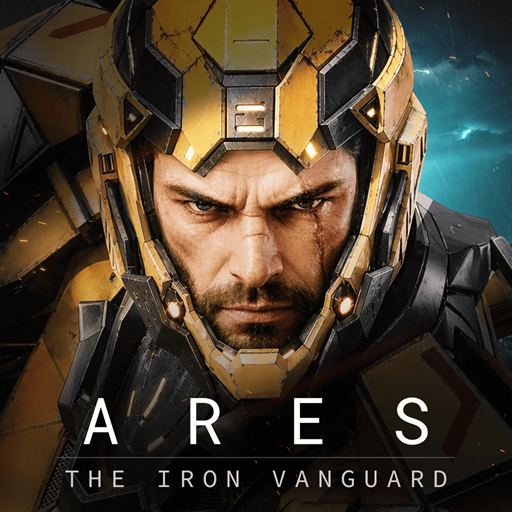
ARES: THE IRON VANGUARD
Оновлено
Поточна версія
1.3.1
Постачальник

Перестаньте турбуватися про надмірні витрати, використовуючи ххх на своєму мобільному телефоні, звільніться від крихітного екрану і насолоджуйтеся використанням програми на набагато більшому дисплеї. Відтепер отримуйте повний екран свого додатка за допомогою клавіатури та миші. MEmu пропонує вам усі дивовижні функції, які ви очікували: швидка установка та просте налаштування, інтуїтивно зрозумілі елементи керування, більше обмежень від акумулятора, мобільних даних та тривожних дзвінків. Новий MEmu 9 - найкращий вибір використання ARES: THE IRON VANGUARD на вашому комп’ютері. За допомогою нашого поглинання менеджер із кількома примірниками одночасно дозволяє відкрити 2 або більше рахунків. І найголовніше, наш ексклюзивний емуляційний двигун може вивільнити весь потенціал вашого ПК, зробити все гладким і приємним.
Show more
Насолоджуйтесь чудовим досвідом ARES: THE IRON VANGUARD гри на ПК за допомогою програми MEMU App Player. Це потужний безкоштовний емулятор Android, який дозволяє вам грати в тисячі ігор Android. Офіційне посилання на Discord: https://discord.
Офіційне посилання на Discord: https://discord.com/channels/1458236201856401504/1458236202250539207
Попередня реєстрація вже відкрита
Офіційний запуск незабаром
Приєднуйтесь до гри ще до відкриття воріт нового поля бою.
Будьте серед перших, хто підготується до першого розгортання ARES: THE IRON AVANGARD.
Попередньо зареєструйтесь зараз і приготуйтеся до майбутніх битв.
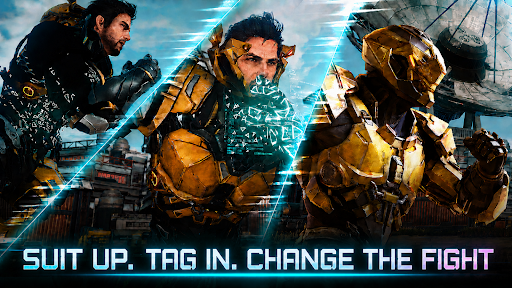
Одягайтеся та змінюйте хід битви.
Два бойові стилі для плавного перемикання у вільному бою. Стильна екшн-RPG наступного рівня.
▣ Вступ до гри ▣
■ Перемикання костюмів: змінюйте хід битви ■
Перемикайтеся між двома костюмами в режимі реального часу. Поєднуйте зброю та навички, щоб створити свій власний бойовий стиль.
Самотужки змініть хід війни та стильно перемагайте орди ворогів.
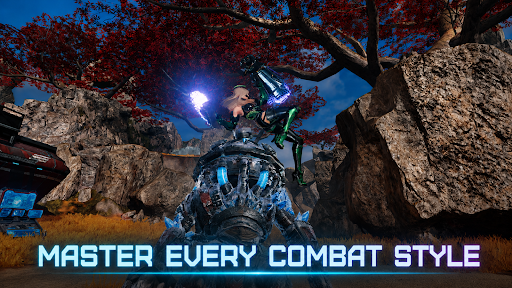
■ Володійте кількома класами в бою ■
Інженер: бийтеся у важких рукавицях та розгортайте атаки дронів.
Чаклун: розкрийте магію AoE, що живиться космічною енергією.
Воєначальник: сміливо пройдіть передову з масивним ракетним молотом та щитом.
Мисливець: проріжте ворога швидкими подвійними клинками.
Мультикласовий режим: комбінуйте різні костюми для безмежних можливостей.
■ Неперевершена вогнева міць та мобільність ■
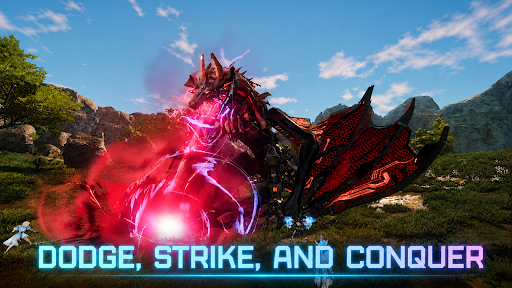
Плануйте над відкритим полем бою на ховерборді.
Покличте та керуйте своїм мехом: Голіафом. Поверніть собі повітряний простір з Валькірією!
■ Багатокористувацький кооперативний режим ■
Відчуйте гострі відчуття командного бою через рейди, ударні місії тощо.
Бийтеся з босами кінця гри з друзями.
■ Стильний екшн на ходу ■
Екшн-RPG, де час та майстерність вирішують усе!
Відчуйте ігровий процес консольної якості, який поєднує парирування, ідеальні ухилення та комбо.
■ Ви — остання надія Сонячної системи ■
Велика подорож розгортається через величезні поля битв.
Станьте Вартовим, борючись проти загрози Немезиди, та вирушайте в центр нової війни, щоб захистити Сонячну систему.
※ Ця гра безкоштовна.
※ Ця гра доступна такими мовами: 한국어, English, 日本語, 中文简体, 中文繁體, Français, Deutsch, Español, Português, Bahasa Indonesia, ไทย, Tiếng Việt, Türkçe
■ Інформація про пристрій
Мінімальні вимоги: Android 11 або вище
ОЗП: 4 ГБ або вище
■ [Необхідні дозволи]
Фотографії/медіа/сховище файлів: Потрібно для збереження ігрових файлів та зображень, а також завантаження фотографій та відео.
■ [Як скасувати дозволи]
* Скасувати окремі дозволи:
Налаштування > Програми > Більше (Налаштування та керування) > Налаштування програми > Дозволи > Вибрати дозвіл > Дозволити або Заборонити
* Скасувати дозволи для окремої програми:
Налаштування > Програми > Вибрати програму > Дозволи > Дозволити або Заборонити
Умови надання послуг:
https://terms.withhive.com/terms/policy/view/M425/T1#T5
Show more

1. Download MEmu installer and finish the setup

2. Start MEmu then open Google Play on the desktop

3. Search ARES: THE IRON VANGUARD in Google Play
Install
4. Download and Install ARES: THE IRON VANGUARD
5. On install completion click the icon to start

6. Enjoy playing ARES: THE IRON VANGUARD on PC with MEmu
MEmu App Player є кращим безкоштовним емулятором Android, і 50 мільйонів людей вже користуються його чудовим ігровим досвідом Android. Технологія віртуалізації MEmu дає вам змогу відтворювати тисячі ігор Android на вашому комп'ютері, навіть найбільш насичених графікою.
Bigger screen with better graphics; Long duration, without limitation of battery or mobile data.
Full Keymapping support for precise control of keyboard and mouse or gamepad.
Multiple game accounts or tasks on single PC at one time with Multi-Instance manager.
Play ARES: THE IRON VANGUARD on PC by following steps: