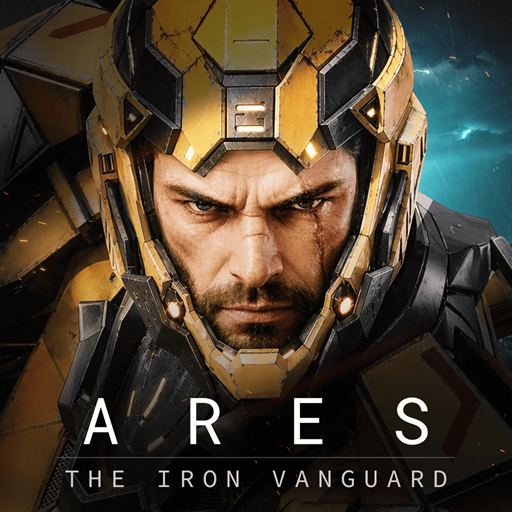
ARES: THE IRON VANGUARD
Aktualizováno
Aktuální verze
1.3.1
Od vývojáře

With all your passion for playing ARES: THE IRON VANGUARD, you hands are not supposed to be limited on a tiny screen of your phone. Play like a pro and get full control of your game with keyboard and mouse. MEmu offers you all the things that you are expecting. Download and play ARES: THE IRON VANGUARD on PC. Play as long as you want, no more limitations of battery, mobile data and disturbing calls. The brand new MEmu 9 is the best choice of playing ARES: THE IRON VANGUARD on PC. Prepared with our expertise, the exquisite preset keymapping system makes ARES: THE IRON VANGUARD a real PC game. MEmu multi-instance manager makes playing 2 or more accounts on the same device possible. And the most important, our exclusive emulation engine can release full potential of your PC, make everything smooth.
Show more
Vychutnejte si vynikající zážitek z přehrávání ARES: THE IRON VANGUARD na PC s MEMU App Player. Je to silný bezplatný emulátor pro Android, který vám umožní hrát tisíce her v systému Android. Oficiální odkaz na Discord: https://discord.
Oficiální odkaz na Discord: https://discord.com/channels/1458236201856401504/1458236202250539207
Globální spuštění již brzy
ARES: THE IRON VANGUARD vychází celosvětově 15. září.
Datum globálního spuštění
15. září 2026
Dostupné regiony
Po celém světě
Připojte se dříve, než se otevřou brány nového bojiště.
Buďte mezi prvními, kdo se připraví na první nasazení ARES: THE IRON VANGUARD.
Předregistrujte se nyní a připravte se na nadcházející bitvy.
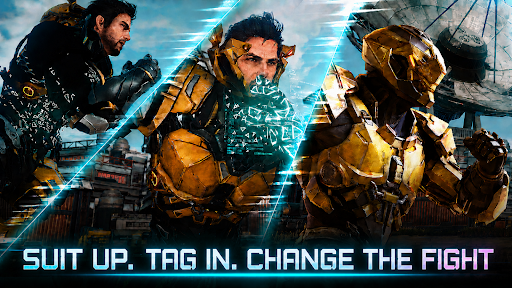
Oblékněte se a změňte průběh bitvy.
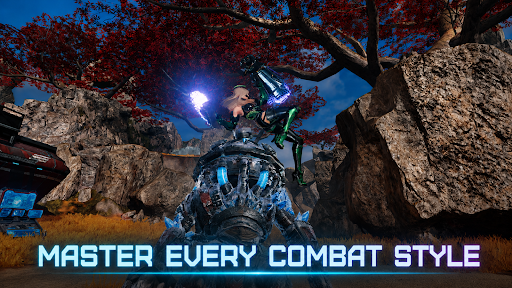
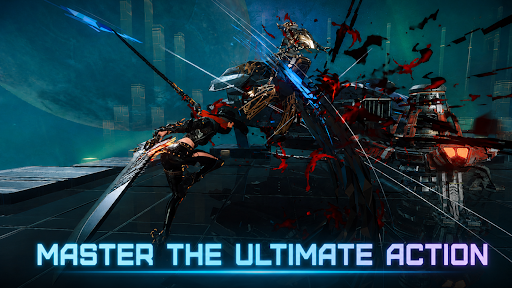
Dva bojové styly pro plynulé přepínání v plynulém boji. Stylové akční RPG na další úrovni.
▣ Úvod do hry ▣
■ Přepínání obleků: Změňte průběh bitvy ■
Přepínejte se mezi dvěma obleky v reálném čase. Kombinujte zbraně a dovednosti a vytvořte si vlastní bojový styl.
Sami zvrátte průběh války a stylově ovládněte hordy nepřátel.
■ Ovládejte v boji více tříd ■
Inženýr: bojujte s těžkými rukavicemi a útočte dronovými zbraněmi.
Čaroděj: uvolněte plošnou magii poháněnou kosmickou energií.
Válečník: statečně se postavte do první linie s masivním raketovým kladivem a štítem.
Lovec: prořízněte nepřítele rychlými dvojitými čepelemi.
Více tříd: Kombinujte různé obleky pro nekonečné možnosti.
■ Bezkonkurenční palebná síla a mobilita ■
Klouzejte po otevřeném bojišti na vznášedle.
Zavolejte si a pilotujte svého robota: Goliáše. Získejte zpět vzdušný prostor s Valkýrou!
■ Kooperativní režim pro více hráčů ■
Zažijte vzrušení z týmového boje prostřednictvím nájezdů, úderných misí a dalších akcí.
Bojujte s bossy v závěrečné fázi hry s přáteli.
■ Stylová akce na cestách ■
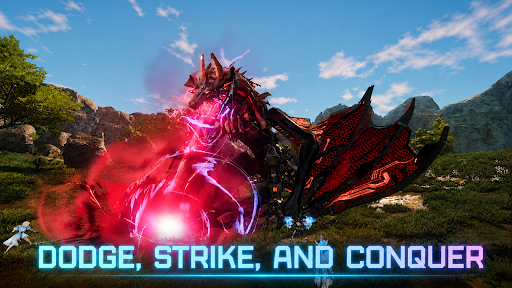
Akční RPG, kde načasování a dovednosti rozhodují o všem!
Zažijte hratelnost v konzolové kvalitě, která kombinuje krytí, perfektní úhyby a komba.
■ Jste poslední nadějí sluneční soustavy ■
Odehrává se velkolepá cesta napříč rozlehlými bojišti.
Staňte se Strážcem bojujícím proti hrozbě Nemesis a vrhněte se do centra nové války na ochranu sluneční soustavy.
※ Tato hra je zdarma.
※ Tato hra je k dispozici v jazycích 한국어, angličtina, japonština, čínská čínština, čínská čínština, francouzština, němčina, španělština, portugalština, indonéština, hindština, vietnamština a turečtina.
■ Informace o zařízení
Minimální požadavky: Android 11 nebo vyšší
RAM: 4 GB nebo vyšší
■ [Požadovaná oprávnění]
Úložiště fotografií/médií/souborů: Vyžadováno pro ukládání herních souborů a obrázků a nahrávání fotografií a videí.
■ [Jak zrušit oprávnění]
* Zrušení jednotlivých oprávnění:
Nastavení > Aplikace > Další (Nastavení a ovládání) > Nastavení aplikace > Oprávnění > Vyberte oprávnění > Povolit nebo Zamítnout
* Zrušení oprávnění pro jednotlivé aplikace:
Nastavení > Aplikace > Vyberte aplikaci > Oprávnění > Povolit nebo Zamítnout
Smluvní podmínky:
https://terms.withhive.com/terms/policy/view/M425/T1#T5
Show more

1. Stáhněte si instalační program MEmu a dokončete instalaci

2. Spusťte MEmu a poté otevřete Google Play na ploše

3. Vyhledejte ARES: THE IRON VANGUARD v Google Play
Install
4. Stáhněte a nainstalujte ARES: THE IRON VANGUARD
5. Po dokončení instalace klikněte na ikonu pro spuštění

6. Užijte si hraní ARES: THE IRON VANGUARD na PC s MEmu
MEmu je zdarma a ten nejlepší Android emulátor. 50 milionů lidí si užívá jeho nejlepší herní zážitky. Technologie virtualizace MEmu ti dovolí plynule hrát Android hry na PC a to i ty nejnáročnější.
Větší obrazovka s lepší grafikou; Dlouhá výdrž bez omezení baterie nebo mobilních dat.
Plná podpora mapování kláves pro přesné ovládání klávesnice a myši nebo gamepadu.
Více herních účtů nebo úkolů na jednom počítači najednou s Multi-Instance Managerem.
Play ARES: THE IRON VANGUARD on PC by following steps: