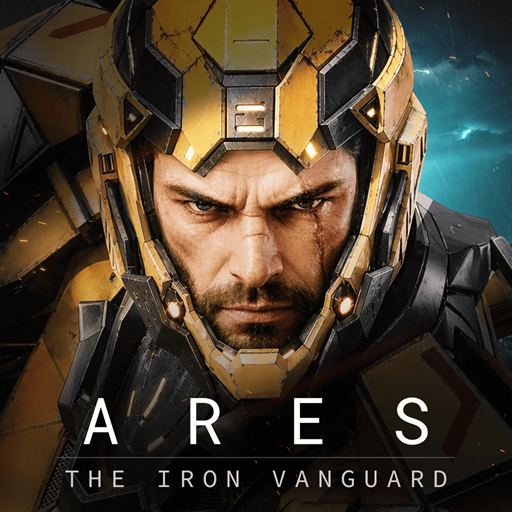
ARES: THE IRON VANGUARD
Aggiornata
Versione corrente
1.3.1
Offerta da

Vista tutta la passione dimostrata nel giocare a ARES: THE IRON VANGUARD, le tue mani non dovrebbero essere limitate al minuscolo schermo di un telefono. Gioca come un professionista e ottieni il pieno controllo del gioco con tastiera e mouse. MEmu ti offre tutto ciò che ti aspetti. Scarica e gioca a ARES: THE IRON VANGUARD su PC. Gioca quanto vuoi, niente più limitazioni di batteria, dati mobili e chiamate inquietanti. Il nuovissimo MEmu 9 è la scelta migliore per giocare a ARES: THE IRON VANGUARD su PC. Realizzato sulla base della nostra esperienza, lo squisito sistema di mappatura dei tasti preimpostati rende ARES: THE IRON VANGUARD un vero e proprio gioco per PC. MEmu è un gestore multi-instanza che permette di giocare con 2 o più account sullo stesso dispositivo. E la cosa più importante, il nostro esclusivo motore di emulazione può liberare tutto il potenziale del tuo PC, rendendo tutto fluido.
Mostra altro
Scarica ARES: THE IRON VANGUARD su PC con MEmu Android Emulator. Divertiti giocando sul grande schermo. Link ufficiale al server Discord: https://discord.
Link ufficiale al server Discord: https://discord.com/channels/1458236201856401504/1458236202250539207
Lancio globale in arrivo
ARES: THE IRON VANGUARD sarà disponibile in tutto il mondo il 15 settembre.
Data di lancio globale
15 settembre 2026
Regioni disponibili
In tutto il mondo
Unisciti a noi prima che si aprano i cancelli di un nuovo campo di battaglia.
Sii tra i primi a prepararti per il primo dispiegamento di ARES: THE IRON VANGUARD.
Pre-registrati ora e preparati per le battaglie future.
Indossa la tua armatura e cambia il corso della battaglia.
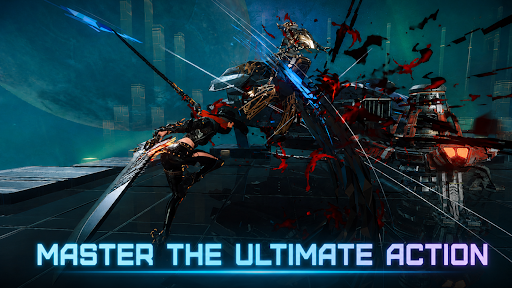
Due stili di combattimento tra cui passare senza soluzione di continuità in scontri fluidi.
Un action RPG elegante di livello superiore.
▣ Introduzione al gioco ▣
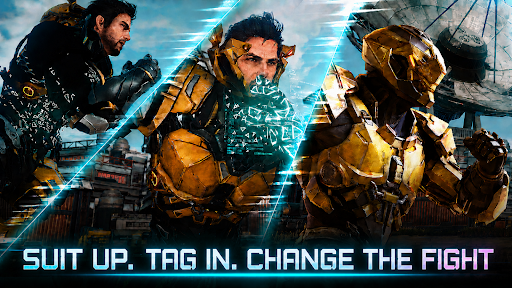
■ Cambio di tuta: cambia le sorti della battaglia ■
Passa da una tuta all'altra in tempo reale. Combina armi e abilità per creare il tuo stile di combattimento.
Ribalta le sorti della guerra da solo e domina orde di nemici con stile.
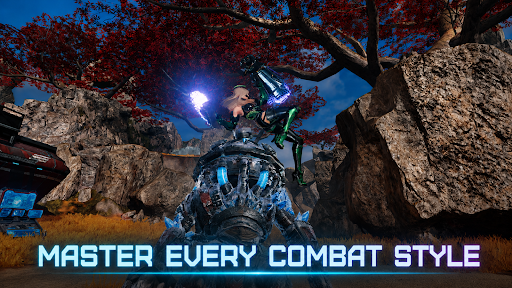
■ Utilizza diverse classi in combattimento ■
L'Ingegnere: combatti con guanti pesanti e schiera assalti di droni.
Lo Stregone: scatena magie ad area alimentate da energia cosmica.
Il Signore della Guerra: affronta le prime linee con un enorme martello a razzo e uno scudo.
Il Cacciatore: falcia il nemico con rapide doppie lame.
Multiclasse: combina diverse tute per infinite possibilità.
■ Potenza di fuoco e mobilità senza pari ■
Sfreccia sul campo di battaglia aperto su un hoverboard.
Richiama e pilota il tuo Mech: il Golia.
Riconquista lo spazio aereo con la Valchiria!
■ Multigiocatore cooperativo ■
Vivi l'emozione del combattimento di squadra attraverso raid, missioni d'assalto e molto altro.
Affronta i boss di fine gioco con i tuoi amici.
■ Azione elegante in movimento ■
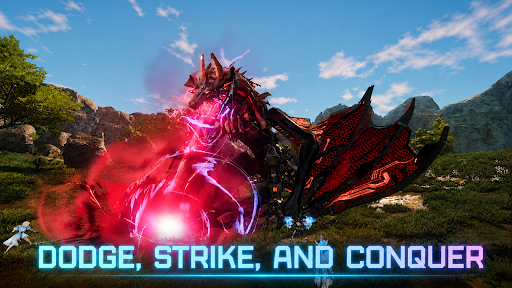
Un RPG d'azione in cui tempismo e abilità sono fondamentali!
Sperimenta un gameplay di qualità console che combina parate, schivate perfette e combo.
■ Sei l'ultima speranza del sistema solare ■
Un epico viaggio si snoda attraverso vasti campi di battaglia.
Diventa un Guardiano che combatte contro la minaccia di Nemesis e lanciati nel cuore di una nuova guerra per proteggere il sistema solare.
※ Questo gioco è gratuito.
※ Questo gioco è disponibile in coreano, inglese, giapponese, cinese semplificato, cinese tradizionale, francese, tedesco, spagnolo, portoghese, indonesiano, tailandese, vietnamita e turco.
■ Informazioni sul dispositivo
Requisiti minimi: Android 11 o superiore
RAM: 4 GB o superiore
■ [Autorizzazioni richieste]
Archiviazione foto/media/file: necessaria per salvare i file di gioco e le immagini, e per caricare foto e video.
■ [Come revocare le autorizzazioni]
* Revoca delle singole autorizzazioni:
Impostazioni > Applicazioni > Altro (Impostazioni e controllo) > Impostazioni app > Autorizzazioni > Seleziona l'autorizzazione > Consenti o Nega
* Revoca delle autorizzazioni per singola app:
Impostazioni > Applicazioni > Seleziona l'app > Autorizzazioni > Consenti o Nega
Termini di servizio:
https://terms.withhive.com/terms/policy/view/M425/T1#T5
Mostra altro

1. Scarica il programma di installazione di MEmu e completa l'installazione

2. Avvia il Memu e apri il Google Play sulla homepage

3. Cerca ARES: THE IRON VANGUARD in Google Play
Install
4. Scarica e installa ARES: THE IRON VANGUARD
5. Al termine dell'installazione, fai clic sull'icona per avviar

6. Divertiti giocando a ARES: THE IRON VANGUARD su PC con MEmu
MEmu App Player è il miglior emulatore Android gratuito, utilizzato da 50 milioni di persone per ottenere un'esperienza di gioco Android superba. La tecnilogia di virtualizzazione MEmu ti permette di giocare a migliaia di giochi Android con semplicità sul tuo computer, anche i giochi con la grafica più esigente.
Schermo più grande con una grafica migliore; Lunga durata, senza limitazione di batteria o dati mobili.
Supporto completo per mappa di tastiera per un controllo preciso di tastiera e mouse o gamepad.
Multipli account di gioco o attività su un singolo PC contemporaneamente con il gestore di multi istanza.
Play ARES: THE IRON VANGUARD on PC by following steps: