
Agefield High: Rock the School
Mise à jour
Version actuelle
Proposée par

Avec toute la passion que vous avez à jouer Agefield High: Rock the School, vos mains ne sont pas sensées se limiter à l’infime écran de votre téléphone. Jouez comme un pro et ayez le contrôle total de votre jeu à l’aide du clavier et de la souris. MEmu satisfait toutes vos attentes. Téléchargez et jouez Agefield High: Rock the School sur PC. Jouez aussi longtemps que vous souhaitez sans aucune limitation de batterie, de données mobiles et d’appels embêtants. La toute nouvelle version de MEmu 9 est la meilleure option de jouer Agefield High: Rock the School sur PC. Réalisé par nos experts, l’e magnifique système d’affectation de touches prédéfini fait de Agefield High: Rock the School un jeu réaliste sur PC. Le gestionnaire multi-instances de MEmu permet 2 ou plusieurs comptes de jeu sur le même appareil. Et le plus important, le moteur d’émulation exclusif peut libérer le plein potentiel de votre PC, ce qui facilite tout.
Afficher plus
Téléchargez Agefield High: Rock the School avec le simulateur d’Android MEmu sur votre PC. Profitez de jouer sur un grand écran. Step back into the vibrant, rebellious world of the early 2000s with Agefield High: Rock the School, a coming-of-age life simulation game that puts you in the shoes of a soon-to-graduate high schooler in the close-knit town of Agefield.
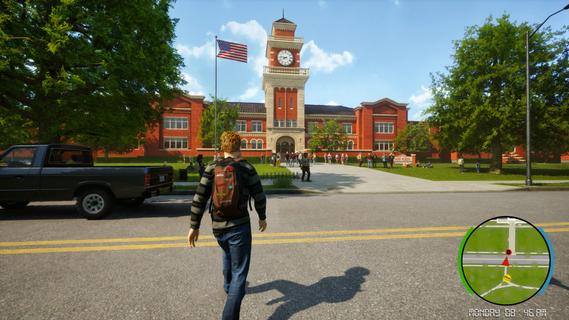
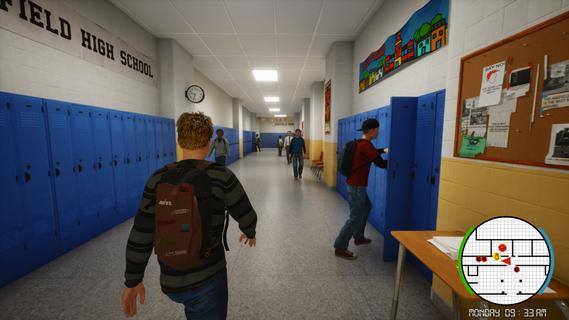
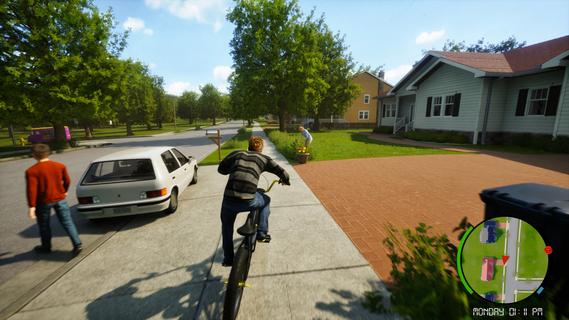
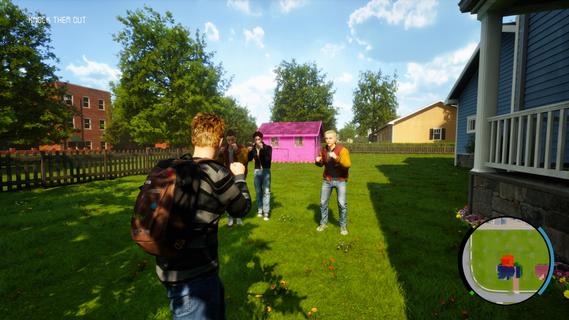
Step back into the vibrant, rebellious world of the early 2000s with Agefield High: Rock the School, a coming-of-age life simulation game that puts you in the shoes of a soon-to-graduate high schooler in the close-knit town of Agefield. With only three months left before graduation, every choice matters as you navigate friendship, love, music, and rebellion. Reliving the Glory DaysSet against a backdrop of vintage flip phones, mall hangouts, skateboards, and mixed CDs, the game authentically captures the youthful spirit and social landscape of the era. You play as a customizable protagonist, free to shape your identity—be it class clown, misunderstood artist, band frontman, or rebellious prankster. Gameplay OverviewOpen-Ended Social Sim:Interact with a dynamic cast of classmates, quirky teachers, and local townsfolk. Your choices and dialogue options impact relationships, earn reputations, and open (or close) offbeat side quests. Rebel Against the Rules:Organize pranks, form secret clubs, and find inventive ways to push back against school routines. Each plot twist is packed with the excitement of bending the rules and forging lifelong memories. Band Management and Battle of the Bands:Assemble a group of friends, pick your instruments, write original songs, and rehearse for the legendary end-of-year Battle of the Bands. Success depends on your choices—will your setlist impress the crowd, or will backstage drama tear the group apart? Romance and Rivalries:Pursue your dream girl (or boy) while navigating the ever-shifting web of crushes, secrets, and misunderstandings. Your actions influence how relationships blossom or wither over time, leading to multiple possible endings. Key FeaturesImmersive High School Setting: Roam the halls, roam the parking lot, sneak out for after-school escapades, and experience slice-of-life events—from prom drama to surprise skate competitions. Branching Narrative: Major decisions at critical moments shape both your personal story and wider school legend. Outcomes can include becoming school band champion, pulling off the ultimate prank, or mending broken friendships. Mini-Games and Activities: Dive into rhythm games, skateboarding challenges, creative art projects, or academic competitions for unique rewards and reputation boosts. Nostalgic Details: Enjoy a period-appropriate soundtrack, iconic fashion options, and early-2000s pop culture references that make each scene feel like a blast from the past. Ultimate High School ExperienceAgefield High: Rock the School lets you create your own mix-tape of memories and experiences. Will you cement your legacy as a rebel, win over your first love, or rise as a musical icon? Every moment is packed with choices, laughter, and the bittersweet feeling that comes with leaving youth behind. The countdown to graduation is on. It’s your last chance to break the rules, make a name for yourself, and rock the school—Agefield High is waiting for your story!
Afficher plus

1. Téléchargez l'installateur MEmu et terminez l'installation

2. Démarrez MEmu puis ouvrez Google Play sur la page d'accueil

3. Recherchez Agefield High: Rock the School dans Google Play
Install
4. Téléchargez et installez Agefield High: Rock the School
5. Une fois l'installation terminée, cliquez sur l'icône pour démarrer

6. Profitez de jouer Agefield High: Rock the School sur PC avec MEmu
Le lecteur d'application MEmu est le meilleur émulateur Android gratuit, et 50 millions de personnes profitent déjà de sa fantastique expérience de jeu Android. La technologie de virtualisation MEmu vous donne la possibilité de jouer à des milliers de jeux Android sur votre PC sans aucune difficulté, même aux plus gourmands.
L’écran plus grand avec de meilleurs graphismes; Une longue durée, sans limitation de batterie ou de données mobiles.
Soutien du Keymapping pour un contrôle précis du clavier et de la souris ou de la manette de jeu
Plusieurs comptes de jeu ou tâches sur un seul PC en même temps avec le gestionnaire de multi-instance.
Play Agefield High: Rock the School on PC by following steps: