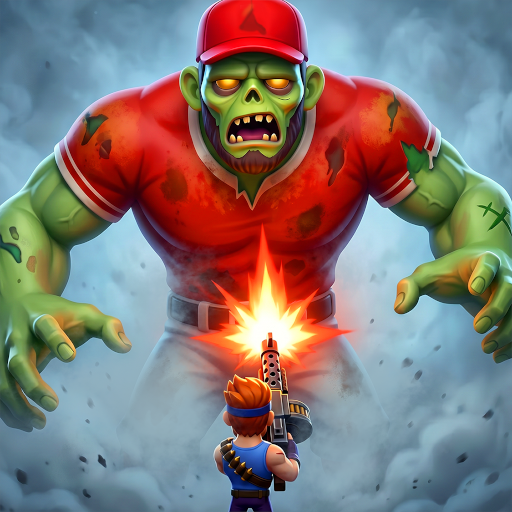
Agefield High: Rock the School
Zaktualizowano
Aktualna wersja
Sprzedawca

Przy całej swojej pasji do grania w Agefield High: Rock the School, twoje ręce nie powinny być ograniczone na małym ekranie telefonu. Graj jak zawodowiec i uzyskaj pełną kontrolę nad grą za pomocą klawiatury i myszy. MEmu oferuje ci wszystko, czego oczekujesz. Pobierz i graj Agefield High: Rock the School na PC. Graj tak długo, jak chcesz, bez ograniczeń baterii, danych komórkowych i niepokojących połączeń. Zupełnie nowy MEmu 9 to najlepszy wybór do grania w Agefield High: Rock the School na PC. Przygotowany dzięki naszej wiedzy, znakomity, wstępnie ustawiony system mapowania klawiszy sprawia, że Agefield High: Rock the School jest prawdziwą grą na PC. Zakodowany naszą absorpcją, menedżer wielu instancji umożliwia granie na 2 lub więcej kontach na tym samym urządzeniu. A co najważniejsze, nasz emulator może uwolnić pełny potencjał twojego komputera, sprawić, że wszystko będzie płynne. Dbamy nie tylko o to, jak grasz, ale także o cały proces czerpania radości z grania.
Pokaż więcej
Ciesz się wspaniałym doświadczeniem podczas grania w Agefield High: Rock the School na komputerze z aplikacją MEMU App Player. Jest to potężny darmowy emulator Androida pozwalający grać w tysiące gier na Androida. Step back into the vibrant, rebellious world of the early 2000s with Agefield High: Rock the School, a coming-of-age life simulation game that puts you in the shoes of a soon-to-graduate high schooler in the close-knit town of Agefield.
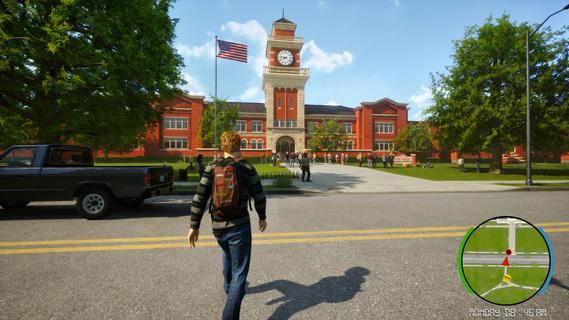
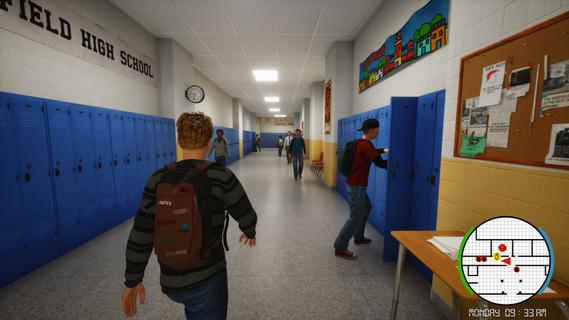
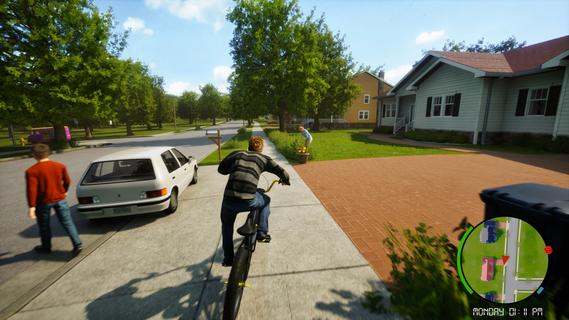
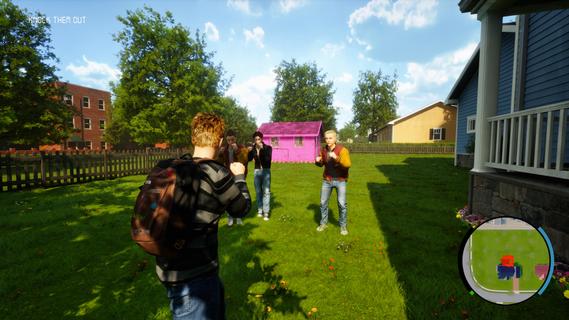
Step back into the vibrant, rebellious world of the early 2000s with Agefield High: Rock the School, a coming-of-age life simulation game that puts you in the shoes of a soon-to-graduate high schooler in the close-knit town of Agefield. With only three months left before graduation, every choice matters as you navigate friendship, love, music, and rebellion. Reliving the Glory DaysSet against a backdrop of vintage flip phones, mall hangouts, skateboards, and mixed CDs, the game authentically captures the youthful spirit and social landscape of the era. You play as a customizable protagonist, free to shape your identity—be it class clown, misunderstood artist, band frontman, or rebellious prankster. Gameplay OverviewOpen-Ended Social Sim:Interact with a dynamic cast of classmates, quirky teachers, and local townsfolk. Your choices and dialogue options impact relationships, earn reputations, and open (or close) offbeat side quests. Rebel Against the Rules:Organize pranks, form secret clubs, and find inventive ways to push back against school routines. Each plot twist is packed with the excitement of bending the rules and forging lifelong memories. Band Management and Battle of the Bands:Assemble a group of friends, pick your instruments, write original songs, and rehearse for the legendary end-of-year Battle of the Bands. Success depends on your choices—will your setlist impress the crowd, or will backstage drama tear the group apart? Romance and Rivalries:Pursue your dream girl (or boy) while navigating the ever-shifting web of crushes, secrets, and misunderstandings. Your actions influence how relationships blossom or wither over time, leading to multiple possible endings. Key FeaturesImmersive High School Setting: Roam the halls, roam the parking lot, sneak out for after-school escapades, and experience slice-of-life events—from prom drama to surprise skate competitions. Branching Narrative: Major decisions at critical moments shape both your personal story and wider school legend. Outcomes can include becoming school band champion, pulling off the ultimate prank, or mending broken friendships. Mini-Games and Activities: Dive into rhythm games, skateboarding challenges, creative art projects, or academic competitions for unique rewards and reputation boosts. Nostalgic Details: Enjoy a period-appropriate soundtrack, iconic fashion options, and early-2000s pop culture references that make each scene feel like a blast from the past. Ultimate High School ExperienceAgefield High: Rock the School lets you create your own mix-tape of memories and experiences. Will you cement your legacy as a rebel, win over your first love, or rise as a musical icon? Every moment is packed with choices, laughter, and the bittersweet feeling that comes with leaving youth behind. The countdown to graduation is on. It’s your last chance to break the rules, make a name for yourself, and rock the school—Agefield High is waiting for your story!
Pokaż więcej

1. Pobierz instalator MEmu i zakończ instalację

2. Uruchom MEmu, a następnie otwórz Google Play na pulpicie

3. Wyszukaj Agefield High: Rock the School w Google Play
Install
4. Pobierz i zainstaluj Agefield High: Rock the School
5. Po zakończeniu instalacji kliknij ikonę, aby rozpocząć

6. Ciesz się grą Agefield High: Rock the School na PC z MEmu
MEmu Play to najlepszy emulator Androida, a 100 milionów ludzi już korzysta z jego i dosta doskonałe wrażenia z gier na Androida. Technologia wirtualizacji MEmu umożliwia płynne granie w tysiące gier Androida na komputerze, nawet tych najbardziej wymagających grafiki.
Większy ekran z lepszą grafiką; Długi czas, bez ograniczeń baterii lub danych mobilnych.
Pełna obsługa mapowania klawiszy dla precyzyjnego sterowania klawiaturą i myszą lub gamepadem.
Wiele kont gier lub zadań na jednym komputerze jednocześnie z menedżerem wielu instancji.
Play Agefield High: Rock the School on PC by following steps: