
Agefield High: Rock the School
Diupdate
Versi Saat Ini
Ditawarkan Oleh

Dengan sepenuh kebulatan hati Anda dalam memainkan Agefield High: Rock the School, tangan Anda tak seharusnya hanya terbatas pada layar kecil handphone Anda.Bermainlah layaknya seorang profesional dan dapatkan kendali penuh dalam permainan Anda dengan papan ketik dan tetikus.MEmu menawarkan seluruh hal yang Anda harapkan.Unduh dan mainkan Agefield High: Rock the School pada PC. Bermainlah selama yang Anda inginkan, tanpa keterbatasan dari baterai, data seluler dan panggilan yang mengganggu.MEmu 9 baru merupakan pilihan terbaik untuk memainkan Agefield High: Rock the School pada PC. Dipersiapkan bersama teknologi ahli kami, sistem pemetaan kunci preset yang canggih menjadikan Agefield High: Rock the School sebagai permainan PC sejati.Manajer banyak hal dari MEmu memungkinkan Anda untuk memainkan 2 atau banyak akun pada perangkat yang sama.Dan yang terpenting, mesin emulasi eksklusif kami bisa melepaskan potensi penuh PC Anda, membuat segalanya berjalan lancar.
Tampilkan Lebih banyak
Unduh Agefield High: Rock the School di PC dengan Emulator Android MEmu. Nikmati permainan pada layar yang besar. Step back into the vibrant, rebellious world of the early 2000s with Agefield High: Rock the School, a coming-of-age life simulation game that puts you in the shoes of a soon-to-graduate high schooler in the close-knit town of Agefield.
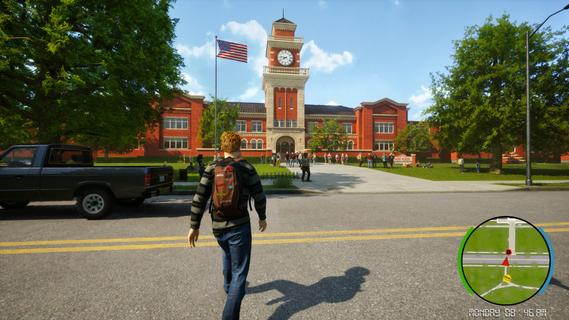
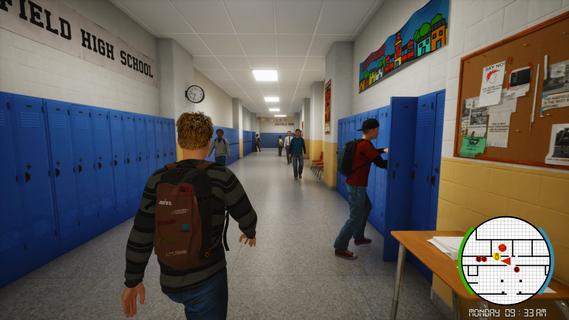
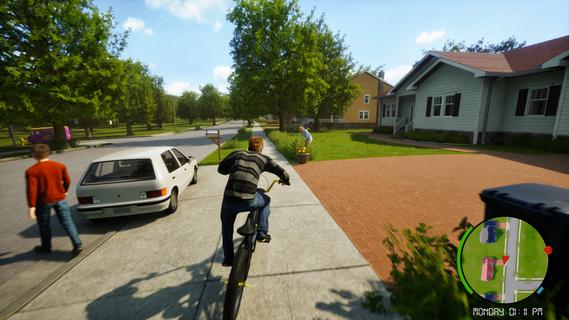
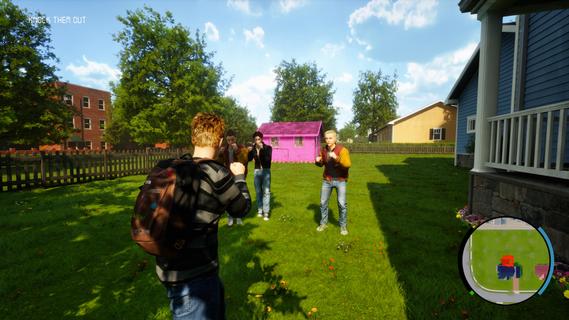
Step back into the vibrant, rebellious world of the early 2000s with Agefield High: Rock the School, a coming-of-age life simulation game that puts you in the shoes of a soon-to-graduate high schooler in the close-knit town of Agefield. With only three months left before graduation, every choice matters as you navigate friendship, love, music, and rebellion. Reliving the Glory DaysSet against a backdrop of vintage flip phones, mall hangouts, skateboards, and mixed CDs, the game authentically captures the youthful spirit and social landscape of the era. You play as a customizable protagonist, free to shape your identity—be it class clown, misunderstood artist, band frontman, or rebellious prankster. Gameplay OverviewOpen-Ended Social Sim:Interact with a dynamic cast of classmates, quirky teachers, and local townsfolk. Your choices and dialogue options impact relationships, earn reputations, and open (or close) offbeat side quests. Rebel Against the Rules:Organize pranks, form secret clubs, and find inventive ways to push back against school routines. Each plot twist is packed with the excitement of bending the rules and forging lifelong memories. Band Management and Battle of the Bands:Assemble a group of friends, pick your instruments, write original songs, and rehearse for the legendary end-of-year Battle of the Bands. Success depends on your choices—will your setlist impress the crowd, or will backstage drama tear the group apart? Romance and Rivalries:Pursue your dream girl (or boy) while navigating the ever-shifting web of crushes, secrets, and misunderstandings. Your actions influence how relationships blossom or wither over time, leading to multiple possible endings. Key FeaturesImmersive High School Setting: Roam the halls, roam the parking lot, sneak out for after-school escapades, and experience slice-of-life events—from prom drama to surprise skate competitions. Branching Narrative: Major decisions at critical moments shape both your personal story and wider school legend. Outcomes can include becoming school band champion, pulling off the ultimate prank, or mending broken friendships. Mini-Games and Activities: Dive into rhythm games, skateboarding challenges, creative art projects, or academic competitions for unique rewards and reputation boosts. Nostalgic Details: Enjoy a period-appropriate soundtrack, iconic fashion options, and early-2000s pop culture references that make each scene feel like a blast from the past. Ultimate High School ExperienceAgefield High: Rock the School lets you create your own mix-tape of memories and experiences. Will you cement your legacy as a rebel, win over your first love, or rise as a musical icon? Every moment is packed with choices, laughter, and the bittersweet feeling that comes with leaving youth behind. The countdown to graduation is on. It’s your last chance to break the rules, make a name for yourself, and rock the school—Agefield High is waiting for your story!
Tampilkan Lebih banyak

1. Unduh dan instal MEmu APP

2. Menjalankan MEmu lalu buka Google Play di halaman

3. Cari Agefield High: Rock the School di Google Play
Install
4. Unduh dan instal Agefield High: Rock the School
5. Setelah insatl APP selesai,klik ikon untuk mulai

6. Nikmati bermain Agefield High: Rock the School di PC dengan MEmu
MEmu App Player adalah emulator Android gratis terbaik dan 50 Juta orang sudah menikmati pengalaman luar biasa dalam bermain gim Android. Teknologi virtualisasi MEmu memberi kekuasaan untuk memainkan ribuan gim Android dengan lancar di PC anda, bahkan gim dengan grafis yang paling tinggi.
Layar lebih besar dengan grafis yang lebih baik; durasi panjang, tanpa batasan baterai atau data seluler.
Didukung penuh oleh Pemetaan tombol yang lengkap untuk keakuratan kontrol keyboard dan mouse maupun gamepad.
Membuka beberapa akun game atau tugas di waktu yang sama hanya pada satu PC, dengan Multi-Instance manager.
Play Agefield High: Rock the School on PC by following steps: