
Agefield High: Rock the School
Actualizada
Versión actual
Ofrecida por

Con toda tu pasión para jugar Agefield High: Rock the School, no se supone que tus manos estén limitadas en una pequeña pantalla de tu teléfono. Juega como un profesional y obtén el control total de tu juego con el teclado y el mouse. MEmu le ofrece todas las cosas que espera. Descargar y jugar Agefield High: Rock the School en PC. Juega todo el tiempo que quieras, sin más limitaciones de batería, datos móviles y llamadas molestas. El nuevo MEmu 9 es la mejor opción para jugar Agefield High: Rock the School en PC. Preparado con nuestra experiencia, el exquisito sistema de keymapping preestablecido convierte a Agefield High: Rock the School en un verdadero juego de PC. Codificado con nuestra absorción, el administrador de instancias múltiples hace posible jugar 2 o más cuentas en el mismo dispositivo. Y lo más importante, nuestro exclusivo motor de emulación puede liberar todo el potencial de su PC, hacer que todo sea más fluido. Nos importa no solo cómo juegas, sino también todo el proceso de disfrutar de la felicidad de los juegos.
Más detalles
Descargar Agefield High: Rock the School en PC con MEmu Android Emulador. Disfruta jugando en la pentalla grande. Step back into the vibrant, rebellious world of the early 2000s with Agefield High: Rock the School, a coming-of-age life simulation game that puts you in the shoes of a soon-to-graduate high schooler in the close-knit town of Agefield.
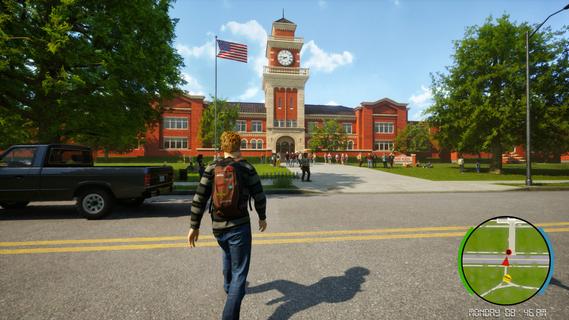
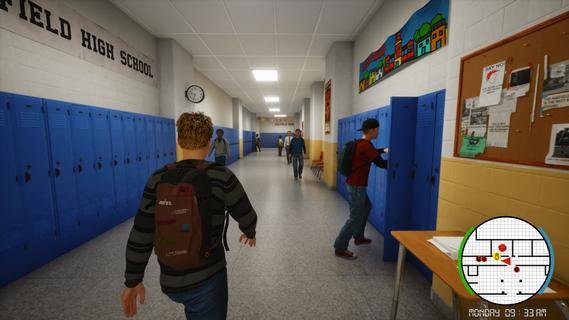
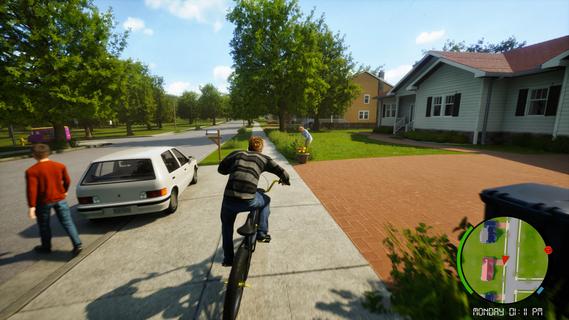
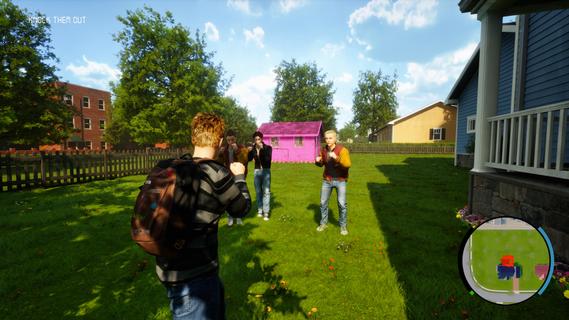
Step back into the vibrant, rebellious world of the early 2000s with Agefield High: Rock the School, a coming-of-age life simulation game that puts you in the shoes of a soon-to-graduate high schooler in the close-knit town of Agefield. With only three months left before graduation, every choice matters as you navigate friendship, love, music, and rebellion. Reliving the Glory DaysSet against a backdrop of vintage flip phones, mall hangouts, skateboards, and mixed CDs, the game authentically captures the youthful spirit and social landscape of the era. You play as a customizable protagonist, free to shape your identity—be it class clown, misunderstood artist, band frontman, or rebellious prankster. Gameplay OverviewOpen-Ended Social Sim:Interact with a dynamic cast of classmates, quirky teachers, and local townsfolk. Your choices and dialogue options impact relationships, earn reputations, and open (or close) offbeat side quests. Rebel Against the Rules:Organize pranks, form secret clubs, and find inventive ways to push back against school routines. Each plot twist is packed with the excitement of bending the rules and forging lifelong memories. Band Management and Battle of the Bands:Assemble a group of friends, pick your instruments, write original songs, and rehearse for the legendary end-of-year Battle of the Bands. Success depends on your choices—will your setlist impress the crowd, or will backstage drama tear the group apart? Romance and Rivalries:Pursue your dream girl (or boy) while navigating the ever-shifting web of crushes, secrets, and misunderstandings. Your actions influence how relationships blossom or wither over time, leading to multiple possible endings. Key FeaturesImmersive High School Setting: Roam the halls, roam the parking lot, sneak out for after-school escapades, and experience slice-of-life events—from prom drama to surprise skate competitions. Branching Narrative: Major decisions at critical moments shape both your personal story and wider school legend. Outcomes can include becoming school band champion, pulling off the ultimate prank, or mending broken friendships. Mini-Games and Activities: Dive into rhythm games, skateboarding challenges, creative art projects, or academic competitions for unique rewards and reputation boosts. Nostalgic Details: Enjoy a period-appropriate soundtrack, iconic fashion options, and early-2000s pop culture references that make each scene feel like a blast from the past. Ultimate High School ExperienceAgefield High: Rock the School lets you create your own mix-tape of memories and experiences. Will you cement your legacy as a rebel, win over your first love, or rise as a musical icon? Every moment is packed with choices, laughter, and the bittersweet feeling that comes with leaving youth behind. The countdown to graduation is on. It’s your last chance to break the rules, make a name for yourself, and rock the school—Agefield High is waiting for your story!
Más detalles

1. Descargar el instalador de MEmu y finalice la instalación

2. Iniciar MEmu y abrir Google Play en la página de inicio

3. Buscar Agefield High: Rock the School en Google Play
Install
4. Descargar y instalar Agefield High: Rock the School
5. Hacer click al icono para iniciar

6. Disfruta jugando Agefield High: Rock the School en PC con MEmu
MEmu App Player es el mejor emulador de Android gratuito y 50 millones de personas ya están disfrutando su magnífica experiencia jugando en Android. La tecnología de virtualización de MEmu te permite jugar a miles de juegos Android suavemente en tu PC, incluso los más intensivos gráficamente.
Pantalla más grande con mejores gráficos; Larga duración, sin limitación de batería o datos móviles.
Soporte completo de keymapping para un control preciso del teclado y el mouse o gamepad.
Múltiples cuentas de juegos o tareas en una sola PC a la vez con el administrador de instancias múltiples.
Play Agefield High: Rock the School on PC by following steps: