FluxWerks
Mise à jour
Version actuelle
Proposée par

Avec toute la passion que vous avez à jouer FluxWerks, vos mains ne sont pas sensées se limiter à l’infime écran de votre téléphone. Jouez comme un pro et ayez le contrôle total de votre jeu à l’aide du clavier et de la souris. MEmu satisfait toutes vos attentes. Téléchargez et jouez FluxWerks sur PC. Jouez aussi longtemps que vous souhaitez sans aucune limitation de batterie, de données mobiles et d’appels embêtants. La toute nouvelle version de MEmu 9 est la meilleure option de jouer FluxWerks sur PC. Réalisé par nos experts, l’e magnifique système d’affectation de touches prédéfini fait de FluxWerks un jeu réaliste sur PC. Le gestionnaire multi-instances de MEmu permet 2 ou plusieurs comptes de jeu sur le même appareil. Et le plus important, le moteur d’émulation exclusif peut libérer le plein potentiel de votre PC, ce qui facilite tout.
Afficher plus
Téléchargez FluxWerks avec le simulateur d’Android MEmu sur votre PC. Profitez de jouer sur un grand écran. The terrain in FluxWerks is not a backdrop.
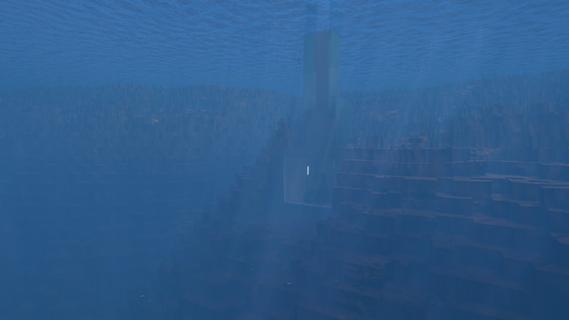
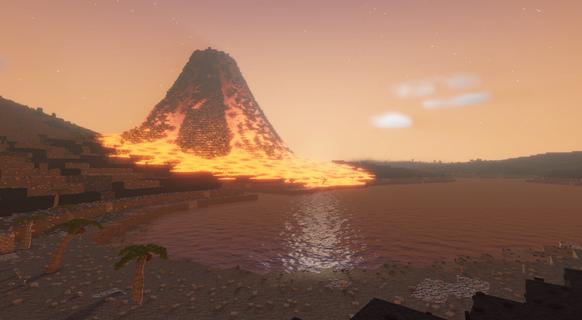

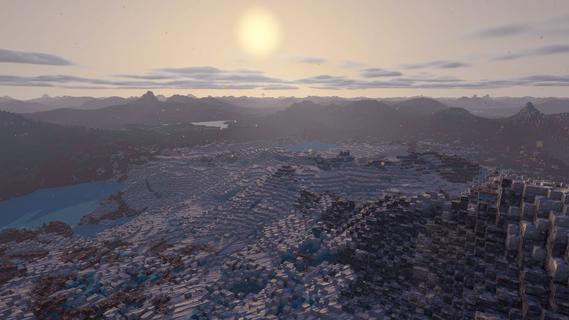
The terrain in FluxWerks is not a backdrop. It is a resource and a hazard. Strip-mine a mountain into nothing, then build your factory down into the hole it left. Dig below a lake and the water pours in behind you. Heat crosses from block to block, and storms wear down every machine you leave in the open.The scan said this world was emptyA long-range scan found a temperate, oxygen-rich, unoccupied world. You are the preparation unit, sent far ahead to raise an industrial base, survey the planet, and transmit everything home. The orders are simple. But a scan taken from that far away does not catch everything, and the closer you look at this world, the less empty it seems.Key featuresTotal voxel freedomEvery block in the world can be mined, moved, or built over. Strip-mine a mountain with excavators, carve a bunker into deep rock, or build a platform across the open ocean and a tunnel underneath it.Dynamic fluid simulationWater, oil, lava and acid flow through the world and react where they meet. Water on lava makes obsidian. Water on hot ground boils away. Volcanoes erupt for real, and lava does not care what you built in its path.Heat is physicalWaste heat does not just vanish away. It moves through the blocks around your machines, so how and where you build matters as much as what you build. Pipe the heat away, or turn it back into power.Deep automation and logisticsBuild dense assembly lines from belts, inserters and pipes, and cover long distances with cargo drones. Copy any working section of your factory as a blueprint and stamp it anywhere.The nanobot swarmYou touch the world through a nanobot swarm. Point it at terrain to clear it, at resources to harvest them, at a blueprint to print it.Your exhaust does not just disappearFluxWerks has no enemy factions, but the planet keeps score. Pollute the air heavily enough and something dormant in the soil might awaken...Explore a world with a pastCross deserts, jungles, tundra and volcanic wastes, and dig into cave systems. Scan for ore straight through solid rock. Points of interest are scattered across the world, with story background to uncoverWeather wears things downRain, blizzards, sandstorms and lightning cross the world on their own schedule, and machines wear out with exposure. Keeping repairs flowing is its own supply chain.Research across erasClimb from your first furnace to industrial chemistry and advanced electronics. Every research era asks for a noticeably bigger factory than the last, and each one unlocks machines that change how you build, not just how fast you build.The computing layerAdvanced machines draw on a shared computing reserve produced by your computer clusters. A starved factory slows down, and computers draw real power and put out real heat, so datacenter management becomes a real puzzle to solve.Built for scaleFluxWerks is designed for large factories, while still simulating the heat and fluids across the whole map. Fly freely around the world while the factory keeps running.
Afficher plus

1. Téléchargez l'installateur MEmu et terminez l'installation

2. Démarrez MEmu puis ouvrez Google Play sur la page d'accueil

3. Recherchez FluxWerks dans Google Play
Install
4. Téléchargez et installez FluxWerks
5. Une fois l'installation terminée, cliquez sur l'icône pour démarrer

6. Profitez de jouer FluxWerks sur PC avec MEmu
Le lecteur d'application MEmu est le meilleur émulateur Android gratuit, et 50 millions de personnes profitent déjà de sa fantastique expérience de jeu Android. La technologie de virtualisation MEmu vous donne la possibilité de jouer à des milliers de jeux Android sur votre PC sans aucune difficulté, même aux plus gourmands.
L’écran plus grand avec de meilleurs graphismes; Une longue durée, sans limitation de batterie ou de données mobiles.
Soutien du Keymapping pour un contrôle précis du clavier et de la souris ou de la manette de jeu
Plusieurs comptes de jeu ou tâches sur un seul PC en même temps avec le gestionnaire de multi-instance.
Play FluxWerks on PC by following steps: