FluxWerks
Diupdate
Versi Saat Ini
Ditawarkan Oleh

Dengan sepenuh kebulatan hati Anda dalam memainkan FluxWerks, tangan Anda tak seharusnya hanya terbatas pada layar kecil handphone Anda.Bermainlah layaknya seorang profesional dan dapatkan kendali penuh dalam permainan Anda dengan papan ketik dan tetikus.MEmu menawarkan seluruh hal yang Anda harapkan.Unduh dan mainkan FluxWerks pada PC. Bermainlah selama yang Anda inginkan, tanpa keterbatasan dari baterai, data seluler dan panggilan yang mengganggu.MEmu 9 baru merupakan pilihan terbaik untuk memainkan FluxWerks pada PC. Dipersiapkan bersama teknologi ahli kami, sistem pemetaan kunci preset yang canggih menjadikan FluxWerks sebagai permainan PC sejati.Manajer banyak hal dari MEmu memungkinkan Anda untuk memainkan 2 atau banyak akun pada perangkat yang sama.Dan yang terpenting, mesin emulasi eksklusif kami bisa melepaskan potensi penuh PC Anda, membuat segalanya berjalan lancar.
Tampilkan Lebih banyak
Unduh FluxWerks di PC dengan Emulator Android MEmu. Nikmati permainan pada layar yang besar. The terrain in FluxWerks is not a backdrop.
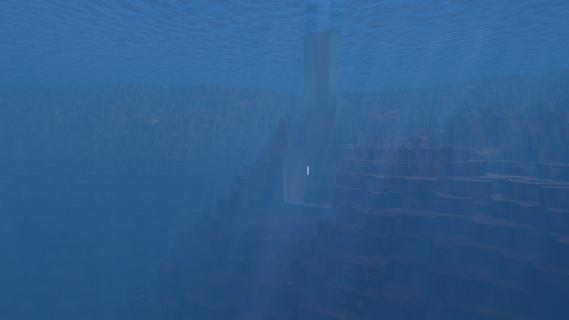
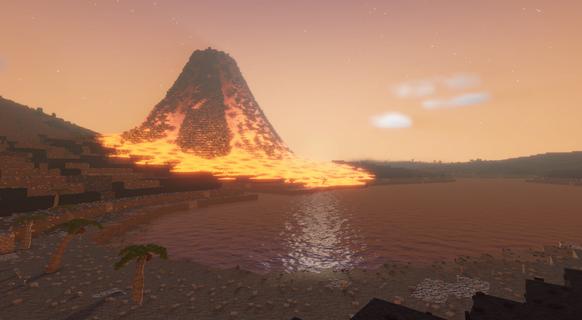
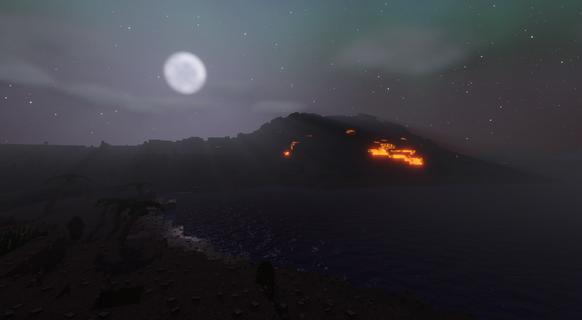
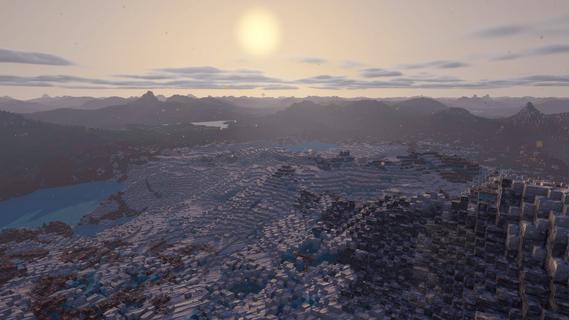
The terrain in FluxWerks is not a backdrop. It is a resource and a hazard. Strip-mine a mountain into nothing, then build your factory down into the hole it left. Dig below a lake and the water pours in behind you. Heat crosses from block to block, and storms wear down every machine you leave in the open.The scan said this world was emptyA long-range scan found a temperate, oxygen-rich, unoccupied world. You are the preparation unit, sent far ahead to raise an industrial base, survey the planet, and transmit everything home. The orders are simple. But a scan taken from that far away does not catch everything, and the closer you look at this world, the less empty it seems.Key featuresTotal voxel freedomEvery block in the world can be mined, moved, or built over. Strip-mine a mountain with excavators, carve a bunker into deep rock, or build a platform across the open ocean and a tunnel underneath it.Dynamic fluid simulationWater, oil, lava and acid flow through the world and react where they meet. Water on lava makes obsidian. Water on hot ground boils away. Volcanoes erupt for real, and lava does not care what you built in its path.Heat is physicalWaste heat does not just vanish away. It moves through the blocks around your machines, so how and where you build matters as much as what you build. Pipe the heat away, or turn it back into power.Deep automation and logisticsBuild dense assembly lines from belts, inserters and pipes, and cover long distances with cargo drones. Copy any working section of your factory as a blueprint and stamp it anywhere.The nanobot swarmYou touch the world through a nanobot swarm. Point it at terrain to clear it, at resources to harvest them, at a blueprint to print it.Your exhaust does not just disappearFluxWerks has no enemy factions, but the planet keeps score. Pollute the air heavily enough and something dormant in the soil might awaken...Explore a world with a pastCross deserts, jungles, tundra and volcanic wastes, and dig into cave systems. Scan for ore straight through solid rock. Points of interest are scattered across the world, with story background to uncoverWeather wears things downRain, blizzards, sandstorms and lightning cross the world on their own schedule, and machines wear out with exposure. Keeping repairs flowing is its own supply chain.Research across erasClimb from your first furnace to industrial chemistry and advanced electronics. Every research era asks for a noticeably bigger factory than the last, and each one unlocks machines that change how you build, not just how fast you build.The computing layerAdvanced machines draw on a shared computing reserve produced by your computer clusters. A starved factory slows down, and computers draw real power and put out real heat, so datacenter management becomes a real puzzle to solve.Built for scaleFluxWerks is designed for large factories, while still simulating the heat and fluids across the whole map. Fly freely around the world while the factory keeps running.
Tampilkan Lebih banyak

1. Unduh dan instal MEmu APP

2. Menjalankan MEmu lalu buka Google Play di halaman

3. Cari FluxWerks di Google Play
Install
4. Unduh dan instal FluxWerks
5. Setelah insatl APP selesai,klik ikon untuk mulai

6. Nikmati bermain FluxWerks di PC dengan MEmu
MEmu App Player adalah emulator Android gratis terbaik dan 50 Juta orang sudah menikmati pengalaman luar biasa dalam bermain gim Android. Teknologi virtualisasi MEmu memberi kekuasaan untuk memainkan ribuan gim Android dengan lancar di PC anda, bahkan gim dengan grafis yang paling tinggi.
Layar lebih besar dengan grafis yang lebih baik; durasi panjang, tanpa batasan baterai atau data seluler.
Didukung penuh oleh Pemetaan tombol yang lengkap untuk keakuratan kontrol keyboard dan mouse maupun gamepad.
Membuka beberapa akun game atau tugas di waktu yang sama hanya pada satu PC, dengan Multi-Instance manager.
Play FluxWerks on PC by following steps: