PLAYit-All in One Video Player
Mise à jour
Version actuelle
2.7.54.6
Proposée par

Ne vous inquiétez plus des surcharges lorsque vous utilisez PLAYit-All in One Video Player sur votre téléphone portable, libérez-vous de l'écran minuscule et profitez de l'application sur un écran beaucoup plus grand. Désormais, vous pouvez utiliser votre application en plein écran avec le clavier et la souris. MEmu vous offre toutes les fonctionnalités surprenantes que vous attendiez : installation rapide et configuration facile, commandes intuitives, plus de limitations de batterie, de données mobiles et d'appels dérangeants. Le tout nouveau MEmu 9 est le meilleur choix pour utiliser PLAYit-All in One Video Player sur votre ordinateur. Codé avec notre absorption, le gestionnaire multi-instance permet d'ouvrir 2 ou plusieurs comptes en même temps. Et le plus important, notre moteur d'émulation exclusif peut libérer tout le potentiel de votre PC, rendre tout cela fluide et agréable.
Afficher plus
Téléchargez PLAYit-All in One Video Player avec le simulateur d’Android MEmu sur votre PC. Profitez de jouer sur un grand écran. In need of an all-in-one video and music player, game hall, video transfer, video effects, and media manager?
In need of an all-in-one video and music player, game hall, video transfer, video effects, and media manager?
PLAYit is ready to provide a feast for your eyes and ears!
Enjoy PLAYit
Online HD video player and music player with useful features
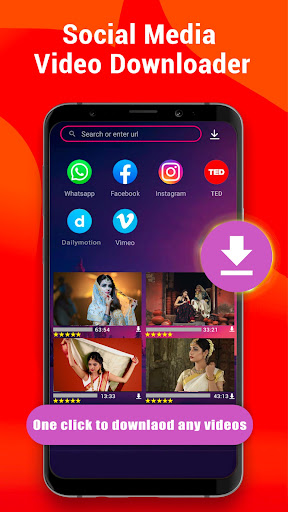
PLAYit supports transfer & share
Share your videos and music with ease.
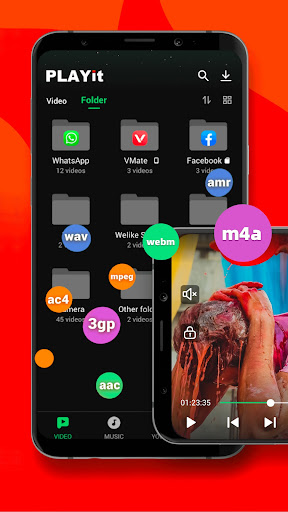
Auto-detect and manage local media files
Automatically detect video files on Android devices and SD cards. Easily sort, organize, and share your media files while checking your available storage space.
AI Video Effects
Create eye-catching videos with AI-powered effects in just one tap. Choose from a variety of creative effects and styles to transform your photos and videos. No advanced video editing skills needed—just select an effect and enjoy the result.
Video Edit & Creative Effects
Explore simple video editing features powered by creative effects. Apply different visual effects and styles to your videos with ease. Give your videos a fresh look without complicated editing tools.
All Format Videos & Audio Supported
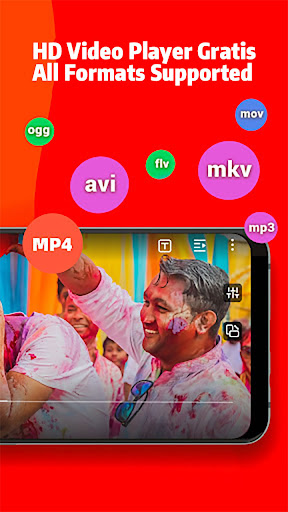
HD video player supports various video formats, including 4K, 1080p, MKV, FLV, 3GP, M4V, TS, and MPG.
HQ music player supports popular audio formats such as MP3 and M4A.
▶Quickly Search and Watch Videos & Photos
Easily find videos and photos on your device and enjoy smooth playback.
Floating Play & Background Play
Use the floating-play window to browse other apps while watching videos or listening to music. Background play lets your video or music continue while using other apps or when the screen is turned off.
Protect Videos in a Private Folder
Keep personal videos hidden in a private folder for added privacy.
Video to Audio Converter
Convert videos to audio with one click and enjoy your favorite audio or music separately.
Online Subtitle Function
Search for online subtitles and watch movies with English, Hindi, Tamil, and other subtitles.
Smart Gesture Controls
Use easy gestures during video playback to adjust playback speed, brightness, and volume.
Advanced Software Decoding
Software decoding helps support smooth playback across a wide range of video formats.
▶HD Video Player: Play It
* Browse and play local videos, status videos, trailers, movies, and other videos stored on your device.
* Keep videos playing in the background when switching to other apps or turning off the screen.
* Use the floating player to watch videos while using other apps.
* Adjust playback speed, brightness, and volume with simple gesture controls.
* Try video editing features with creative effects to give your videos a fresh new look.
▶HD Video Watcher: Watch It
* Browse and organize your favorite Hindi movies and other videos in one place.
* Explore videos and discover creative effects for your content.
▶HQ Music Player: Listen to It
* Locate and manage audio files from your phone memory and SD card.
* Play individual songs or entire playlists on PLAYit.
* Convert MP4 videos to MP3 audio with one simple click.
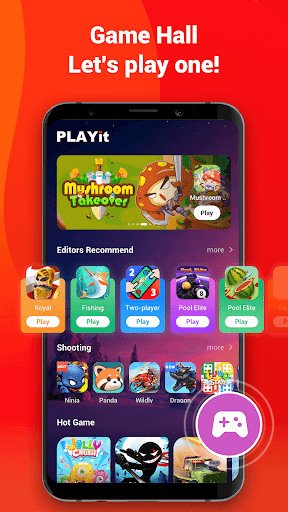
Game Hall
Explore hundreds of games across genres such as shooting, action, racing, and casual.
Just open and play.
AI Video Effects
Transform your photos and videos with AI-powered effects. Choose from different styles and apply creative effects with just one tap.
Video Editing Effects
Use video editing effects to add creative visual styles to your videos. Apply effects easily and explore different looks for your content.
⭐We are working hard to provide a better experience with PLAYit, your powerful HD video and music player!
If you have any problems while using PLAYit, please contact us via [feedback@playit.app](mailto:feedback@playit.app).
Afficher plus

1. Téléchargez l'installateur MEmu et terminez l'installation

2. Démarrez MEmu puis ouvrez Google Play sur la page d'accueil

3. Recherchez PLAYit-All in One Video Player dans Google Play
Install
4. Téléchargez et installez PLAYit-All in One Video Player
5. Une fois l'installation terminée, cliquez sur l'icône pour démarrer

6. Utiliser MEmu pour utiliser PLAYit-All in One Video Player sur votre ordinateur
MEmu Play est actuellement le meilleur émulateur Android gratuit, avec 50 millions d'utilisateurs qui profitent d'une expérience Android exceptionnelle. La technologie de virtualisation de MEmu vous permet de jouer facilement à des milliers d'applications Android sur votre ordinateur, même les plus gourmandes en ressources.
L’écran plus grand avec de meilleurs graphismes; Une longue durée, sans limitation de batterie ou de données mobiles.
Soutien du Keymapping pour un contrôle précis du clavier et de la souris ou de la manette de jeu
Plusieurs comptes de jeu ou tâches sur un seul PC en même temps avec le gestionnaire de multi-instance.
Use PLAYit-All in One Video Player on PC by following steps: