PLAYit-All in One Video Player
Atualizada
Versão atual
2.7.51.30
Oferecido por

Pare de se preocupar com sobrecargas ao usar PLAYit-All in One Video Player no seu celular, liberte-se da pequena tela e aproveite o uso do aplicativo numa tela muito maior. A partir de agora, obtenha uma experiência em tela cheia do seu aplicativo com teclado e mouse. O MEmu oferece-lhe todos os recursos surpreendentes que você esperava: instalação rápida e configuração fácil, controles intuitivos, sem mais limitações de bateria, dados móveis e chamadas perturbadoras. O novíssimo MEmu 9 é a melhor opção para usar PLAYit-All in One Video Player no seu computador. Codificado com a nossa absorção, o gerenciador de multi-instâncias possibilita a abertura de 2 ou mais contas ao mesmo tempo. E o mais importante, nosso mecanismo de emulação exclusivo pode liberar todo o potencial do seu PC, tornando tudo suave e agradável.
Mostre mais
Download do PLAYit-All in One Video Player no PC com MEmu Android Emulador: Divirta-se jogando na tela grande. In need of an all-in-one video and music player, game hall, video transfer, and media manager?
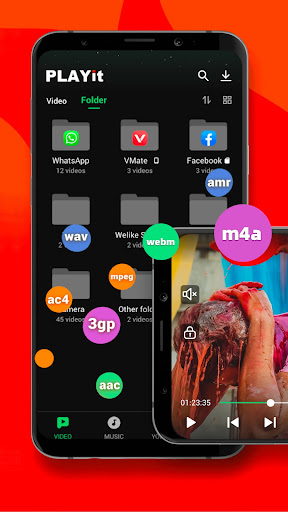
In need of an all-in-one video and music player, game hall, video transfer, and media manager?
PLAYit is ready to provide you a feast for eyes and ears!
Enjoy PLAYit
Online HD video player and music player with various features
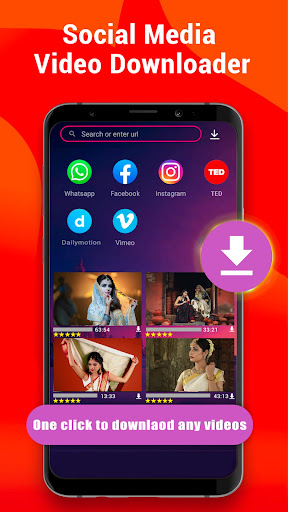
PLAYit supports transfer & share now
You can share any videos and music.
Auto-detect and manage local media files
Automatically detect all video files on Android devices and SD cards, easily sort and share media files, and clearly display the internal storage space. Easily manage media according to personal needs
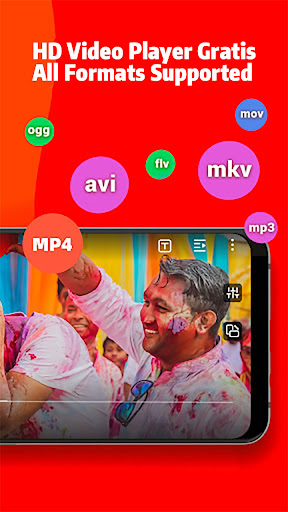
All format videos, all format audio supported
HD video player for all formats: 4k videos, 1080p videos, MKV videos, FLV videos, 3GP videos, M4V videos, TS videos, MPG videos
HQ music player for all formats: MP3 files, M4A files
▶Quickly search and watch videos and photos
Explore a wide range of content with smooth playback.
Floating play and background play allow multitasking
Turn on the floating-play window to chat with other apps while watching videos or listening to music.
Protect videos in the private folder
Hide personal videos for privacy protection.
Video to audio converter
One click to convert videos to audio and enjoy audio/music playing.
Online Subtitle Function
Search online subtitles and watch movies with English/Hindi/Tamil subtitles.
Smart gesture control during video player video playing
Multi-play option and easy gesture control to change playback speed, brightness, and volume
Advanced kernel SW decoder to provide experience
Software acceleration is applied to all formats. By changing the decoding mode.
▶HD Video Player: Play It
- Browse all your local video files and play status videos, trailers, movies, and any other videos stored in your device.
- Background play function to keep playing the video when switching to other apps or turning off the phone screen
- Floating play function to adjust the player's floating window and use other apps at the same time
- Easily use gesture control to adjust playback speed, brightness, and volume. Video playback continues from the last position, smartly
▶HD Video Watcher: Watch It
- Manage your favorite Hindi movies and organize them in one place for easy viewing.
▶HQ Music Player: Listen to It
- Locate and manage all audio files from your phone memory and SD card
- Choose to play a single piece of music or the whole playlist on the PLAYit music player
- Convert MP4 to MP3 with one simple click, retaining clear audio quality
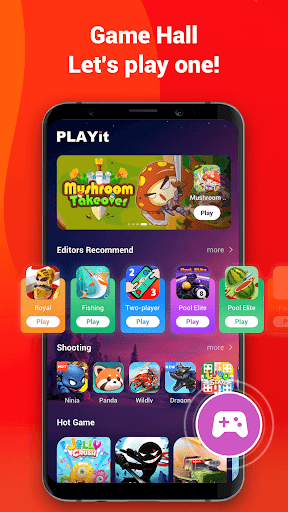
Game Hall
Hundreds of popular games covering a variety of genres such as shooting, action, racing, and casual.
Just open and play.
⭐We are working hard for a better experience as a powerful HD video player!
If you have any problems during the usage of PLAYit, please contact us via feedback@playit.app
Mostre mais

1. Faça o download do instalador do MEmu e conclua a instalação

2. Inicie o MEmu e depois abra o Google Play na página inicial

3. Pesquise PLAYit-All in One Video Player no Google Play
Install
4. Baixe e Instale PLAYit-All in One Video Player
5. Na conclusão da instalação, clique no ícone para iniciar

6. º Experimente o PLAYit-All in One Video Player no PC com o MEmu.
O MEmu Play é o melhor emulador Android gratuito, com 50 milhões de utilizadores a desfrutar da sua experiência superior com aplicações Android. A tecnologia de virtualização do MEmu permite-lhe executar milhares de aplicações Android sem problemas no seu computador, mesmo as mais exigentes.
Tela maior com gráficos melhores; Longa duração e sem limitação de bateria ou dados móveis.
Suporte completo ao Mapaeamento de Teclas para controle preciso do teclado e mouse ou gamepad.
Várias contas de jogos ou tarefas em um único PC de uma só vez com o Gerenciador de várias instâncias.
Use PLAYit-All in One Video Player on PC by following steps: