Ragnarok: Yggdrasil
अपडेट किया गया
वर्तमान वर्शन
संसाधन

अपने सेलफोन पर Ragnarok: Yggdrasil का उपयोग करते समय ओवरचार्ज के बारे में चिंता करना बंद करें, अपने आप को छोटी स्क्रीन से मुक्त करें और बहुत बड़े डिस्प्ले पर ऐप का उपयोग करने का आनंद लें। अब से, कीबोर्ड और माउस के साथ अपने ऐप का पूर्ण-स्क्रीन अनुभव प्राप्त करें। एमईएमयू आपको उन सभी आश्चर्यजनक सुविधाओं की पेशकश करता है जिनकी आपको उम्मीद थी: त्वरित इंस्टॉल और आसान सेटअप, सहज नियंत्रण, बैटरी की कोई सीमा नहीं, मोबाइल डेटा और परेशान कॉल। आपके कंप्यूटर पर Ragnarok: Yggdrasil का उपयोग करने का सबसे अच्छा विकल्प नया MEmu 9 है। हमारे अवशोषण के साथ कोडित, बहु-उदाहरण प्रबंधक एक ही समय में 2 या अधिक खाते खोलना संभव बनाता है। और सबसे महत्वपूर्ण, हमारा अनन्य उत्सर्जन इंजन आपके पीसी की पूरी क्षमता को जारी कर सकता है, सब कुछ सुचारू और सुखद बना सकता है।
और दिखाएं
डाउनलोड करें Ragnarok: Yggdrasil पीसी पर MEmu एंड्रॉयड एमुलेटर के साथ बड़े पर्दे पर खेलने का आनंद लें। Facebook:https://www.
Facebook:https://www.facebook.com/profile.php?id=61593311410496#
INS:https://www.instagram.com/ragnarok_yggdrasil/
Youtube:https://www.youtube.com/@RagnarokYggdrasil
Discord:https://discord.gg/2qu8HzyuMP
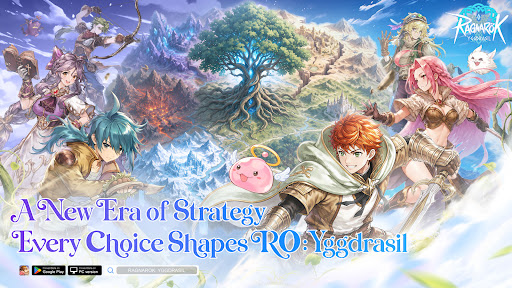
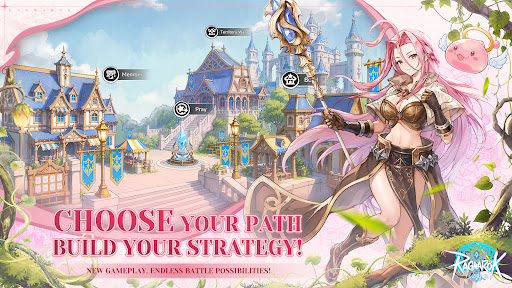
The World Tree is withering, its vitality fading. Six divine clans clash without end, and the fate of Midgard rests in your hands. Built on classic RO character and real-time combat, ROY deeply integrates SLG sandbox strategy to unleash an unprecedented divine realm war.
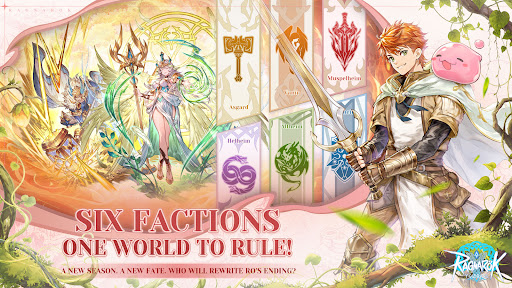
[Six Clans Rise · Hundred-City Warfare] Six divine factions hold their ground across a vast sandbox of 76 cities and 30 passes. Advance from starter zones to resource heartlands to the core — forge alliances, betray rivals, lay siege, ignite 300-player same-screen kingdom battles now!
[Seasonal Warfare · Ever-Changing Battlefields] 13-week seasons with fully refreshed maps and rules every cycle — new and veteran players compete on equal footing. Every campaign you wage reshapes the World Tree's destiny and writes your faction's legend.
[War & Wisdom · Every Player Matters] Heavy hitters charge the frontline, builders run logistics and production, diplomats maneuver behind the scenes — no matter your skill level, everyone has a role to play and a stake in the outcome.
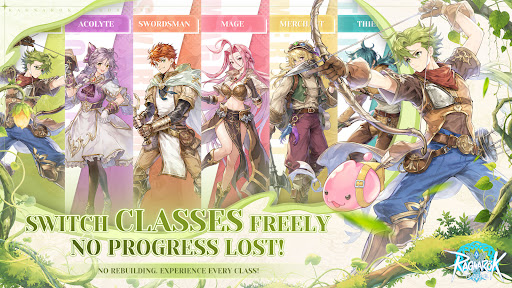
[Fair Progression · Free Job Switching] Class switching without any regression or loss, dual economy of Exchange + Merchant Guild, and power gaps strictly controlled from the ground up. Trade to Win — everyone can truly fight.
[Classic Reborn · Visual Upgrade] Hard cel-shading art style been fully upgraded, cuter and more refined characters, yet classic scenes reimagined. Familiar jobs and melodies, a brand-new divine realm adventure!
Rally your guild, choose your clan, and fight for your future beneath Yggdrasil.
और दिखाएं

1. MEmu इंस्टॉलर को डाउनलोड करें और इंस्टॉलेशन को पूरा करें

2. MEmu शुरू करें फिर होमपेज पर Google Play खोलें

3. Google Play में Ragnarok: Yggdrasil खोजें
Install
4. Ragnarok: Yggdrasil डाउनलोड कर इंस्टॉल करें
5. इंस्टॉल पूरा होने पर आइकन दबाएं

6. MEmu से पीसी पर Ragnarok: Yggdrasil खेलने का आनंद लें
MEmu Play सबसे बेहतरीन मुफ़्त Android एमुलेटर है और 5 करोड़ लोग पहले ही इसके शानदार Android गेमिंग अनुभव का आनंद ले चुके हैं। MEmu 9 वर्चुअलाइज़ेशन तकनीक आपको अपने PC पर हज़ारों Android गेम, यहाँ तक कि सबसे ज़्यादा ग्राफ़िक्स वाले गेम भी, आसानी से खेलने की सुविधा देती है।
असीमित बैटरी या मोबाइल डेटा के साथ बेहतर ग्राफिक्स के साथ बड़ी स्क्रीन; लंबी अवधि।
कीबोर्ड और माउस या गेमपैड के उत्तम नियंत्रण के लिए संपूर्ण कीमैपिंग का समर्थन करता हैं।
एक ही पीसी पर मल्टी-इंस्टेंस मैनेजर के साथ एक समय में कई गेम खाते या कार्य कर सकते हैं।
Play Ragnarok: Yggdrasil on PC by following steps: