Ragnarok: Yggdrasil
Aktualisiert
Aktuelle Version
Angeboten von

Bei all Ihrer Leidenschaft für das Spielen von Ragnarok: Yggdrasil sollten Ihre Hände nicht auf einen winzigen Bildschirm Ihres Telefons beschränkt sein. Spielen Sie wie ein Profi und übernehmen Sie die volle Kontrolle über Ihr Spiel mit Tastatur und Maus. MEmu bietet Ihnen all die Dinge, die Sie erwarten. Laden Sie Ragnarok: Yggdrasil herunter und spielen Sie es auf dem PC. Spielen Sie so lange, wie Sie wollen, ohne Grenzwerte für Akku, mobile Daten und störende Anrufe. Das brandneue MEmu 9 ist die beste Wahl, um Ragnarok: Yggdrasil auf dem PC zu spielen. Das exquisite voreingestellte Tastaturbelegungssystem, das mit unserem Fachwissen vorbereitet wurde, macht Ragnarok: Yggdrasil zu einem echten PC-Spiel. Der MEmu Multi-Instanz-Manager ermöglicht das Spielen von 2 oder mehr Konten auf demselben Gerät. Und das Wichtigste: Unsere exklusive Emulations-Engine kann das volle Potenzial Ihres PCs freisetzen und für reibungslose Abläufe sorgen.
Mehr anzeigen
Laden Sie Play Ragnarok: Yggdrasil auf dem PC mit MEmu Android Emulator. Viel Spaß beim Spielen auf großmundieren. Facebook:https://www.
Facebook:https://www.facebook.com/profile.php?id=61593311410496#
INS:https://www.instagram.com/ragnarok_yggdrasil/
Youtube:https://www.youtube.com/@RagnarokYggdrasil
Discord:https://discord.gg/2qu8HzyuMP
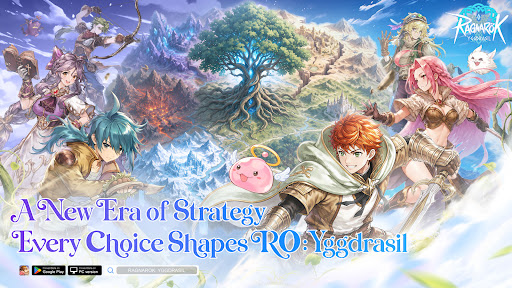
The World Tree is withering, its vitality fading. Six divine clans clash without end, and the fate of Midgard rests in your hands. Built on classic RO character and real-time combat, ROY deeply integrates SLG sandbox strategy to unleash an unprecedented divine realm war.
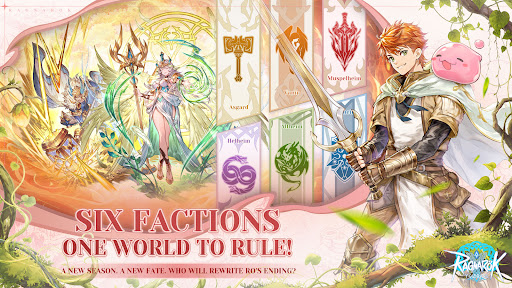
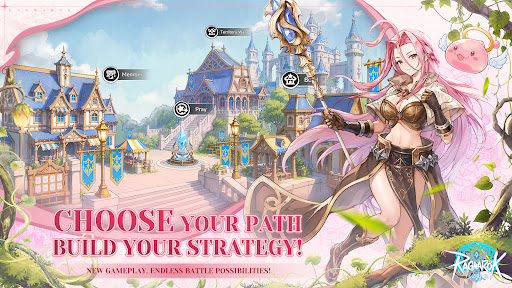
[Six Clans Rise · Hundred-City Warfare] Six divine factions hold their ground across a vast sandbox of 76 cities and 30 passes. Advance from starter zones to resource heartlands to the core — forge alliances, betray rivals, lay siege, ignite 300-player same-screen kingdom battles now!
[Seasonal Warfare · Ever-Changing Battlefields] 13-week seasons with fully refreshed maps and rules every cycle — new and veteran players compete on equal footing. Every campaign you wage reshapes the World Tree's destiny and writes your faction's legend.
[War & Wisdom · Every Player Matters] Heavy hitters charge the frontline, builders run logistics and production, diplomats maneuver behind the scenes — no matter your skill level, everyone has a role to play and a stake in the outcome.
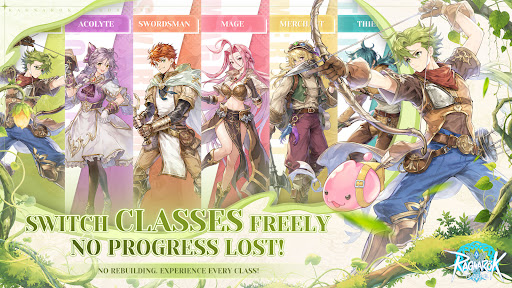
[Fair Progression · Free Job Switching] Class switching without any regression or loss, dual economy of Exchange + Merchant Guild, and power gaps strictly controlled from the ground up. Trade to Win — everyone can truly fight.
[Classic Reborn · Visual Upgrade] Hard cel-shading art style been fully upgraded, cuter and more refined characters, yet classic scenes reimagined. Familiar jobs and melodies, a brand-new divine realm adventure!
Rally your guild, choose your clan, and fight for your future beneath Yggdrasil.
Mehr anzeigen

1. Laden das MEmu-Installationsprogramm herunter und beenden die Installation

2. MEmu starten und Google Play auf der Homepage öffnen

3. Suchen Ragnarok: Yggdrasil in Google Play
Install
4. Herunterladen und Installieren Ragnarok: Yggdrasil
5. Klicken nach Abschluss der Installation auf das Symbol, um es zu starten

6. Viel Spaß beim Spielen von Ragnarok: Yggdrasil auf dem PC mit MEmu
MEmu App Player ist der beste kostenlose Android-Emulator und 50 Millionen Menschen genießen bereits seine hervorragende Android-Gaming-Erfahrung. Mit der MEmu-Virtualisierungstechnologie können Sie Tausende von Android-Spielen problemlos auf Ihrem PC spielen, selbst bei grafikintensiven Spielen.
BGrößeres Bild mit besserer Grafik; Keine unterbrechungen, keine sorgen um Akku
Komplette Tastenbelegung unterstützt mit Maus und Tastatur oder Controller
Mit dem „Multi-Instance-Manager“ können Sie mehrere Spielkonten oder Spiele gleichzeitig auf einem PC ausführen.
Play Ragnarok: Yggdrasil on PC by following steps: