
Project Dishari
अपडेट किया गया
वर्तमान वर्शन
PD.38.0
संसाधन

Project Dishari पर अपनी मोबाइल डेटा सीमा पार करने को अलविदा कहें और छोटी स्क्रीन की सीमाओं से मुक्त होकर बड़े डिस्प्ले के लाभों का अनुभव करें। अब, आप अपने कीबोर्ड और माउस का उपयोग करके फुल-स्क्रीन मोड में टॉपर्स क्लैन की शक्ति का अनुभव कर सकते हैं। MEmu Play में वे सभी बेहतरीन सुविधाएँ हैं जिनकी आप अपेक्षा करते हैं: त्वरित इंस्टॉलेशन और आसान सेटअप, सहज नियंत्रण, बैटरी की आवश्यकता नहीं, और कोई डेटा या कॉल समय सीमा नहीं। नया MEmu 9 आपके कंप्यूटर पर Project Dishari का उपयोग करने के लिए सबसे अच्छा विकल्प है। हमारा मालिकाना मल्टी-इंस्टेंस मैनेजर एक साथ दो या अधिक खातों को चलाने का समर्थन करता है। इससे भी महत्वपूर्ण बात यह है कि हमारा अनूठा इम्यूलेशन इंजन आपके कंप्यूटर के प्रदर्शन का पूरा उपयोग करता है, जिससे एक सहज और निर्बाध अनुभव मिलता है।
और दिखाएं
डाउनलोड करें Project Dishari पीसी पर MEmu एंड्रॉयड एमुलेटर के साथ बड़े पर्दे पर खेलने का आनंद लें। Project Dishari App contains General Knowledge, Current Affairs, Math, Reasoning, Rajasthan GK, History, Science, Geography, Hindi Grammar, and Computer Awareness with Online Tests and Job Alerts.
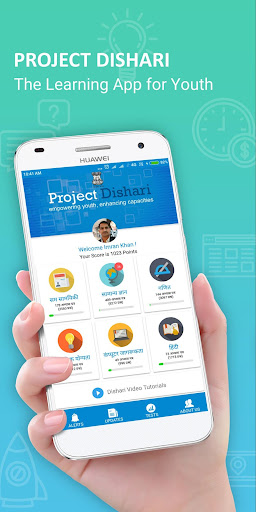
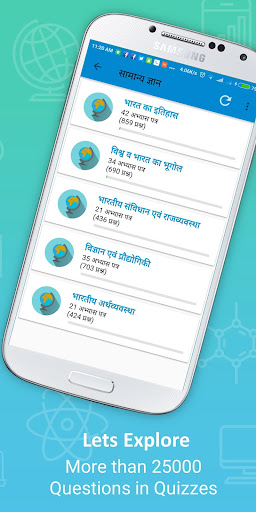
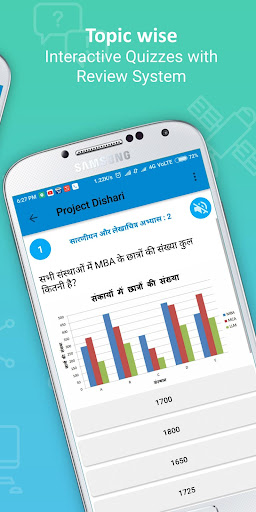
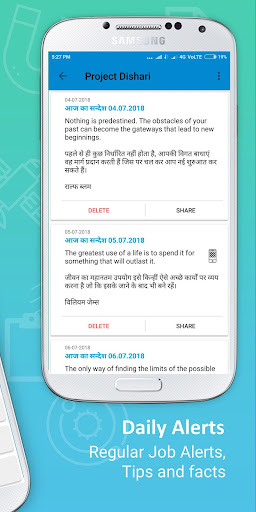
Project Dishari App contains General Knowledge, Current Affairs, Math, Reasoning, Rajasthan GK, History, Science, Geography, Hindi Grammar, and Computer Awareness with Online Tests and Job Alerts.
Dishari App is very useful for Hindi Medium Students. Project Dishari is a Learning App for Youth.
Project Dishari is a project to empower youth and enhance capacities. It is an initiative of the Department of College Education, Government of Rajasthan. The aim of this app is to provide educational content and updates to the students on the go.
The app is being created by App Guru Imran Khan a teacher and app developer from Alwar, Rajasthan. He has created various educational apps and donated 50 mobile apps to MHRD. Talking about his app donation hon'ble Prime Minister hailed from Wembley stadium on 13 Nov 2015, "My India resides in Imran Khan of Alwar.”
Features
और दिखाएं

1. MEmu इंस्टॉलर को डाउनलोड करें और इंस्टॉलेशन को पूरा करें

2. MEmu शुरू करें फिर होमपेज पर Google Play खोलें

3. Google Play में Project Dishari खोजें
Install
4. Project Dishari डाउनलोड कर इंस्टॉल करें
5. इंस्टॉल पूरा होने पर आइकन दबाएं

6. MEmu का उपयोग करके अपने कंप्यूटर पर Project Dishari का अनुभव करें
MEmu Play सबसे बेहतरीन मुफ़्त Android एमुलेटर है और 5 करोड़ लोग पहले ही इसके शानदार Android ऐप अनुभव का आनंद ले चुके हैं। MEmu 9 वर्चुअलाइज़ेशन तकनीक आपको अपने PC पर हज़ारों Android ऐप्स, यहाँ तक कि सबसे ज़्यादा ग्राफ़िक्स वाले ऐप्स भी, आसानी से चलाने की सुविधा देती है।
असीमित बैटरी या मोबाइल डेटा के साथ बेहतर ग्राफिक्स के साथ बड़ी स्क्रीन; लंबी अवधि।
कीबोर्ड और माउस या गेमपैड के उत्तम नियंत्रण के लिए संपूर्ण कीमैपिंग का समर्थन करता हैं।
एक ही पीसी पर मल्टी-इंस्टेंस मैनेजर के साथ एक समय में कई गेम खाते या कार्य कर सकते हैं।
Use Project Dishari on PC by following steps: