Dome Keeper
अपडेट किया गया
वर्तमान वर्शन
संसाधन

अपने सेलफोन पर Dome Keeper का उपयोग करते समय ओवरचार्ज के बारे में चिंता करना बंद करें, अपने आप को छोटी स्क्रीन से मुक्त करें और बहुत बड़े डिस्प्ले पर ऐप का उपयोग करने का आनंद लें। अब से, कीबोर्ड और माउस के साथ अपने ऐप का पूर्ण-स्क्रीन अनुभव प्राप्त करें। एमईएमयू आपको उन सभी आश्चर्यजनक सुविधाओं की पेशकश करता है जिनकी आपको उम्मीद थी: त्वरित इंस्टॉल और आसान सेटअप, सहज नियंत्रण, बैटरी की कोई सीमा नहीं, मोबाइल डेटा और परेशान कॉल। आपके कंप्यूटर पर Dome Keeper का उपयोग करने का सबसे अच्छा विकल्प नया MEmu 9 है। हमारे अवशोषण के साथ कोडित, बहु-उदाहरण प्रबंधक एक ही समय में 2 या अधिक खाते खोलना संभव बनाता है। और सबसे महत्वपूर्ण, हमारा अनन्य उत्सर्जन इंजन आपके पीसी की पूरी क्षमता को जारी कर सकता है, सब कुछ सुचारू और सुखद बना सकता है।
और दिखाएं
डाउनलोड करें Dome Keeper पीसी पर MEmu एंड्रॉयड एमुलेटर के साथ बड़े पर्दे पर खेलने का आनंद लें। Defend against waves of alien monsters in this unique roguelike action mining game.
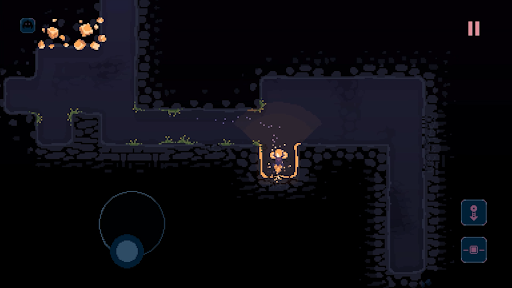
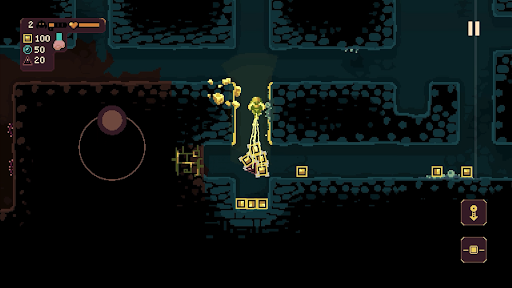
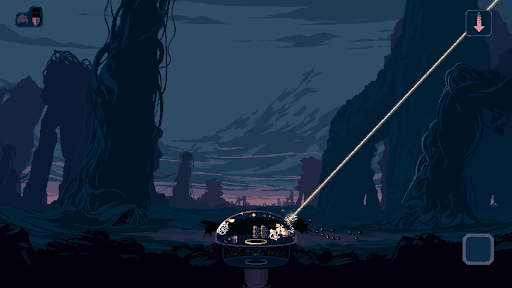
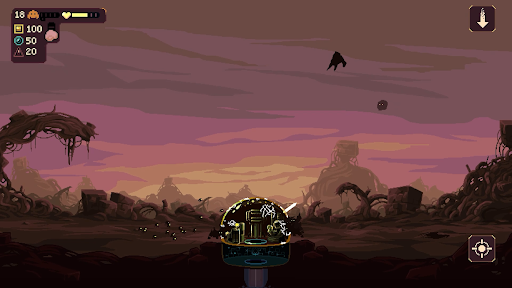
Defend against waves of alien monsters in this unique roguelike action mining game. Use the time between attacks to dig beneath the surface in search of valuable resources and relics – deliver them back to your dome to unlock powerful upgrades and useful new gadgets.
But it won’t be long until the relentless monsters return - do you risk delving deeper into the mine? Or return to base and prepare for imminent attack? The choice is yours, but make it quickly!
DIG
Use your drill and keeper equipment to quickly dig out tunnels and explore the depths beneath your dome. Each run has its own unique, procedurally generated map filled with resources and caves to discover, along with additional gadgets to obtain.
DEFEND
Protect your dome by operating its powerful weaponry to defend against waves of monster attacks. Upgrade, repair and repel a variety of enemy types that approach across air and ground, each with their own unique attack methods and movement patterns.
DEVELOP
Spend resources to unlock useful upgrades. Improve dome defences, enhance the impact of your drill, or increase movement speed – choose carefully and strategise to increase odds of survival.
DISCOVER
Customise your setup and find a playstyle that works for you by choosing from two unique keeper types, four different domes, and four primary gadgets. Pick a run modifier, adjust difficulty settings and discover dozens of secondary gadgets while you dig through the earth.
और दिखाएं

1. MEmu इंस्टॉलर को डाउनलोड करें और इंस्टॉलेशन को पूरा करें

2. MEmu शुरू करें फिर होमपेज पर Google Play खोलें

3. Google Play में Dome Keeper खोजें
Install
4. Dome Keeper डाउनलोड कर इंस्टॉल करें
5. इंस्टॉल पूरा होने पर आइकन दबाएं

6. MEmu से पीसी पर Dome Keeper खेलने का आनंद लें
MEmu Play सबसे बेहतरीन मुफ़्त Android एमुलेटर है और 5 करोड़ लोग पहले ही इसके शानदार Android गेमिंग अनुभव का आनंद ले चुके हैं। MEmu 9 वर्चुअलाइज़ेशन तकनीक आपको अपने PC पर हज़ारों Android गेम, यहाँ तक कि सबसे ज़्यादा ग्राफ़िक्स वाले गेम भी, आसानी से खेलने की सुविधा देती है।
असीमित बैटरी या मोबाइल डेटा के साथ बेहतर ग्राफिक्स के साथ बड़ी स्क्रीन; लंबी अवधि।
कीबोर्ड और माउस या गेमपैड के उत्तम नियंत्रण के लिए संपूर्ण कीमैपिंग का समर्थन करता हैं।
एक ही पीसी पर मल्टी-इंस्टेंस मैनेजर के साथ एक समय में कई गेम खाते या कार्य कर सकते हैं।
Play Dome Keeper on PC by following steps: