ABYSSDIA
Updated
Current Version
Offered By

With your passion for ABYSSDIA, you shouldn’t have to limit yourself to the small screen of a phone. Play like a pro and take full control of the game using a keyboard and mouse. MEmu gives you everything you’re looking for. Download and play ABYSSDIA on PC. Play as long as you want — no more worries about battery life, mobile data, or unexpected calls. The all-new MEmu 9 is the best way to play ABYSSDIA on PC. With our expertly designed keymapping system, ABYSSDIA feels just like a real PC game. The MEmu multi-instance manager lets you run two or more accounts on the same device at the same time. Most importantly, our exclusive emulation engine unlocks your PC’s full potential, delivering smooth and seamless performance.
Show more
Download ABYSSDIA on PC with MEmu Android Emulator. Enjoy playing on big screen. A sudden breach in the sky appeared without warning—.
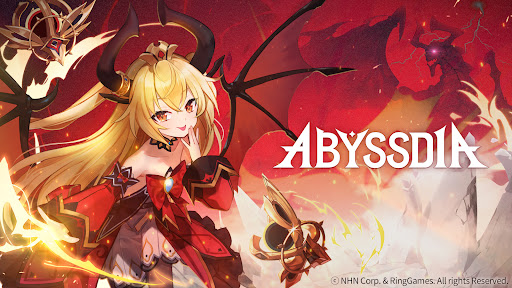
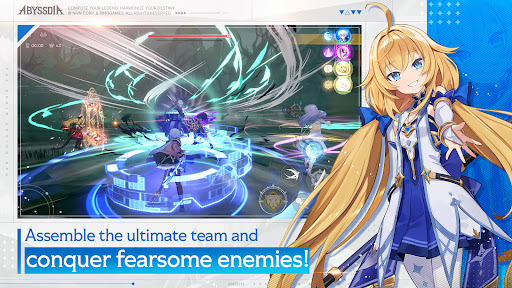
A sudden breach in the sky appeared without warning—
the Abyss Fissure.
It marked the beginning of chaos that shook the world.
And yet… the light of hope was not extinguished.
Those who restore the distorted wavelengths of the world
and bring order back from ruin—
they are known as Tuners.
Now, you can become a Tuner,
setting out on a new journey alongside your Vanguards.
As you face countless adventures together, your bonds begin to deepen.
A shared meal, exchanged smiles, and fleeting yet precious moments—
each memory carved into your heart becomes a force strong enough to shake the battlefield itself.
“Chain Action Harmony of the Vanguards”
Tune this world together with your heroines!
▶ Real-time action raid battles against colossal bosses
Engage in intense real-time combat as you clash with massive bosses in breathtaking encounters.
Coordinate with your allies, tune the battlefield, and seize victory with powerful Harmonic Strikes!
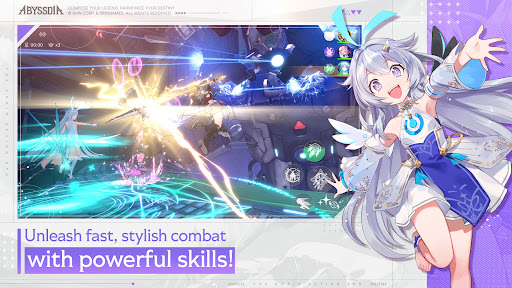
▶ 4-person tag chain action battles with stunning characters
Experience dynamic combat brought to life through detailed 3D motion and dazzling skill effects.
Switch seamlessly between four unique characters and unleash stylish, high-impact battles!
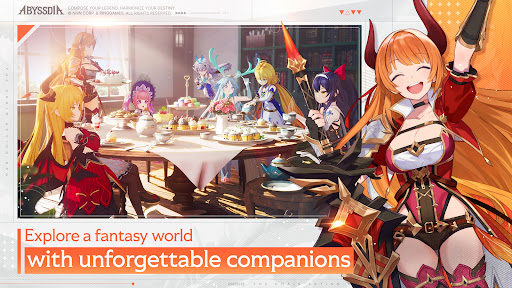
▶ Share a banquet and deepen your bonds
The dish you choose, her gentle smile—
every shared meal becomes a story of its own.
Enjoy her favorite foods, build Affinity, and create unforgettable moments together.
▶ Immerse yourself in rich lore with fully voiced stories
Begin the journey of a Tuner born from chaos,
and uncover the hidden truths that slowly come to light.
Dive deeper into the world with fully voiced stories performed by a luxurious voice cast.
Show more

1. Download MEmu installer and finish the setup

2. Start MEmu then open Google Play on the desktop

3. Search ABYSSDIA in Google Play
Install
4. Download and Install ABYSSDIA
5. On install completion click the icon to start

6. Enjoy playing ABYSSDIA on PC with MEmu
MEmu Play is the best Android emulator and 100 million people already enjoy its superb Android gaming experience. The MEmu virtualization technology empowers you to play thousands of Android games smoothly on your PC, even the most graphic-intensive ones.
Bigger screen with better graphics; Long duration, without limitation of battery or mobile data.
Full Keymapping support for precise control of keyboard and mouse or gamepad.
Multiple game accounts or tasks on single PC at one time with Multi-Instance manager.
Play ABYSSDIA on PC by following steps: