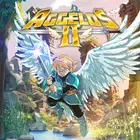
Aggelos 2
Updated
Current Version
Offered By

With your passion for Aggelos 2, you shouldn’t have to limit yourself to the small screen of a phone. Play like a pro and take full control of the game using a keyboard and mouse. MEmu gives you everything you’re looking for. Download and play Aggelos 2 on PC. Play as long as you want — no more worries about battery life, mobile data, or unexpected calls. The all-new MEmu 9 is the best way to play Aggelos 2 on PC. With our expertly designed keymapping system, Aggelos 2 feels just like a real PC game. The MEmu multi-instance manager lets you run two or more accounts on the same device at the same time. Most importantly, our exclusive emulation engine unlocks your PC’s full potential, delivering smooth and seamless performance.
Show more
Download Aggelos 2 on PC with MEmu Android Emulator. Enjoy playing on big screen. Aggelos 2 follows an elite angel defending the Kingdom of Lumen after the Army of Darkness threatens its balance.
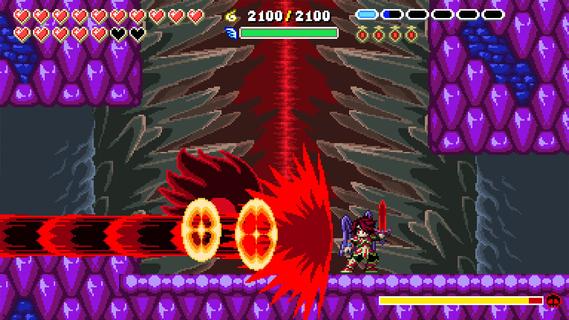
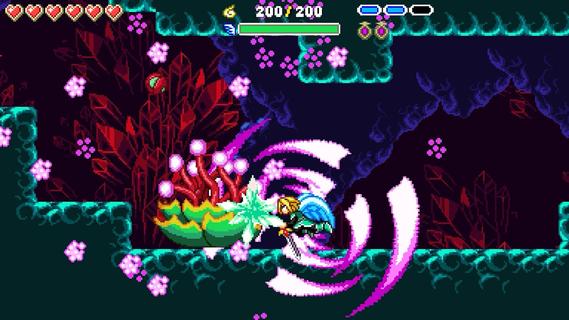
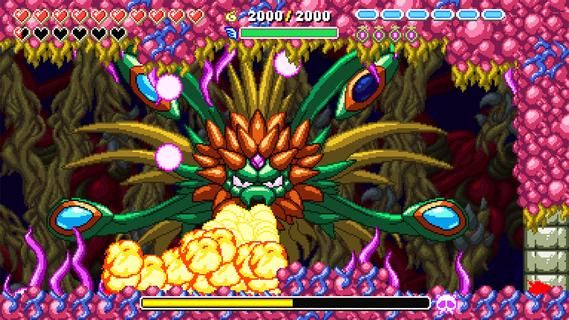
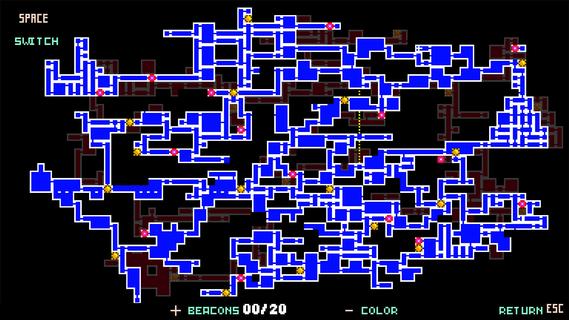
Aggelos 2 follows an elite angel defending the Kingdom of Lumen after the Army of Darkness threatens its balance. The game is aimed at players who enjoy moving through connected areas, learning enemy patterns, and returning to earlier places when new abilities become available. Its 16-bit pixel art presentation builds on the original game’s older visual style while using a larger adventure structure. For players looking for the Aggelos 2 APK, expect a single-player adventure focused on steady progress through Light and Darkness.Key gameplay featuresTravel between two connected realmsAggelos 2 lets you switch between the Light and Dark realms in real time. Each realm has its own routes, obstacles, enemies, and hidden areas. A blocked path in one world may become passable in the other, so changing realms is part of both exploration and problem-solving.Use Angel and Demon formsYou can change between Angel and Demon forms to handle different situations. The Angel form focuses on defense, absorbs light projectiles, and activates Light mechanisms. In contrast, the Demon form moves quickly, attacks more aggressively, and can break through shadow barriers.Choose a combat approachAggelos 2 uses combat that depends on timing, movement, and the form you select. You need to react to enemy attacks while deciding whether defense or fast offense suits the encounter. This also applies during fights where the surrounding area limits how you can move.Face enemies and bossesYou encounter groups of enemies throughout the Kingdom of Lumen, along with 13 bosses. Boss battles use distinct attack patterns and require careful movement around the arena. As a result, players may need to observe a boss’s actions before choosing when to attack or change form.Open more routes with new abilitiesYou collect Orbs and unlock abilities as you progress through the adventure. Dashes, wall jumps, wall grabs, flight, potions, and special attacks can change how you reach new areas and approach fights. These upgrades also give you reasons to revisit locations that previously had inaccessible paths or mechanisms.What to consider before playing Aggelos 2Aggelos 2 is designed for players who prefer a retro-inspired Metroidvania with connected areas rather than separate levels. Progress can involve remembering routes, checking earlier locations again, avoiding traps, and working through puzzles. The game also asks players to manage two forms during exploration and combat, so it may suit those who enjoy learning systems over time.The 16-bit pixel art style is a visual change from the original game’s 8-bit roots. However, the focus remains on precise platform movement, action encounters, and ability-based exploration. Players who want a story-driven adventure with regular combat challenges and route discovery can use this structure to decide whether the game fits their preferences.How to play Aggelos 2 on AndroidBegin by following the early routes in Lumen and paying attention to barriers, mechanisms, and paths you cannot yet use. Aggelos 2 latest version centers on gradual exploration, so progress often comes from returning to a previous area with a newly unlocked skill.Start the game and move through the opening areas to learn the basic platforming and combat rhythm.Switch between the Light and Dark realms when a route, enemy, or obstacle requires a different approach.Use the Angel form near Light mechanisms and light projectiles, then change to the Demon form for fast movement and shadow barriers.Collect Orbs and gain abilities as they become available, then use movement skills to reach routes that were previously closed.Before boss fights, watch attack patterns, use the available space to avoid attacks, and select the form that matches the situation.Get started with Aggelos 2Aggelos 2 combines realm switching, Angel and Demon forms, boss encounters, and ability-based exploration in a 2D adventure. Players who want to download Aggelos 2 can expect a game built around revisiting areas, solving route puzzles, and adapting to combat challenges. Currently, there's no package file available. Once the mobile version is rolled out, you can download Aggelos 2 APK from APKPure.
Show more

1. Download MEmu installer and finish the setup

2. Start MEmu then open Google Play on the desktop

3. Search Aggelos 2 in Google Play
Install
4. Download and Install Aggelos 2
5. On install completion click the icon to start

6. Enjoy playing Aggelos 2 on PC with MEmu
MEmu Play is the best Android emulator and 100 million people already enjoy its superb Android gaming experience. The MEmu virtualization technology empowers you to play thousands of Android games smoothly on your PC, even the most graphic-intensive ones.
Bigger screen with better graphics; Long duration, without limitation of battery or mobile data.
Full Keymapping support for precise control of keyboard and mouse or gamepad.
Multiple game accounts or tasks on single PC at one time with Multi-Instance manager.
Play Aggelos 2 on PC by following steps:

















































