Auto Drill: Galaxy
Updated
Current Version
24
Offered By

With your passion for Auto Drill: Galaxy, you shouldn’t have to limit yourself to the small screen of a phone. Play like a pro and take full control of the game using a keyboard and mouse. MEmu gives you everything you’re looking for. Download and play Auto Drill: Galaxy on PC. Play as long as you want — no more worries about battery life, mobile data, or unexpected calls. The all-new MEmu 9 is the best way to play Auto Drill: Galaxy on PC. With our expertly designed keymapping system, Auto Drill: Galaxy feels just like a real PC game. The MEmu multi-instance manager lets you run two or more accounts on the same device at the same time. Most importantly, our exclusive emulation engine unlocks your PC’s full potential, delivering smooth and seamless performance.
Show more
Download Auto Drill: Galaxy on PC with MEmu Android Emulator. Enjoy playing on big screen. AUTO DRILL: GALAXY .
AUTO DRILL: GALAXY
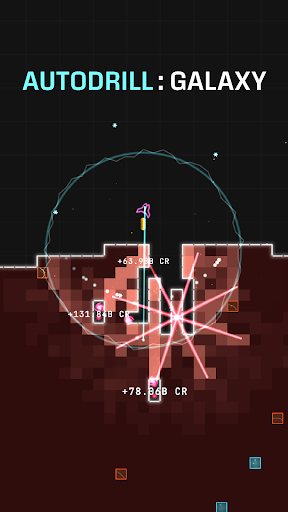
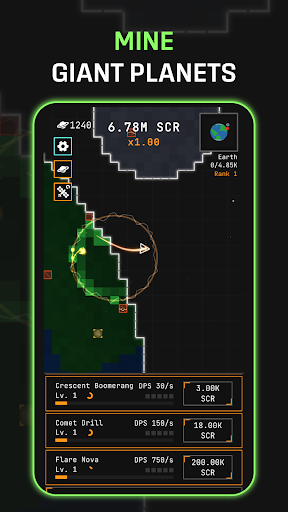
Pilot your own auto-mining ship and chew through entire planets, block by block! Your ship fights on its own — orbiting, seeking, and blasting the nearest block automatically. Sit back and watch the loot pour in, or grab the joystick and steer into the action yourself.
IDLE AUTO-BATTLER
Your mining ship never stops working. It automatically targets and destroys blocks while you focus on building the ultimate galactic drilling machine. Perfect for quick sessions or long grinds
DESTROY EVERYTHING
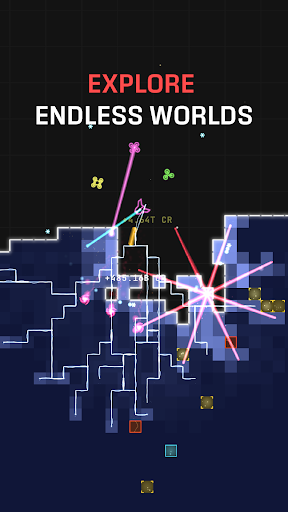
Every planet is a grid of destructible blocks — Normal, Gold, Energy, and volatile Explosive blocks that chain-detonate their neighbors in satisfying cascades. Mine them all to clear the planet and warp to a tougher sector!
10 UNIQUE WEAPONS
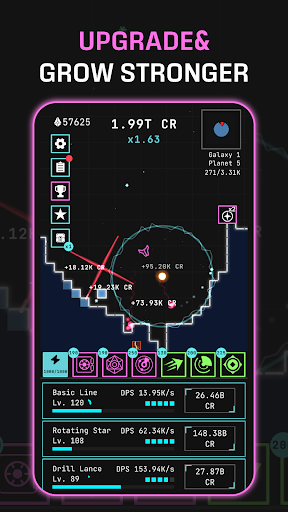
Unlock and upgrade a devastating arsenal: drill lance, mortar, chain arc, orbiting saw, and more! Each unlock hits harder than the last and carries permanent damage multipliers — choose your upgrade path wisely.
COLLECT & FUSE SKILLS
Roll for powerful skills and fuse duplicates upward through rarity tiers — Common, Rare, Epic, Legendary! Equip them for massive buffs: extra damage, income multipliers, block transmutation, and more.
UPGRADE YOUR GEAR
Equip Hulls, Reactor Cores, and Engines, then level them up by salvaging spare items. Build the perfect loadout for endless expansion.
ADVANCE FOREVER
Clear a planet, advance a sector, and face tougher worlds. Your permanent unlocks and upgrades carry over — every run makes you stronger!
The galaxy is full of planets waiting to be mined. How far can you drill?
Download Auto Drill: Galaxy and start your cosmic mining empire today!
Show more

1. Download MEmu installer and finish the setup

2. Start MEmu then open Google Play on the desktop

3. Search Auto Drill: Galaxy in Google Play
Install
4. Download and Install Auto Drill: Galaxy
5. On install completion click the icon to start

6. Enjoy playing Auto Drill: Galaxy on PC with MEmu
MEmu Play is the best Android emulator and 100 million people already enjoy its superb Android gaming experience. The MEmu virtualization technology empowers you to play thousands of Android games smoothly on your PC, even the most graphic-intensive ones.
Bigger screen with better graphics; Long duration, without limitation of battery or mobile data.
Full Keymapping support for precise control of keyboard and mouse or gamepad.
Multiple game accounts or tasks on single PC at one time with Multi-Instance manager.
Play Auto Drill: Galaxy on PC by following steps: