AION2
Updated
Current Version
Offered By

With your passion for AION2, you shouldn’t have to limit yourself to the small screen of a phone. Play like a pro and take full control of the game using a keyboard and mouse. MEmu gives you everything you’re looking for. Download and play AION2 on PC. Play as long as you want — no more worries about battery life, mobile data, or unexpected calls. The all-new MEmu 9 is the best way to play AION2 on PC. With our expertly designed keymapping system, AION2 feels just like a real PC game. The MEmu multi-instance manager lets you run two or more accounts on the same device at the same time. Most importantly, our exclusive emulation engine unlocks your PC’s full potential, delivering smooth and seamless performance.
Show more
Download AION2 on PC with MEmu Android Emulator. Enjoy playing on big screen. ▣ Game Introduction ▣ ▶ Inheriting the essence of the original "AION," the eternal rivalry between the Celestials and the Demons unfolds.
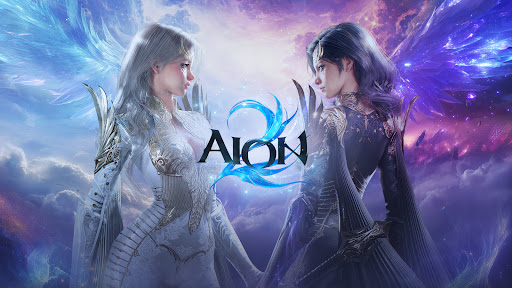
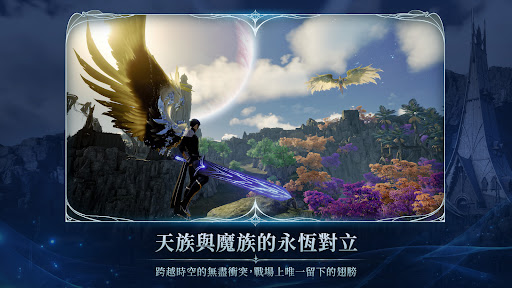
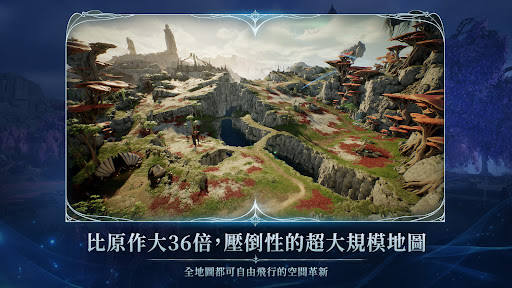
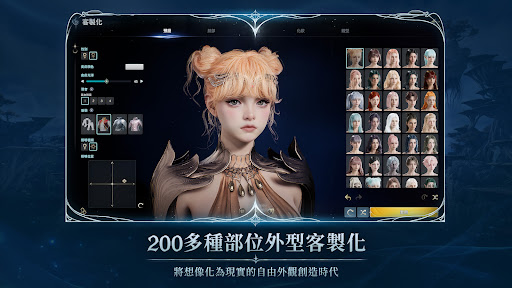
▣ Game Introduction ▣ ▶ Inheriting the essence of the original "AION," the eternal rivalry between the Celestials and the Demons unfolds. An endless conflict spanning time and space, the only wings left on the battlefield. Eight iconic classes await your choice. ▶ An overwhelmingly large map 36 times larger than the original. Fly freely across the entire map, breaking free from terrain restrictions. Breaking down spatial boundaries unlocks a new era of combat innovation. ▶ Over 200 meticulously customized parts. Create characters beyond your imagination. A completely customizable appearance system that brings dreams to life. ▶ Utilizing a move dodge mechanic and situational skill combo system. Anticipate and counterattack instantly, making combat even more intense. Skills are no longer just "routines," but true "strategy." ▶ Hundreds of dungeons and intense boss battles. Each dungeon offers unique rules and mechanics, offering new challenges. Win endless glory through continuous challenges. ▶ A variety of mini-games in the wild areas. Play magical mini-games between endless battles. Soar through the wind, leap along a mysterious rainbow path, or simply show off your flying skills! ▣ Official Website and Channel ▣ * Official Website: https://tw.ncsoft.com/aion2/ * Official YouTube Channel: https://www.youtube.com/@NCTaiwanOfficial * Official Facebook Fan Page: https://www.facebook.com/AION2TWOfficial ▶The following permissions are required to run the AION2 game smoothly◀ * Optional permissions allow you to use the game even if you do not agree to them. After agreeing to permissions, you can reset or revoke permissions. [Optional] Storage (Photos/Media/Files): Permission to discuss, log in/change/store profile photos, and store videos. [Optional] Microphone: Permission to record voice chats and video recordings. [Optional] Notifications: Permission to send informational and promotional push notifications from the game. [Optional] Neighboring Devices: Permission to connect to Bluetooth devices during voice chats. * After agreeing to the permissions, you can reset or cancel them using the following methods. 1. Android 6.0 and above - To cancel individual permissions: Device Settings > Privacy > Permission Manager > Select the permission > Select the app > Accept or cancel permissions - To cancel app permissions: Device Settings > Apps > Select the app > Permissions > Accept or cancel permissions 2. Android 6.0 and below Due to operating system limitations, individual permissions cannot be revoked. You can only cancel permissions by deleting the app. Upgrading to an Android version is recommended. * Minimum requirements: 6GB RAM [Friendly Reminder] ※ "AION 2" is classified as Auxiliary 15 according to the Taiwan Game Software Rating Management Regulations. This game contains sexual, violent, and horror content. Pay attention to your usage time and avoid excessive gaming, which may negatively impact your physical and mental health. Some content or services in this game require additional payment.
Show more

1. Download MEmu installer and finish the setup

2. Start MEmu then open Google Play on the desktop

3. Search AION2 in Google Play
Install
4. Download and Install AION2
5. On install completion click the icon to start

6. Enjoy playing AION2 on PC with MEmu
MEmu Play is the best Android emulator and 100 million people already enjoy its superb Android gaming experience. The MEmu virtualization technology empowers you to play thousands of Android games smoothly on your PC, even the most graphic-intensive ones.
Bigger screen with better graphics; Long duration, without limitation of battery or mobile data.
Full Keymapping support for precise control of keyboard and mouse or gamepad.
Multiple game accounts or tasks on single PC at one time with Multi-Instance manager.
Play AION2 on PC by following steps: