
Allumeria
Updated
Current Version
Offered By

With your passion for Allumeria, you shouldn’t have to limit yourself to the small screen of a phone. Play like a pro and take full control of the game using a keyboard and mouse. MEmu gives you everything you’re looking for. Download and play Allumeria on PC. Play as long as you want — no more worries about battery life, mobile data, or unexpected calls. The all-new MEmu 9 is the best way to play Allumeria on PC. With our expertly designed keymapping system, Allumeria feels just like a real PC game. The MEmu multi-instance manager lets you run two or more accounts on the same device at the same time. Most importantly, our exclusive emulation engine unlocks your PC’s full potential, delivering smooth and seamless performance.
Show more
Download Allumeria on PC with MEmu Android Emulator. Enjoy playing on big screen. Allumeria suits players who want to shape a block based world while following an adventure driven progression path.
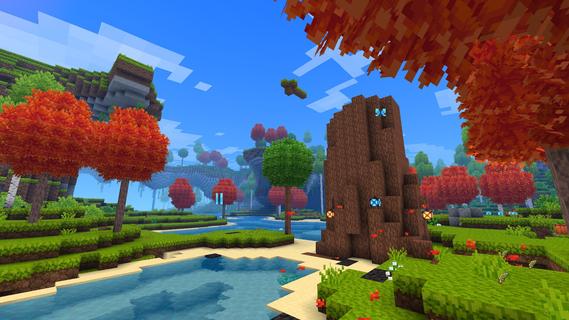
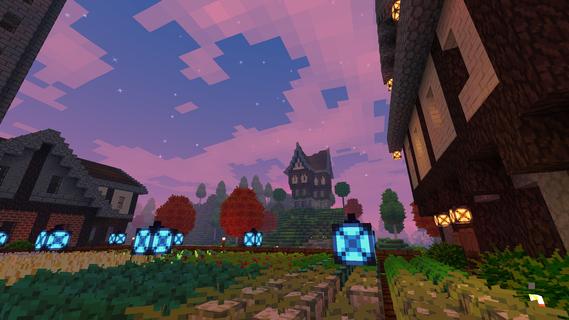
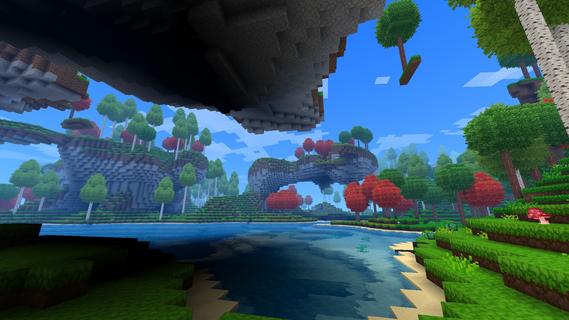
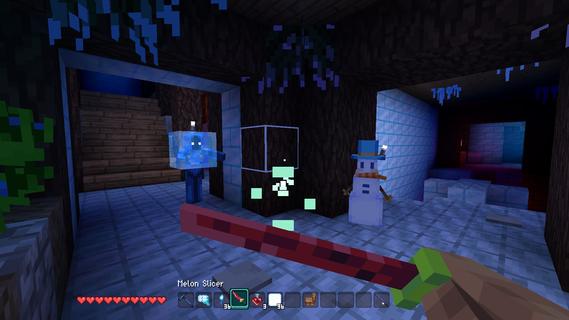
Allumeria suits players who want to shape a block based world while following an adventure driven progression path. You move through changing wilderness areas, collect what you find, and decide whether to focus on a shelter, a town, or a longer trip into dangerous places. The world does not follow one fixed route, so each session can lead you toward different locations and discoveries. This makes the Allumeria APK relevant for players who prefer both creative building and RPG style exploration.Explore, build, and progressProcedurally generated wildernessAllumeria places you in a procedurally generated world with forests, cave systems, and floating islands. Each biome has its own surroundings and hazards, so travelling into a new area can change what you encounter. You can explore above ground or head below the surface when you are ready to search for more materials and loot.Resources and crafted equipmentYou collect materials during exploration and use them to make items for building and adventure. Rare finds include autumn leaves and different ancient wood types, which can be used as part of your projects or collected while travelling. As a result, gathering resources supports both your settlement plans and your preparation for difficult areas.Block shaping for custom structuresAllumeria includes advanced building tools for changing blocks as you build. You can create details such as glass stairs, dirt fences, shelters, and larger town structures instead of limiting every design to simple cubes. This gives you room to adjust the look and layout of a structure as your settlement grows.Dungeons, enemies, and bossesAfter preparing equipment, you can enter caves and dungeons to look for loot and face enemies. Different biomes contain their own weapons, items, enemies, and rewards, which gives exploration a clear reason beyond collecting building materials. Stronger encounters and boss battles form part of the game’s progression through the world.Magic, trading, and shared buildsYou can use sky and storm magic during your adventures. In addition, NPC trading gives you another way to interact with the world while developing a town or preparing for a trip. Allumeria also lets players share creations with the game community, making build ideas and settlements part of the wider experience.What to consider before choosing AllumeriaAllumeria is not only a construction game. Its main loop moves from finding a biome and collecting resources to crafting, building, dungeon crawling, and taking on tougher enemies. Players who prefer fixed levels and a strictly guided story may find its open ended structure different from a linear RPG.World generation means that locations and exploration routes can vary between play sessions. Forests, caves, and floating islands are central adventure areas, while biome specific loot and enemies encourage you to keep moving instead of staying in one location. The game also includes community build sharing and guide resources for players looking for ideas or help with its systems.How to play Allumeria on AndroidAllumeria begins with exploration, then gradually leads you toward crafting, construction, and more dangerous encounters. Before you download Allumeria, keep in mind that progress comes from using what you gather in the world rather than following a single prescribed route. Start with a small goal and expand it as you find new biomes and materials.Enter a world and explore the nearby forest or other available terrain to learn where useful materials can be found.Gather blocks, resources, and loot as you travel, then keep rare materials for later crafting or building projects.Craft equipment that supports your next trip, especially before heading into deep caves or areas with hostile enemies.Build a basic shelter or begin a town, using the block tools to add practical details such as stairs, fences, and paths.Continue into dungeons and new biomes for different items, enemies, and rewards, then prepare for boss encounters as your equipment improves.Get started with AllumeriaAllumeria combines voxel building with resource gathering, dungeon exploration, NPC trading, magic, and combat. Check the Allumeria latest version if you want a sandbox RPG where settlements and adventure progress can develop side by side. Currently, there's no package file available. Once the Android version is officially out, you can download Allumeria APK directly from APKPure.
Show more

1. Download MEmu installer and finish the setup

2. Start MEmu then open Google Play on the desktop

3. Search Allumeria in Google Play
Install
4. Download and Install Allumeria
5. On install completion click the icon to start

6. Enjoy playing Allumeria on PC with MEmu
MEmu Play is the best Android emulator and 100 million people already enjoy its superb Android gaming experience. The MEmu virtualization technology empowers you to play thousands of Android games smoothly on your PC, even the most graphic-intensive ones.
Bigger screen with better graphics; Long duration, without limitation of battery or mobile data.
Full Keymapping support for precise control of keyboard and mouse or gamepad.
Multiple game accounts or tasks on single PC at one time with Multi-Instance manager.
Play Allumeria on PC by following steps:

















































