ARD Quiz
Updated
Current Version
2.1.0
Offered By

With your passion for ARD Quiz, you shouldn’t have to limit yourself to the small screen of a phone. Play like a pro and take full control of the game using a keyboard and mouse. MEmu gives you everything you’re looking for. Download and play ARD Quiz on PC. Play as long as you want — no more worries about battery life, mobile data, or unexpected calls. The all-new MEmu 9 is the best way to play ARD Quiz on PC. With our expertly designed keymapping system, ARD Quiz feels just like a real PC game. The MEmu multi-instance manager lets you run two or more accounts on the same device at the same time. Most importantly, our exclusive emulation engine unlocks your PC’s full potential, delivering smooth and seamless performance.
Show more
Download ARD Quiz on PC with MEmu Android Emulator. Enjoy playing on big screen. The official ARD Quiz App.
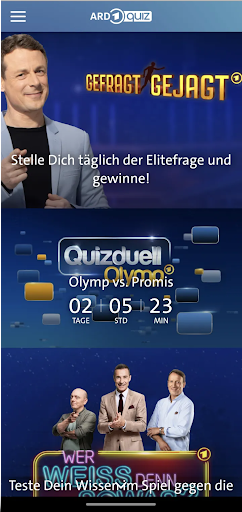
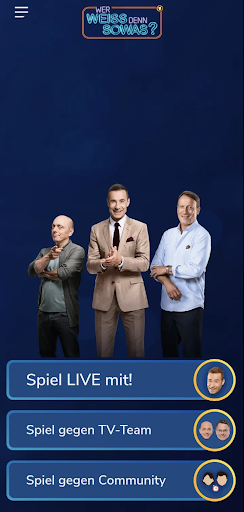
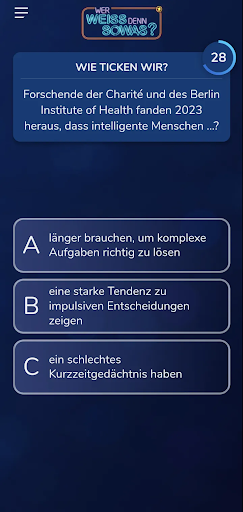
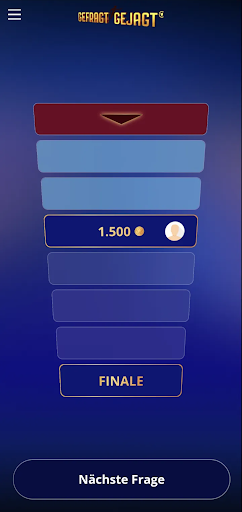
The official ARD Quiz App
With the ARD Quiz App, you can join in on ARD's popular quiz and show programs!
+++ "Who Knows What?" – the popular quiz to play live +++
Play "Who Knows What?" on your smartphone alongside the broadcast on Das Erste's early evening program, answer all the questions in real time, and secure your chance to win the same prize as the studio audience. Even outside of the TV broadcast, you can test your knowledge, solve exciting questions, and challenge your friends or other players to duels. Of course, you can also compete against the TV teams in the game and test yourself against Bernhard, Wotan, and the current team captain, Elton.
+++ Even more quiz fun: "Asked – Hunted" +++
Those who manage to answer the tricky "elite question" posed by the hunters have the chance, with a little luck, to win 50 euros. The "Elite Question" appears with each premiere of "Gefragt – Gejagt" on Das Erste. Of course, you can also replay all the shows in the app. In three exciting rounds, you collect points and then try to defend them against the quiz elite in the knowledge quiz. Particularly successful players have the opportunity to apply to be a contestant for the show via the ARD Quiz App. With a little luck, you might soon find yourself facing the quiz elite live in the studio.
+++ Chance to win the "Quizduell-Olymp" +++
Play live on Fridays at 6:50 p.m. on Das Erste, when two celebrities compete against the "Quizduell-Olymp"! Test your knowledge in six exciting rounds with questions from more than 20 categories. If the Olympus beats the celebrities, you have the chance to win something: At the end of the show, ten app players will be randomly drawn – and win a share of the prize money! Play now and become part of the Quizduell!
+++ Your opinion counts +++
With #NDRfragt, you can show where you stand: Share your stance on current social, political, and political issues – directly and simply. In return, find out what people across Germany think about them.
Want to delve deeper? Then discover "The 100" – the interactive community format for the show of the same name. Become part of the 100, learn about different perspectives, reflect on your own opinion – and discuss it with our community.
Have fun with the ARD Quiz App!
Show more

1. Download MEmu installer and finish the setup

2. Start MEmu then open Google Play on the desktop

3. Search ARD Quiz in Google Play
Install
4. Download and Install ARD Quiz
5. On install completion click the icon to start

6. Enjoy playing ARD Quiz on PC with MEmu
MEmu Play is the best Android emulator and 100 million people already enjoy its superb Android gaming experience. The MEmu virtualization technology empowers you to play thousands of Android games smoothly on your PC, even the most graphic-intensive ones.
Bigger screen with better graphics; Long duration, without limitation of battery or mobile data.
Full Keymapping support for precise control of keyboard and mouse or gamepad.
Multiple game accounts or tasks on single PC at one time with Multi-Instance manager.
Play ARD Quiz on PC by following steps: