
Artifact Seeker
Updated
Current Version
Offered By

With your passion for Artifact Seeker, you shouldn’t have to limit yourself to the small screen of a phone. Play like a pro and take full control of the game using a keyboard and mouse. MEmu gives you everything you’re looking for. Download and play Artifact Seeker on PC. Play as long as you want — no more worries about battery life, mobile data, or unexpected calls. The all-new MEmu 9 is the best way to play Artifact Seeker on PC. With our expertly designed keymapping system, Artifact Seeker feels just like a real PC game. The MEmu multi-instance manager lets you run two or more accounts on the same device at the same time. Most importantly, our exclusive emulation engine unlocks your PC’s full potential, delivering smooth and seamless performance.
Show more
Download Artifact Seeker on PC with MEmu Android Emulator. Enjoy playing on big screen. The unique “Artifacts sharing code function” allows you to share the Artifacts you collect with your friends!
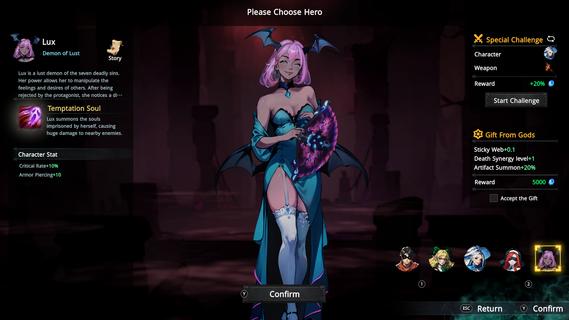
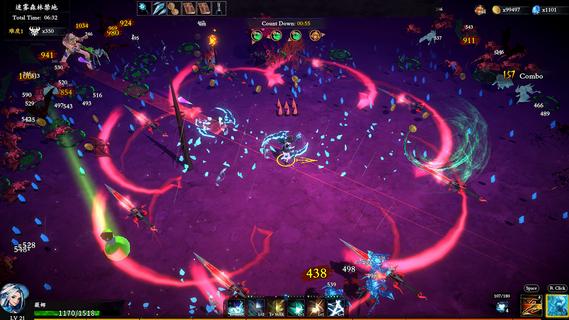

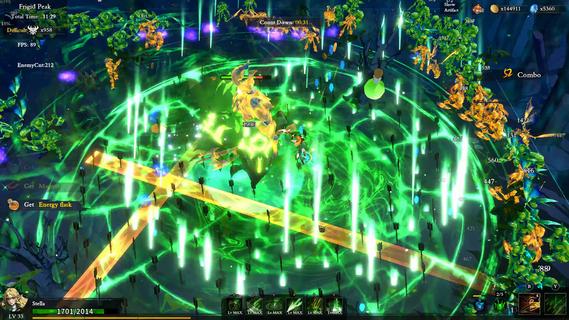
The unique “Artifacts sharing code function” allows you to share the Artifacts you collect with your friends! !Artifact Seeker is a 3D Roguelike Survivor RPG game. A game of gods, with Aurorium as the board, And all the mortals as their pawns and swords. You can obtain artifacts by slaying corrupted enemies, collecting gold to exchange it for artifacts at mysterious merchants. How to use the power of artifacts, to play the game of gods? to end the game of gods or to become a god yourself. Artifact Seeker, Your choice.Cool BattlesDozens of evolvable skills, extreme sprint dash, and the ultimate special skill to slay enemies!Speed and PassionIntense paced battles, you can buy artifacts to boost your power after each battle!Tripping CombinationHundreds of different artifacts with matching skills to create a wide variety of bond Synergy, and utilize the power of the synergy to challenge higher level enemies!Wonderful eventsRPG like Events, diverse choices, adventuring dungeons, exploring magical worlds, befriend different heroes and unlock new characters!Attribute growthHundreds of affixes and attributes, dozens of different meta-progressions, weapon unlocking and strengthening, and sharing your own unique artifacts with your pals! There's new contents to experience after every run!Unique WorldviewExplore the world and discover the hidden secrets behind the story!
Show more

1. Download MEmu installer and finish the setup

2. Start MEmu then open Google Play on the desktop

3. Search Artifact Seeker in Google Play
Install
4. Download and Install Artifact Seeker
5. On install completion click the icon to start

6. Enjoy playing Artifact Seeker on PC with MEmu
MEmu Play is the best Android emulator and 100 million people already enjoy its superb Android gaming experience. The MEmu virtualization technology empowers you to play thousands of Android games smoothly on your PC, even the most graphic-intensive ones.
Bigger screen with better graphics; Long duration, without limitation of battery or mobile data.
Full Keymapping support for precise control of keyboard and mouse or gamepad.
Multiple game accounts or tasks on single PC at one time with Multi-Instance manager.
Play Artifact Seeker on PC by following steps: