Avatar Life World: My Story
Updated
Current Version
2.4.2
Offered By

With your passion for Avatar Life World: My Story, you shouldn’t have to limit yourself to the small screen of a phone. Play like a pro and take full control of the game using a keyboard and mouse. MEmu gives you everything you’re looking for. Download and play Avatar Life World: My Story on PC. Play as long as you want — no more worries about battery life, mobile data, or unexpected calls. The all-new MEmu 9 is the best way to play Avatar Life World: My Story on PC. With our expertly designed keymapping system, Avatar Life World: My Story feels just like a real PC game. The MEmu multi-instance manager lets you run two or more accounts on the same device at the same time. Most importantly, our exclusive emulation engine unlocks your PC’s full potential, delivering smooth and seamless performance.
Show more
Download Avatar Life World: My Story on PC with MEmu Android Emulator. Enjoy playing on big screen. Welcome to "Avatar Life World: My Story" - an open-world game where creativity knows no bounds, and your story unfolds in diverse locations , featuring a plethora of characters with unique emotions and a treasure trove of cute items for decoration.
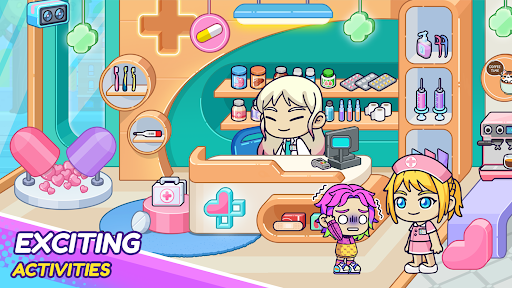
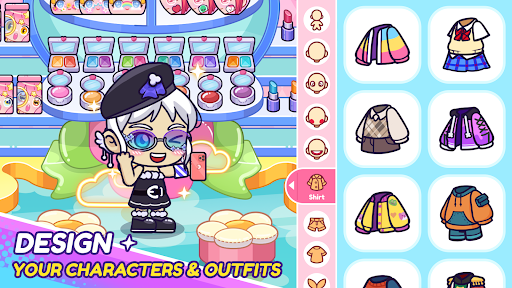
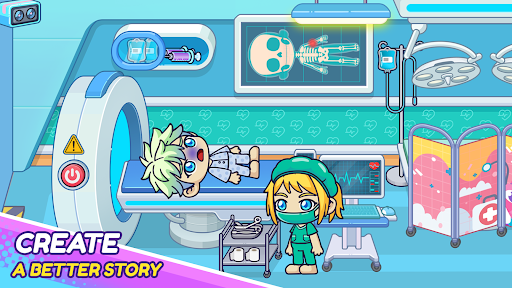
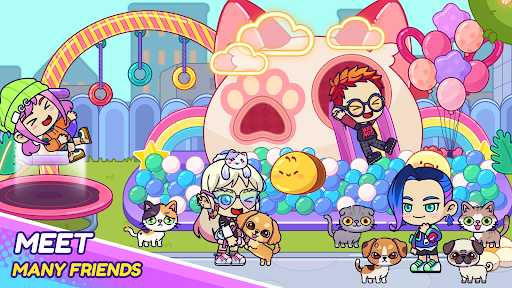
Welcome to "Avatar Life World: My Story" - an open-world game where creativity knows no bounds, and your story unfolds in diverse locations , featuring a plethora of characters with unique emotions and a treasure trove of cute items for decoration. Embark on a delightful journey as you design your avatar world, crafting unique narratives that reflect your style and personality.
Most importantly, have fun! "Avatar Life World: My Story" is a platform for creativity and self-expression. Explore, interact, and create your own unique story.
Whether you want to design your dream home, socialize with virtual friends, or embark on exciting adventures, "Avatar Life World: My Story" provides a playful and immersive experience where you are the storyteller. No limits, and no boundaries—play at your own pace, and let your creativity soar.
KEY FEATURES:
Diverse Locations: a rich and diverse world with captivating locations, including houses, hospitals, schools,...
Multifaceted Characters: Encounter a multitude of characters, each with distinct emotions, personalities, and styles
Cute Art and Decor: an adorable art style with a plethora of cute items for decoration.
Personalized Emotions: Engage with characters who express a wide range of emotions. From happiness and playfulness to crying and anger.
Regular Updates: Stay excited with regular updates that bring new content, features, and possibilities. The evolving nature of Avatar Life World ensures a fresh and dynamic experience for players.
HOW TO PLAY:
Install the game on your device.
Start by choosing your favorite characters, and customize their skin tone, hairstyle, face, and outfit using the available options.
Exploring different locations within the avatar world, each location offers various opportunities for interaction and creativity.
Encounter a diverse cast of characters with different emotions and personalities.
Make friends, engage in conversations, and explore the stories of these characters.
Personalize your living spaces with cute items and decorations.
Use emotional expressions to create dynamic and relatable stories within avatar life.
Take advantage of the open-ended nature of the game to craft your own stories. Keep an eye out for regular updates from the game developers. Updates may bring new locations, characters, items, and features, keeping the gameplay fresh and exciting.
Download "Avatar Life World: My Story" now and unleash your imagination in an avatar world where every moment is a new chapter in your story!
Show more

1. Download MEmu installer and finish the setup

2. Start MEmu then open Google Play on the desktop

3. Search Avatar Life World: My Story in Google Play
Install
4. Download and Install Avatar Life World: My Story
5. On install completion click the icon to start

6. Enjoy playing Avatar Life World: My Story on PC with MEmu
MEmu Play is the best Android emulator and 100 million people already enjoy its superb Android gaming experience. The MEmu virtualization technology empowers you to play thousands of Android games smoothly on your PC, even the most graphic-intensive ones.
Bigger screen with better graphics; Long duration, without limitation of battery or mobile data.
Full Keymapping support for precise control of keyboard and mouse or gamepad.
Multiple game accounts or tasks on single PC at one time with Multi-Instance manager.
Play Avatar Life World: My Story on PC by following steps: