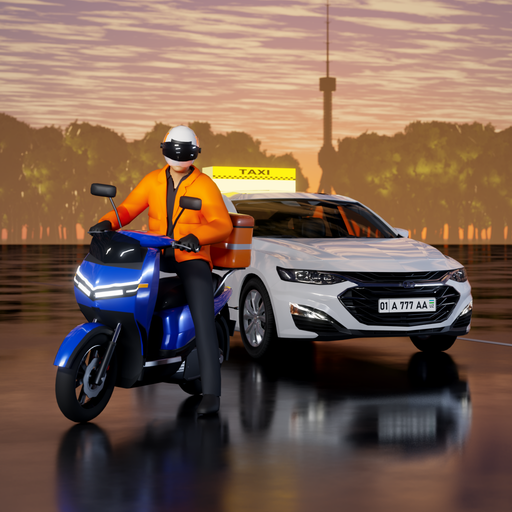
Taxi Tashkent: Car Simulator
Updated
Current Version
1.1.7
Offered By

With your passion for Taxi Tashkent: Car Simulator, you shouldn’t have to limit yourself to the small screen of a phone. Play like a pro and take full control of the game using a keyboard and mouse. MEmu gives you everything you’re looking for. Download and play Taxi Tashkent: Car Simulator on PC. Play as long as you want — no more worries about battery life, mobile data, or unexpected calls. The all-new MEmu 9 is the best way to play Taxi Tashkent: Car Simulator on PC. With our expertly designed keymapping system, Taxi Tashkent: Car Simulator feels just like a real PC game. The MEmu multi-instance manager lets you run two or more accounts on the same device at the same time. Most importantly, our exclusive emulation engine unlocks your PC’s full potential, delivering smooth and seamless performance.
Show more
Download Taxi Tashkent: Car Simulator on PC with MEmu Android Emulator. Enjoy playing on big screen. Taxi Tashkent is a taxi simulator and car driving game built on the real map of Tashkent, Uzbekistan: passengers and orders, a delivery (courier) mode, scooters and motorcycles, car tuning, a driving school test and the exam track.
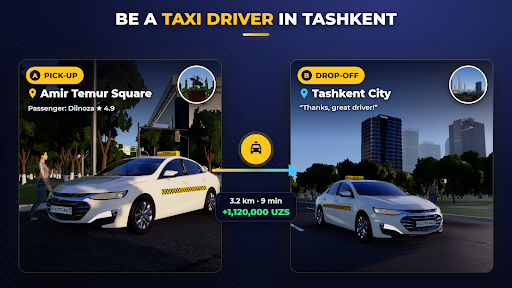
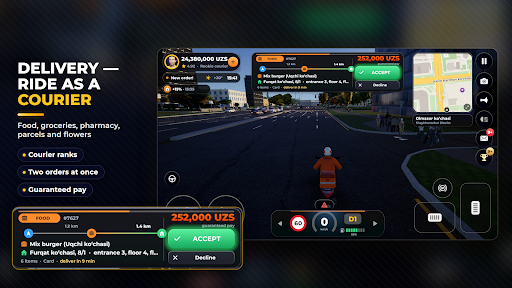
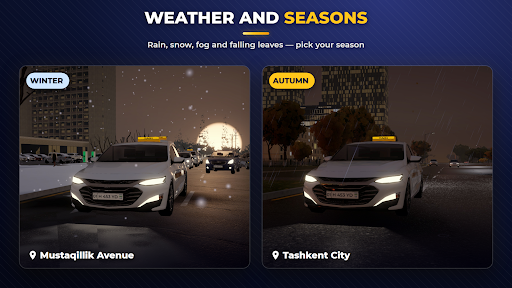
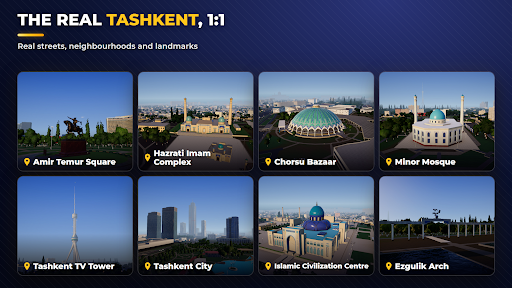
Taxi Tashkent is a taxi simulator and car driving game built on the real map of Tashkent, Uzbekistan: passengers and orders, a delivery (courier) mode, scooters and motorcycles, car tuning, a driving school test and the exam track.
• The city 1:1: real streets, neighbourhoods, metro stations, bazaars and 40+ landmarks: Amir Temur Square, Hazrati Imam, Chorsu Bazaar, Minor Mosque, the TV Tower, Tashkent City
• Ride-hailing style orders: pick up passengers and follow the navigator; every order has a fixed fare, with tips and bonuses on top
• Delivery mode: food, groceries, pharmacy, parcels and flowers — collect the order from the partner and bring it to the door. Courier ranks, two orders at once, guaranteed pay
• Scooters and motorcycles: from the free scooter to an e-scooter, a maxi-scooter and a superbike; factory colours, leaning into turns, real crash physics
• Weather and seasons: rain, snow, fog, storms, falling leaves; pick your season or play with today's Tashkent weather
• Dozens of cars (fictional makes): from compact city cars to hybrids, EVs, prestige sedans and SUVs — each with a real driver's view; more cars arrive with updates
• Test-drive cards: drive your dream car before you buy it
• Tuning: paint (chameleon, pearl, matte), rims, body kits, neon, window tint, stickers, number plates
• Real traffic rules: each street has its own speed limit, traffic lights, speed cameras, road police, pedestrian crossings and fines
• Driving licence: 973 theory questions based on Uzbekistan's traffic rules and a driving-range exam
• Daily and weekly missions, a 7-day gift, leaderboards, promo codes and friend invites
• Day and night, traffic, a living city; automatic or manual gearbox, steering wheel, arrows or tilt
• Uzbek, Russian and English
No sign-up needed: you start as a guest; link your Google account to keep your progress on a new phone.
All car makes, models and emblems in the game are fictional.
Show more

1. Download MEmu installer and finish the setup

2. Start MEmu then open Google Play on the desktop

3. Search Taxi Tashkent: Car Simulator in Google Play
Install
4. Download and Install Taxi Tashkent: Car Simulator
5. On install completion click the icon to start

6. Enjoy playing Taxi Tashkent: Car Simulator on PC with MEmu
MEmu Play is the best Android emulator and 100 million people already enjoy its superb Android gaming experience. The MEmu virtualization technology empowers you to play thousands of Android games smoothly on your PC, even the most graphic-intensive ones.
Bigger screen with better graphics; Long duration, without limitation of battery or mobile data.
Full Keymapping support for precise control of keyboard and mouse or gamepad.
Multiple game accounts or tasks on single PC at one time with Multi-Instance manager.
Play Taxi Tashkent: Car Simulator on PC by following steps:















































