Backpack Legends Adventure RPG
Updated
Current Version
Offered By

With your passion for Backpack Legends Adventure RPG, you shouldn’t have to limit yourself to the small screen of a phone. Play like a pro and take full control of the game using a keyboard and mouse. MEmu gives you everything you’re looking for. Download and play Backpack Legends Adventure RPG on PC. Play as long as you want — no more worries about battery life, mobile data, or unexpected calls. The all-new MEmu 9 is the best way to play Backpack Legends Adventure RPG on PC. With our expertly designed keymapping system, Backpack Legends Adventure RPG feels just like a real PC game. The MEmu multi-instance manager lets you run two or more accounts on the same device at the same time. Most importantly, our exclusive emulation engine unlocks your PC’s full potential, delivering smooth and seamless performance.
Show more
Download Backpack Legends Adventure RPG on PC with MEmu Android Emulator. Enjoy playing on big screen. Are You Ready to Pack Your Way to Glory?
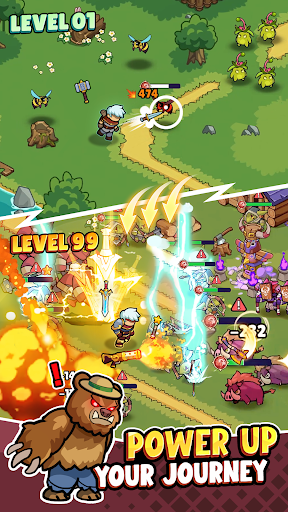
Are You Ready to Pack Your Way to Glory?
Welcome to Backpack Legends, the ultimate game where your inventory management skills determine your survival! Forget complex team controls—here, you are the sole hero, and your backpack is your greatest weapon.
ORGANIZE TO SURVIVE
Experience a unique blend of casual adventure and tactical puzzle gameplay.
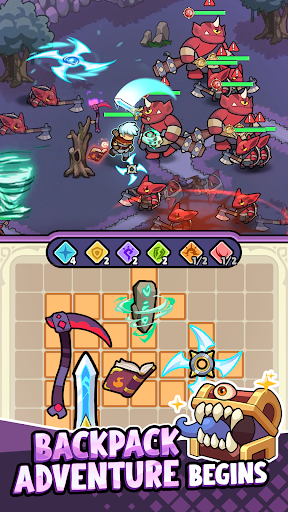
Strategic Backpack System: Your bag is limited, but your loot is endless! Arrange swords, bows, magic staffs, and axes into the grid. Where you place your items matters—find the perfect synergy to maximize your effectiveness.
EXPLORE A VAST OPEN WORLD
Embark on a heroic journey across diverse landscapes, inspired by classic adventure titles.
Diverse Landscapes: Travel through lush Grasslands, freeze in the Icy Tundras, and brave the fiery Lava Lands. Every zone brings new monsters and hidden secrets.
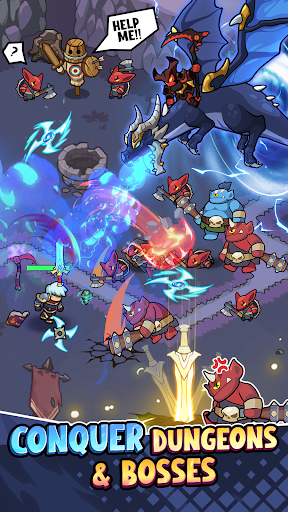
Dungeon Crawler: Dive deep into dangerous dungeons. Defeat massive Bosses to unlock rare artifacts and expand your backpack slots.
BUILD YOUR TOWN & IDLE REWARDS
A hero needs a home. Rescue villagers and restore peace to the kingdom!
Town Building: Use your gathered resources to reconstruct the village. Build Mines, Blacksmiths, and Markets to support your journey.
Idle System: Too busy to fight? Your town produces gold and gems even when you are offline. Upgrade your buildings to boost your hero's stats effortlessly.
CHOOSE YOUR HERO
Class Variety: Whether you prefer the brute strength of a Warrior, the arcane power of a Mage, the deadly aim of an Archer, or the swift strikes of an Assassin—the choice is yours.
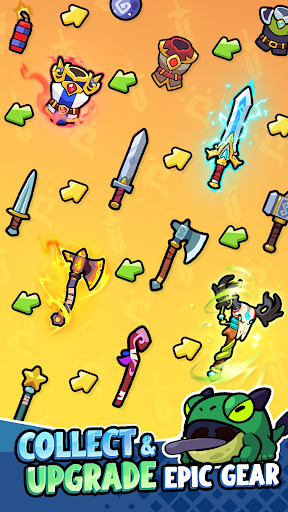
Epic Gear Collection: Hundreds of unique items to collect, including helmets, armor, boots, and mystical accessories.
KEY FEATURES:
One-Handed Control: Simple, intuitive controls perfect for playing on the go.
Deep Strategy: Optimize your loadout before every major fight.
Vibrant Graphics: Stunning visual effects and a colorful fantasy world.
Regular Updates: New weapons, heroes, and map zones added frequently.
The world is overrun by darkness, and only a hero with a perfectly packed bag can save it. Can you fit everything you need to win?
Download Backpack Legends now and start your adventure!
Show more

1. Download MEmu installer and finish the setup

2. Start MEmu then open Google Play on the desktop

3. Search Backpack Legends Adventure RPG in Google Play
Install
4. Download and Install Backpack Legends Adventure RPG
5. On install completion click the icon to start

6. Enjoy playing Backpack Legends Adventure RPG on PC with MEmu
MEmu Play is the best Android emulator and 100 million people already enjoy its superb Android gaming experience. The MEmu virtualization technology empowers you to play thousands of Android games smoothly on your PC, even the most graphic-intensive ones.
Bigger screen with better graphics; Long duration, without limitation of battery or mobile data.
Full Keymapping support for precise control of keyboard and mouse or gamepad.
Multiple game accounts or tasks on single PC at one time with Multi-Instance manager.
Play Backpack Legends Adventure RPG on PC by following steps: