Starguard: Evo Merge TD
Updated
Current Version
Offered By

With your passion for Starguard: Evo Merge TD, you shouldn’t have to limit yourself to the small screen of a phone. Play like a pro and take full control of the game using a keyboard and mouse. MEmu gives you everything you’re looking for. Download and play Starguard: Evo Merge TD on PC. Play as long as you want — no more worries about battery life, mobile data, or unexpected calls. The all-new MEmu 9 is the best way to play Starguard: Evo Merge TD on PC. With our expertly designed keymapping system, Starguard: Evo Merge TD feels just like a real PC game. The MEmu multi-instance manager lets you run two or more accounts on the same device at the same time. Most importantly, our exclusive emulation engine unlocks your PC’s full potential, delivering smooth and seamless performance.
Show more
Download Starguard: Evo Merge TD on PC with MEmu Android Emulator. Enjoy playing on big screen. Starguard: The Ultimate Sci-Fi Merge Defense!
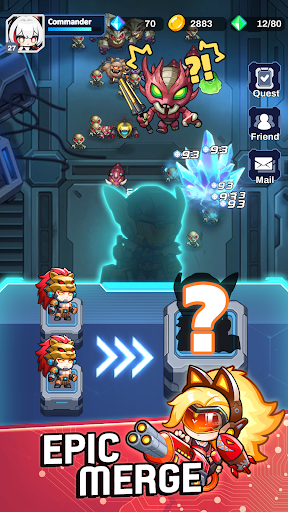
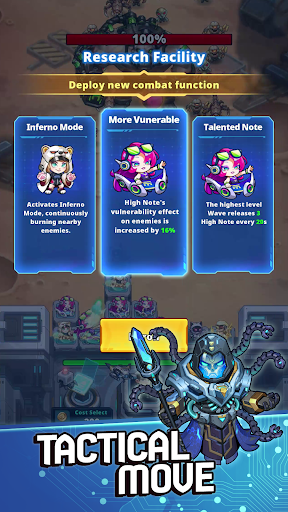
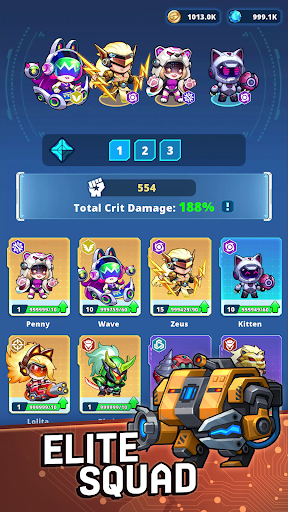
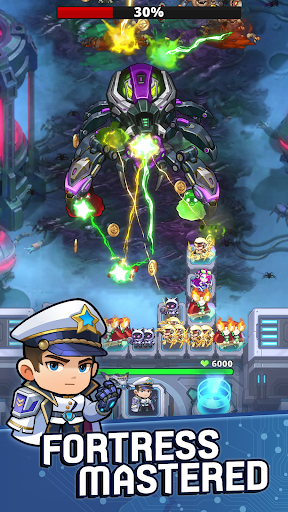
Starguard: The Ultimate Sci-Fi Merge Defense!
The galaxy is under siege, and you are the last line of defense! Command a squad of elite chibi Troopers, harness the power of advanced technology, and crush the mechanical invaders in this high-stakes, fast-paced Tower Defense adventure.
Are you ready to become the legendary Commander the stars have been waiting for?
EPIC BOSS BATTLES & TACTICAL COMBAT
Face off against massive, screen-shaking bosses like the Cyber-Gorilla in intense, zone-based chapters! It’s not just about placing units—it's about timing and strategy. Watch your squad unleash devastating critical hits as you defend the Outpost Station from the mechanical tide.
MERGE TO EVOLVE: RNG AT ITS BEST
No two matches are ever the same! Use the Random Merge mechanic in the heat of battle to evolve your Troopers instantly. Experience the thrill of the "perfect roll" as your basic units transform into high-tier galactic warriors. Adapt, merge, and overcome!
GEAR UP YOUR CAPTAIN
Your Captain is the heart of the fleet. Customize your hero with high-tech Gear, Drones, and Cloaks. Want more power? Install Tactical Chips and fuse equipment to reach higher Tier dominance. Your Captain’s strength is your army’s greatest asset!
DUAL COMMAND: CO-OP & PVP MODES
Co-op Mode: Team up with a friend in real-time to tackle the toughest waves together. Coordination is key!
Battle Arena: Think you have the best strategy? Prove it in the Arena. Climb the Command Rankings and show the entire server who the true Master of Space is.
FUEL YOUR CONQUEST
Running low on materials? Deploy your units to the Mining Facility to gather essential resources while you're away. Whether you're pulling for legendary Troopers in the Shop or upgrading your Station, there’s always a way to get stronger.
WHY YOU’LL LOVE STARGUARD EVO MERGE TD:
- Vibrant 2D Chibi Art: A unique, polished sci-fi aesthetic that’s as cute as it is cool.
- Addictive Core Loop: Merge, fight, upgrade, and repeat for endless satisfaction.
- Global Community: Connect with friends and competitors in a living, breathing online world.
The stars are counting on you, Commander. Download Starguard today and lead your squad to glory! "
Show more

1. Download MEmu installer and finish the setup

2. Start MEmu then open Google Play on the desktop

3. Search Starguard: Evo Merge TD in Google Play
Install
4. Download and Install Starguard: Evo Merge TD
5. On install completion click the icon to start

6. Enjoy playing Starguard: Evo Merge TD on PC with MEmu
MEmu Play is the best Android emulator and 100 million people already enjoy its superb Android gaming experience. The MEmu virtualization technology empowers you to play thousands of Android games smoothly on your PC, even the most graphic-intensive ones.
Bigger screen with better graphics; Long duration, without limitation of battery or mobile data.
Full Keymapping support for precise control of keyboard and mouse or gamepad.
Multiple game accounts or tasks on single PC at one time with Multi-Instance manager.
Play Starguard: Evo Merge TD on PC by following steps: