Backyard Football '99
Updated
Current Version
1.3.21
Offered By

With your passion for Backyard Football '99, you shouldn’t have to limit yourself to the small screen of a phone. Play like a pro and take full control of the game using a keyboard and mouse. MEmu gives you everything you’re looking for. Download and play Backyard Football '99 on PC. Play as long as you want — no more worries about battery life, mobile data, or unexpected calls. The all-new MEmu 9 is the best way to play Backyard Football '99 on PC. With our expertly designed keymapping system, Backyard Football '99 feels just like a real PC game. The MEmu multi-instance manager lets you run two or more accounts on the same device at the same time. Most importantly, our exclusive emulation engine unlocks your PC’s full potential, delivering smooth and seamless performance.
Show more
Download Backyard Football '99 on PC with MEmu Android Emulator. Enjoy playing on big screen. HUDDLE UP FOR BACKYARD FOOTBALL.
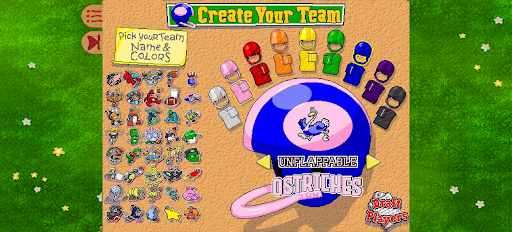
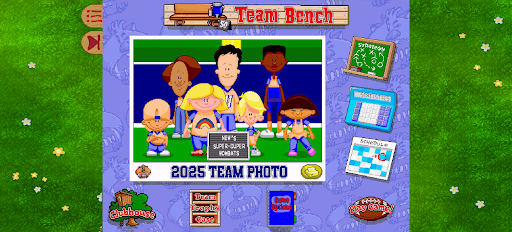
HUDDLE UP FOR BACKYARD FOOTBALL
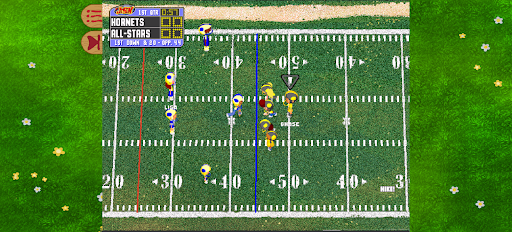
Backyard Football 1999 is now enhanced to run on modern systems. Whether you're picking Jerry Rice or Barry Sanders for your dream team, rushing with Pete Wheeler, scoring touchdowns with Pablo Sanchez, or enjoying the witty banter of hosts Sunny Day and Chuck Downfield, simple controls let anyone pick up and play football!
GAME MODES
Single Game: With 5 backyard fields and unique weather condition settings, players can pick their team, design their team logos, and play a pick-up game!
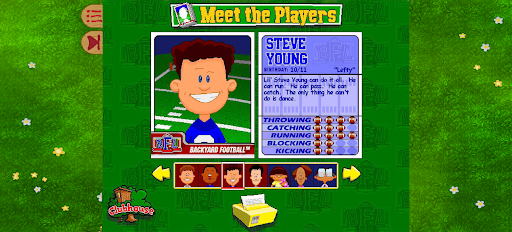
Season Mode: Players can draft seven players from the 30 iconic Backyard Sports characters and a collection of legendary pros including Barry Sanders, Jerry Rice, John Elway, Dan Marino, Randall Cunningham, Drew Bledsoe and Steve Young to compete against 15 other teams in the Backyard Football League. Each team plays a 14-game season. By the end of the regular season, the 4 division champions and 4 wild card teams enter the Backyard Football League Playoffs to compete for the Super Colossal Cereal Bowl!
EARN CLASSIC POWER UPS
Earn power-ups by completing passes on offense and sacking the opposing QB on defense.
Offensive
• Hocus Pocus – A pass play which results in a receiver teleporting down field.
• Sonic Boom – A run play which causes an earthquake to knock over the opposing team.
• Leap Frog – A run play which causes your running back to leap down field.
• Super Punt – A very powerful punt!
Defensive
• Cough Drop – A play that causes the opponent to fumble when tackled.
• Chameleon – A trick play that results in your team wearing the other team's colors for ultimate confusion.
• Spring Loaded – A play that causes your player to leap over the line of scrimmage to sack the QB.
ADDITIONAL INFORMATION
At our core, we are fans first – not just of video games, but of the Backyard Sports franchise. Fans have asked for accessible and legal ways to play their original Backyard titles for years, and we are excited to deliver.
Without having access to the source code, there are hard limitations on the experience we can create. However, Backyard Football ‘99 runs well, looks better than ever, and creates a new installation for digital preservation within the Backyard Sports catalog that allows the next generation of fans to fall in love with the game.
Show more

1. Download MEmu installer and finish the setup

2. Start MEmu then open Google Play on the desktop

3. Search Backyard Football '99 in Google Play
Install
4. Download and Install Backyard Football '99
5. On install completion click the icon to start

6. Enjoy playing Backyard Football '99 on PC with MEmu
MEmu Play is the best Android emulator and 100 million people already enjoy its superb Android gaming experience. The MEmu virtualization technology empowers you to play thousands of Android games smoothly on your PC, even the most graphic-intensive ones.
Bigger screen with better graphics; Long duration, without limitation of battery or mobile data.
Full Keymapping support for precise control of keyboard and mouse or gamepad.
Multiple game accounts or tasks on single PC at one time with Multi-Instance manager.
Play Backyard Football '99 on PC by following steps: