Badminton Clash
Updated
Current Version
Offered By

With your passion for Badminton Clash, you shouldn’t have to limit yourself to the small screen of a phone. Play like a pro and take full control of the game using a keyboard and mouse. MEmu gives you everything you’re looking for. Download and play Badminton Clash on PC. Play as long as you want — no more worries about battery life, mobile data, or unexpected calls. The all-new MEmu 9 is the best way to play Badminton Clash on PC. With our expertly designed keymapping system, Badminton Clash feels just like a real PC game. The MEmu multi-instance manager lets you run two or more accounts on the same device at the same time. Most importantly, our exclusive emulation engine unlocks your PC’s full potential, delivering smooth and seamless performance.
Show more
Download Badminton Clash on PC with MEmu Android Emulator. Enjoy playing on big screen. Badminton Clash is a portrait-mode 3D badminton sports game built for quick, competitive rallies on mobile.
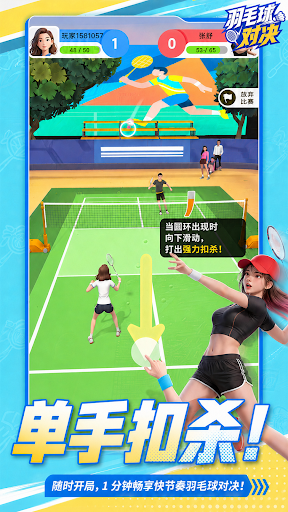

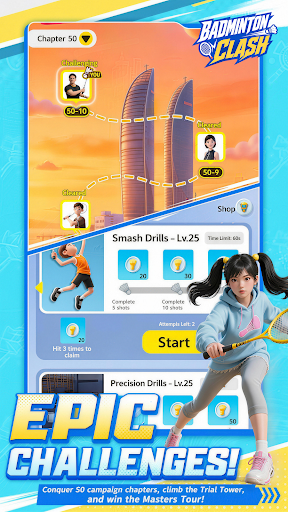
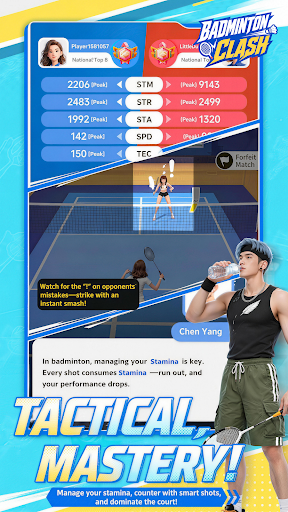
Badminton Clash is a portrait-mode 3D badminton sports game built for quick, competitive rallies on mobile.
Designed for short 1–2 minute matches and one-handed swipe control, Badminton Clash turns badminton into a fast, responsive, and rhythm-driven sports experience. Step onto the court anytime, control the rally, and enjoy a match that is easy to start but rewarding to improve.
Swipe to perform classic badminton shots including clears, drops, and smashes. Each shot has a different trajectory, speed, and tactical purpose. Use clears to push your opponent back, drops to break their rhythm, and smashes to finish the point when the opening appears.
Winning is not only about power. Every rally is shaped by timing, spacing, stamina, and shot selection. Reach the shuttle earlier, control your position, manage your recovery, and build pressure across each exchange.
Challenge AI rivals, earn points, and climb the leaderboard in Master Tournament. Progress through Story Mode to learn the core mechanics, refine your skills in Challenge and Training modes, and unlock rewards as you improve.
Customize your player with outfits, racket skins, and court themes. Build your own badminton style and keep improving through quick matches, training, ranking cycles, and future content updates.
Game Features
- Portrait-mode 3D badminton built for mobile
- Fast 1–2 minute matches for quick sports sessions
- Simple one-handed swipe controls
- Clear, Drop, and Smash shots with distinct trajectories
- Rhythm-based rallies shaped by timing, spacing, and stamina
- AI rival matches with points and leaderboards
- Story Mode, Master Tournament, Challenge, and Training
- Outfits, racket skins, court themes, and progression rewards
- Easy to start, with room to improve through every rally
Step onto the court, control the rhythm, and climb the leaderboard in Badminton Clash.
Show more

1. Download MEmu installer and finish the setup

2. Start MEmu then open Google Play on the desktop

3. Search Badminton Clash in Google Play
Install
4. Download and Install Badminton Clash
5. On install completion click the icon to start

6. Enjoy playing Badminton Clash on PC with MEmu
MEmu Play is the best Android emulator and 100 million people already enjoy its superb Android gaming experience. The MEmu virtualization technology empowers you to play thousands of Android games smoothly on your PC, even the most graphic-intensive ones.
Bigger screen with better graphics; Long duration, without limitation of battery or mobile data.
Full Keymapping support for precise control of keyboard and mouse or gamepad.
Multiple game accounts or tasks on single PC at one time with Multi-Instance manager.
Play Badminton Clash on PC by following steps: