BFB
Updated
Current Version
6.3.024
Offered By

With your passion for BFB, you shouldn’t have to limit yourself to the small screen of a phone. Play like a pro and take full control of the game using a keyboard and mouse. MEmu gives you everything you’re looking for. Download and play BFB on PC. Play as long as you want — no more worries about battery life, mobile data, or unexpected calls. The all-new MEmu 9 is the best way to play BFB on PC. With our expertly designed keymapping system, BFB feels just like a real PC game. The MEmu multi-instance manager lets you run two or more accounts on the same device at the same time. Most importantly, our exclusive emulation engine unlocks your PC’s full potential, delivering smooth and seamless performance.
Show more
Download BFB on PC with MEmu Android Emulator. Enjoy playing on big screen. The total number of downloads in Hong Kong exceeded 2.
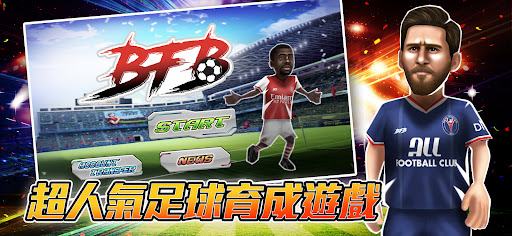
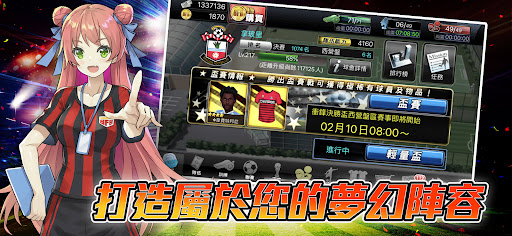
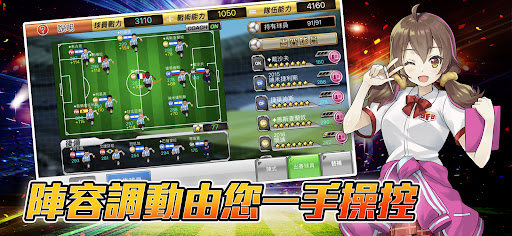
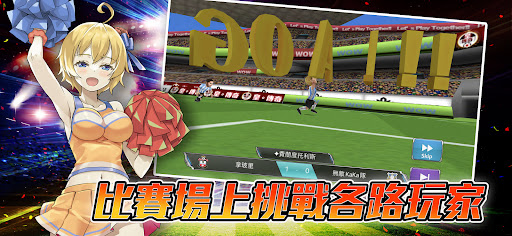
The total number of downloads in Hong Kong exceeded 2.5 million! The total number of downloads worldwide exceeds 3.5 million!
Football into a game, ultra-rich content to join one after another!
Free selection belongs to the Hong Kong, Macao and Taiwan region as a starting point, and gradually to the highest level, leading the team to become the world's first club!
The goal is to build a No.1 club!
To become a player, to train a team, to move to the top league. Lead the club to victory over the strong competitors in the vicinity, as well as the upcoming world's great, and finally vow to become the world's most powerful club!
Kind regional player fight!
The "league" in the game is divided into several different levels. Players choose their own belong to the Hong Kong, Macao, Taiwan region as a starting point, step by step to the highest level.
Regular Cup competition!
Regularly held cup competitions, each time with different rules of the game, so that different types of players can also strive to win, and other players a higher, compete for a variety of rare rewards!
A large number of elements are joining!
"BFB" will add a lot of different elements, such as new players, specific challenges, special teams into the challenge and so on, will certainly allow each leader to fully experience, lead a team's pain and joy!
More information is available at:
Hong Kong https://www.facebook.com/bfootball.hk
Taiwan https://www.facebook.com/bfootball.tw
Depending on the telecommunications company's network, it may take a few minutes to download the first start after the game is installed, please be patient until the download is complete.
To enjoy the fun of BFB in comfort, it is recommended that you play in a Wi-Fi network environment.
Android:
For Android 4.0 or above operating systems.
It is recommended to use devices with more than 2GB of RAM in memory.
Android 6.0 users please visit the following links first:
http://bit.ly/bfband6
Please note that if you are using a device that is not within the recommended range of devices, we may not be able to provide you with the best service.
Show more

1. Download MEmu installer and finish the setup

2. Start MEmu then open Google Play on the desktop

3. Search BFB in Google Play
Install
4. Download and Install BFB
5. On install completion click the icon to start

6. Enjoy playing BFB on PC with MEmu
MEmu Play is the best Android emulator and 100 million people already enjoy its superb Android gaming experience. The MEmu virtualization technology empowers you to play thousands of Android games smoothly on your PC, even the most graphic-intensive ones.
Bigger screen with better graphics; Long duration, without limitation of battery or mobile data.
Full Keymapping support for precise control of keyboard and mouse or gamepad.
Multiple game accounts or tasks on single PC at one time with Multi-Instance manager.
Play BFB on PC by following steps: