Bioneers
Updated
Current Version
Offered By

With your passion for Bioneers, you shouldn’t have to limit yourself to the small screen of a phone. Play like a pro and take full control of the game using a keyboard and mouse. MEmu gives you everything you’re looking for. Download and play Bioneers on PC. Play as long as you want — no more worries about battery life, mobile data, or unexpected calls. The all-new MEmu 9 is the best way to play Bioneers on PC. With our expertly designed keymapping system, Bioneers feels just like a real PC game. The MEmu multi-instance manager lets you run two or more accounts on the same device at the same time. Most importantly, our exclusive emulation engine unlocks your PC’s full potential, delivering smooth and seamless performance.
Show more
Download Bioneers on PC with MEmu Android Emulator. Enjoy playing on big screen. Bioneers – Game Features Unique gameplay that combines factory-building with organism simulation.
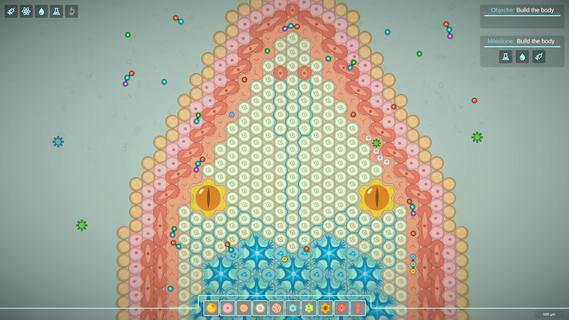
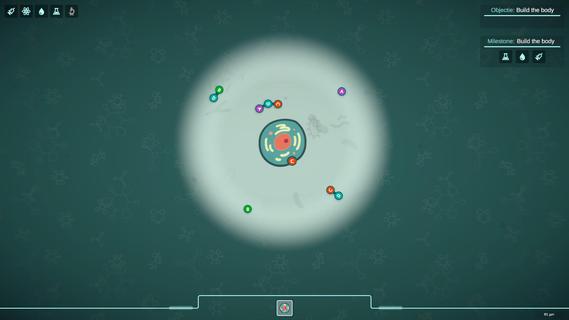
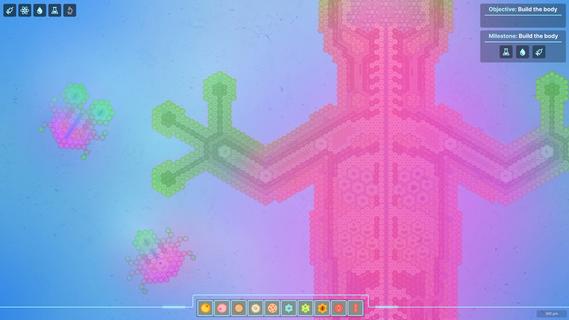
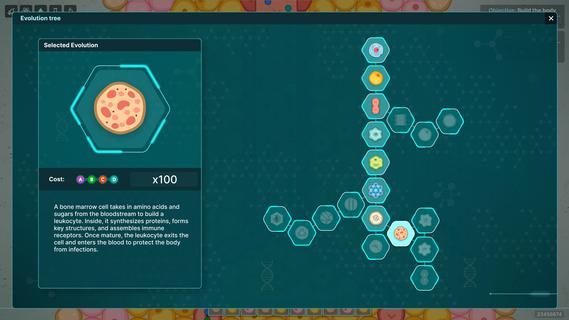
Bioneers – Game Features Unique gameplay that combines factory-building with organism simulation. Instead of buildings — cells, instead of conveyor belts — vessels, instead of enemies — viruses. The bigger your organism, the more powerful it becomes — but it also needs more resources to sustain itself. Animations inspired by real biology. All cell and system movements are based on behavioral models from living organisms, creating a vibrant and believable microworld. A sandbox without limits. Evolve as you wish: become an aggressive predator, a resilient symbiont, or a peaceful herbivore. Every choice affects your organism's evolutionary path. Detailed customization. Design your organism cell by cell, optimize systems, balance energy and resource consumption — you are the true creator of life. Build an Organism from Cells Create and combine different types of cells: muscle, skin, fat, bone, nerve, and more. Connect them into functional systems — respiratory, digestive, excretory, and so on. Your goal is to build a perfectly balanced organism capable of survival and development. Defend Against Viral Attacks Viruses are dangerous enemies of your organism. Monitor threats, react in time, and produce leukocytes — your immune defenders. If tissues get infected, the organism could die! Build a Nervous System To ensure all organs work in sync, connect them into a unified nervous network. From basic sensors to complex neuron clusters — every cell plays its part. Become the architect of your organism’s instincts and intelligence.
Show more

1. Download MEmu installer and finish the setup

2. Start MEmu then open Google Play on the desktop

3. Search Bioneers in Google Play
Install
4. Download and Install Bioneers
5. On install completion click the icon to start

6. Enjoy playing Bioneers on PC with MEmu
MEmu Play is the best Android emulator and 100 million people already enjoy its superb Android gaming experience. The MEmu virtualization technology empowers you to play thousands of Android games smoothly on your PC, even the most graphic-intensive ones.
Bigger screen with better graphics; Long duration, without limitation of battery or mobile data.
Full Keymapping support for precise control of keyboard and mouse or gamepad.
Multiple game accounts or tasks on single PC at one time with Multi-Instance manager.
Play Bioneers on PC by following steps:

















































