
Blue Prince
Updated
Current Version
Offered By

With your passion for Blue Prince, you shouldn’t have to limit yourself to the small screen of a phone. Play like a pro and take full control of the game using a keyboard and mouse. MEmu gives you everything you’re looking for. Download and play Blue Prince on PC. Play as long as you want — no more worries about battery life, mobile data, or unexpected calls. The all-new MEmu 9 is the best way to play Blue Prince on PC. With our expertly designed keymapping system, Blue Prince feels just like a real PC game. The MEmu multi-instance manager lets you run two or more accounts on the same device at the same time. Most importantly, our exclusive emulation engine unlocks your PC’s full potential, delivering smooth and seamless performance.
Show more
Download Blue Prince on PC with MEmu Android Emulator. Enjoy playing on big screen. In the enigmatic world of Blue Prince, you inherit the sprawling Mt.

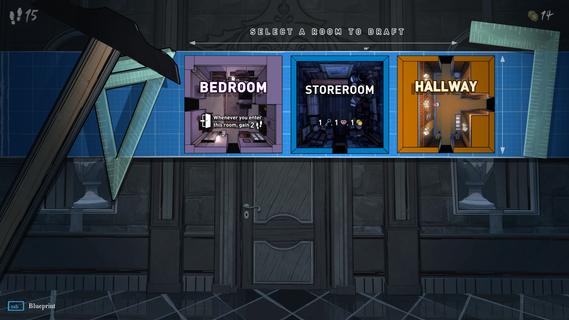
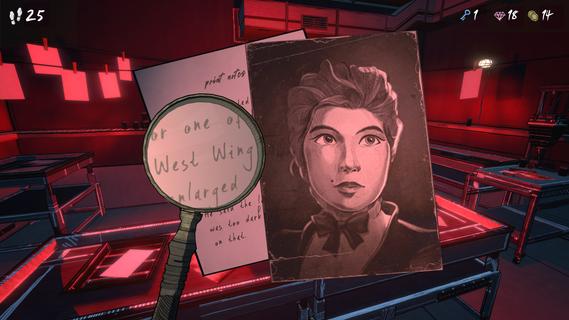
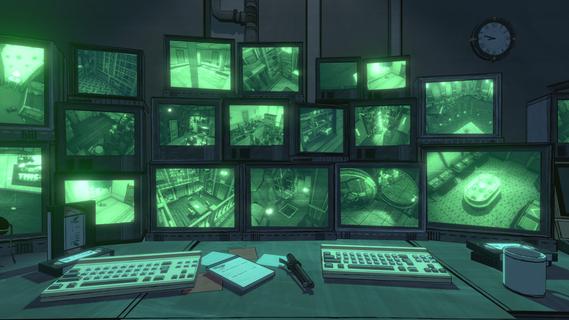
In the enigmatic world of Blue Prince, you inherit the sprawling Mt. Holly manor from a recently deceased relative, but with a peculiar condition: you must find the elusive Room 46 hidden within its 45-room structure. This first-person puzzle strategy game, developed by Dogubomb, presents a unique challenge where the mansion's layout changes daily, requiring strategic planning and exploration to uncover its secrets. The Ever-Changing MansionEach morning, you awaken in the foyer of Mt. Holly, ready to face a new day with a fresh layout. As you approach a door, you are presented with three room options, each with its own characteristics and potential rewards. This roguelike element means that every decision impacts your progress, and the mansion resets at the end of each day unless you've discovered permanent upgrades. Puzzle-Solving and Resource ManagementThe game combines elements of puzzle-solving with resource management. Rooms may contain keys, gems, or coins that can be used to unlock special areas or purchase items. Strategic placement of rooms like bedrooms can restore energy, allowing you to explore further. The goal is to navigate through the mansion efficiently, avoiding dead ends and maximizing your discoveries. Immersive StorytellingBlue Prince is not just about finding Room 46; it's also about unraveling the mysteries of Mt. Holly. The story is rich and immersive, with clues and lore scattered throughout the mansion. As you progress, you learn more about the house's history and the missing person's case, which adds depth to your journey. Architectural AdventureThe game encourages players to think architecturally, drafting blueprints as they explore. Each room added to the mansion can affect future discoveries, making every choice crucial. The mansion's facade reflects its history, with a mix of architectural styles added over generations, mirroring the organic growth of the game's mechanics. Genre-Defying ExperienceBlue Prince defies traditional genre boundaries by combining puzzle-solving, strategy, and roguelike elements with an immersive narrative. It challenges players to adapt and experiment, using discoveries from previous days to inform future strategies. The game's release on Xbox Series X|S, Windows PC, and Game Pass on April 10, 2025, promises to bring this unique experience to a wide audience. ConclusionIn Blue Prince, the journey is as important as the destination. As you navigate Mt. Holly's shifting halls, every decision brings you closer to uncovering its secrets. Will you find Room 46, or will the mysteries of the mansion remain forever elusive? The adventure awaits, and only time will tell if you can unravel the enigmas hidden within Mt. Holly's ever-changing walls.
Show more

1. Download MEmu installer and finish the setup

2. Start MEmu then open Google Play on the desktop

3. Search Blue Prince in Google Play
Install
4. Download and Install Blue Prince
5. On install completion click the icon to start

6. Enjoy playing Blue Prince on PC with MEmu
MEmu Play is the best Android emulator and 100 million people already enjoy its superb Android gaming experience. The MEmu virtualization technology empowers you to play thousands of Android games smoothly on your PC, even the most graphic-intensive ones.
Bigger screen with better graphics; Long duration, without limitation of battery or mobile data.
Full Keymapping support for precise control of keyboard and mouse or gamepad.
Multiple game accounts or tasks on single PC at one time with Multi-Instance manager.
Play Blue Prince on PC by following steps: