Board Kings: Board Dice Games
Updated
Current Version
5.47.0
Offered By

With your passion for Board Kings: Board Dice Games, you shouldn’t have to limit yourself to the small screen of a phone. Play like a pro and take full control of the game using a keyboard and mouse. MEmu gives you everything you’re looking for. Download and play Board Kings: Board Dice Games on PC. Play as long as you want — no more worries about battery life, mobile data, or unexpected calls. The all-new MEmu 9 is the best way to play Board Kings: Board Dice Games on PC. With our expertly designed keymapping system, Board Kings: Board Dice Games feels just like a real PC game. The MEmu multi-instance manager lets you run two or more accounts on the same device at the same time. Most importantly, our exclusive emulation engine unlocks your PC’s full potential, delivering smooth and seamless performance.
Show more
Download Board Kings: Board Dice Games on PC with MEmu Android Emulator. Enjoy playing on big screen. ** Fun Board Games to play online, Roll the Dice and be the King of your Board **.
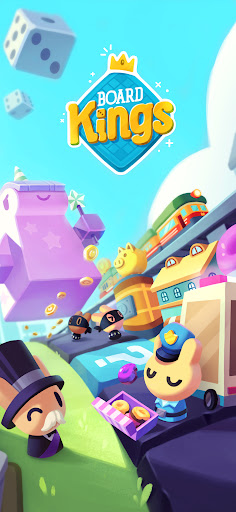

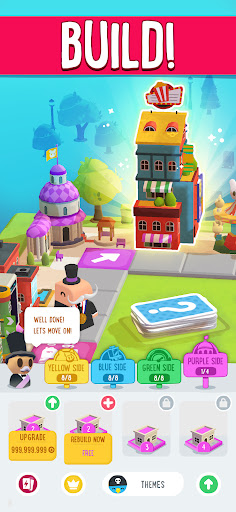

** Fun Board Games to play online, Roll the Dice and be the King of your Board **
Welcome to Board Kings: multiplayer Board Game, where you can build and upgrade your own Board, and also travel to your friends’ Boards and attack their Buildings. Playing with your friends and family has never been so much fun! Build, upgrade, steal and destroy – it is all possible in this crazy Board Game.
Roll the Dice as you build and upgrade your empire. Discover new magical Boards as you become a true
Board King and Dice King! The Fun and adventures never stop in Board Kings, so Roll the Dice and let’s
get Rolling!
Board Kings is Free to Play – just Roll the Dice and you’re good to go!
With Free Rolls every hour so you can always keep Rolling!
This live action Multiplayer game is the real deal – you play and compete online with your real friends!
Here is what you get when you join this epic adventure:
· Unique 3D art – watch your Board from every direction!
· Build and upgrade your Board – the possibilities are endless!
· Travel to your friends’ Boards – attack their Board and steal their Coins!
· New Boards and worlds to explore – the fun never stops!
· New Minigame on every Board you unlock!
· Collect Coins and Gems to upgrade your Board!
· Use Power Cards to get yourself out of a jam!
· Enjoy hundreds of Game Idols – always change your look!
· Action packed Boards – with your own Police Station, Train Station, Card Deck and much more!
· Magical Landmarks to boost your Board!
· Daily events and competitions – nonstop action! Compete with your friends or set your own records!
· The best prizes are always up for grabs - Win amazing Prizes every day
· Crazy fun features unlock as you progress and build your empire!
Follow us on Facebook and on Instagram to get the latest news and rewards!
Roll the Dice and let’s go!
Board Kings is intended for those 18 and older. Board Kings does not require payment to download and play, but it also allows you to purchase virtual items with real money inside the game, including random items. You can disable in-app purchases in your device’s settings. Board Kings may also contain advertising. You may require an internet connection to play Board Kings and access its social features. You can also find more information about the functionality, compatibility and interoperability of Board Kings in the above description and additional app store information.
By downloading this game, you agree to future game updates as released on your app store or social network. You may choose to update this game, but if you do not update, your game experience and functionalities may be reduced.
Terms of Service: https://www.playtika.com/terms-service/
Privacy Notice: https://www.playtika.com/privacy-notice/
Show more

1. Download MEmu installer and finish the setup

2. Start MEmu then open Google Play on the desktop

3. Search Board Kings: Board Dice Games in Google Play
Install
4. Download and Install Board Kings: Board Dice Games
5. On install completion click the icon to start

6. Enjoy playing Board Kings: Board Dice Games on PC with MEmu
MEmu Play is the best Android emulator and 100 million people already enjoy its superb Android gaming experience. The MEmu virtualization technology empowers you to play thousands of Android games smoothly on your PC, even the most graphic-intensive ones.
Bigger screen with better graphics; Long duration, without limitation of battery or mobile data.
Full Keymapping support for precise control of keyboard and mouse or gamepad.
Multiple game accounts or tasks on single PC at one time with Multi-Instance manager.
Play Board Kings: Board Dice Games on PC by following steps: