Bomber Rumble: Brawl & Boom!
Updated
Current Version
Offered By

With your passion for Bomber Rumble: Brawl & Boom!, you shouldn’t have to limit yourself to the small screen of a phone. Play like a pro and take full control of the game using a keyboard and mouse. MEmu gives you everything you’re looking for. Download and play Bomber Rumble: Brawl & Boom! on PC. Play as long as you want — no more worries about battery life, mobile data, or unexpected calls. The all-new MEmu 9 is the best way to play Bomber Rumble: Brawl & Boom! on PC. With our expertly designed keymapping system, Bomber Rumble: Brawl & Boom! feels just like a real PC game. The MEmu multi-instance manager lets you run two or more accounts on the same device at the same time. Most importantly, our exclusive emulation engine unlocks your PC’s full potential, delivering smooth and seamless performance.
Show more
Download Bomber Rumble: Brawl & Boom! on PC with MEmu Android Emulator. Enjoy playing on big screen. Ready for the ultimate explosive showdown?
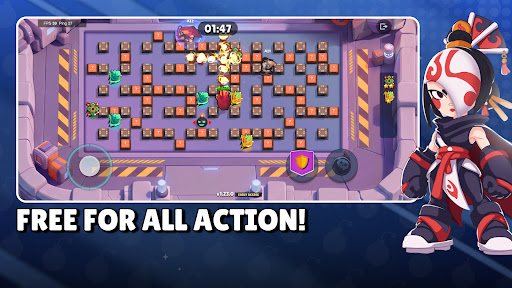
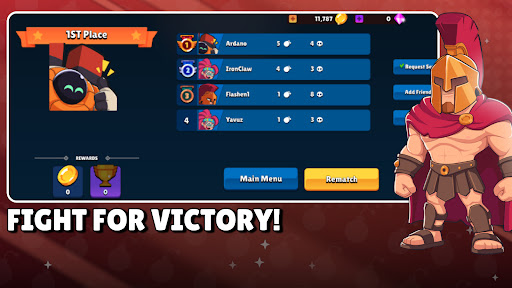
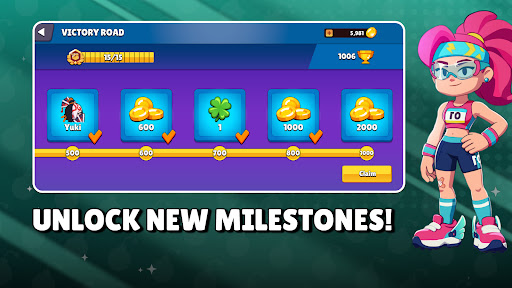
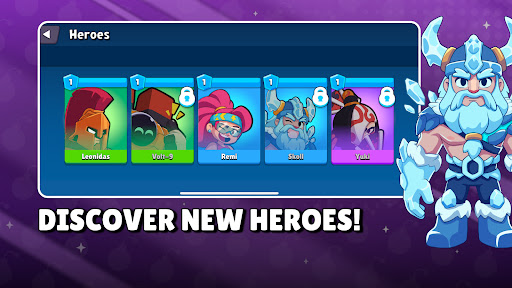
Ready for the ultimate explosive showdown?
Join our discord channel: https://discord.gg/SdNxgUmY4N
Welcome to Bomber Rumble: Brawl & Boom, the fast-paced, action-packed PVP arena game inspired by classic bomber mechanics! Trap your opponents, blast through obstacles, and rack up the most kills to dominate the arena in chaotic multiplayer matches.
Whether you are looking for quick action or intense tactical competition, Bomber Rumble delivers non-stop explosive entertainment right to your phone!
Key Features:
EPIC 4 & 8-PLAYER PVP BATTLES Dive headfirst into chaotic online matches! Battle against 4 or 8 players from around the globe in real-time arenas where high score and heavy eliminations mean everything.
PLAY WITH FRIENDS Easily add your friends, squad up, and settle the score in private custom matches. Who can rack up the most frags? Find out together!
KICK BOMBS, ELIMINATE RIVALS Don't just trap opponents—slide right into your planted explosives to kick bombs across the grid! Send sliding explosives flying straight into your enemies to catch them off guard, secure devastating kills, and climb the match standings.
EXPLOSIVE CLASSIC GAMEPLAY Experience nostalgic grid-based bomb action supercharged with modern graphics, smooth touch controls, and stunning visual effects.
POWER-UPS & DESTRUCTIBLE ENVIRONMENTS Wreak havoc by blowing up blocks and collecting game-changing power-ups. Increase your blast radius, gain speed, and turn the tide of battle to keep your kill streak alive.
CLIMB THE LEADERBOARDS Out-frag your competition, earn trophies, and prove your dominance by rising through regional and global competitive ranks.
Download Bomber Rumble: Brawl & Boom for FREE today, drop your first bomb, and claim your crown as the ultimate brawler!
Show more

1. Download MEmu installer and finish the setup

2. Start MEmu then open Google Play on the desktop

3. Search Bomber Rumble: Brawl & Boom! in Google Play
Install
4. Download and Install Bomber Rumble: Brawl & Boom!
5. On install completion click the icon to start

6. Enjoy playing Bomber Rumble: Brawl & Boom! on PC with MEmu
MEmu Play is the best Android emulator and 100 million people already enjoy its superb Android gaming experience. The MEmu virtualization technology empowers you to play thousands of Android games smoothly on your PC, even the most graphic-intensive ones.
Bigger screen with better graphics; Long duration, without limitation of battery or mobile data.
Full Keymapping support for precise control of keyboard and mouse or gamepad.
Multiple game accounts or tasks on single PC at one time with Multi-Instance manager.
Play Bomber Rumble: Brawl & Boom! on PC by following steps: