Bounce Madness
Updated
Current Version
0.1.0
Offered By

With your passion for Bounce Madness, you shouldn’t have to limit yourself to the small screen of a phone. Play like a pro and take full control of the game using a keyboard and mouse. MEmu gives you everything you’re looking for. Download and play Bounce Madness on PC. Play as long as you want — no more worries about battery life, mobile data, or unexpected calls. The all-new MEmu 9 is the best way to play Bounce Madness on PC. With our expertly designed keymapping system, Bounce Madness feels just like a real PC game. The MEmu multi-instance manager lets you run two or more accounts on the same device at the same time. Most importantly, our exclusive emulation engine unlocks your PC’s full potential, delivering smooth and seamless performance.
Show more
Download Bounce Madness on PC with MEmu Android Emulator. Enjoy playing on big screen. Bounce Madness is a fast-paced fantasy action roguelite where brick-breaking impact meets pinball chaos.
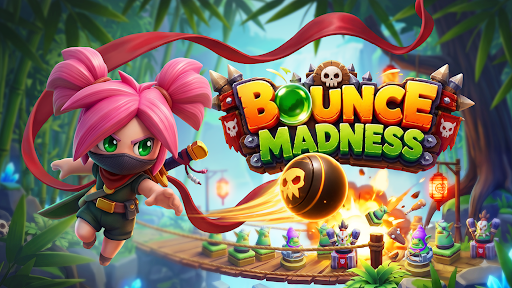
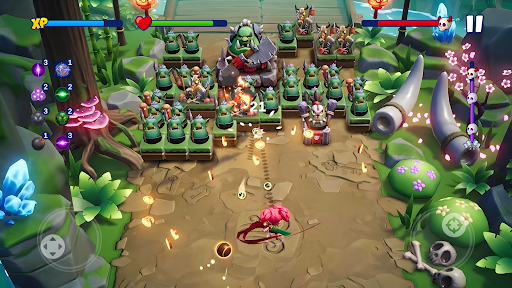
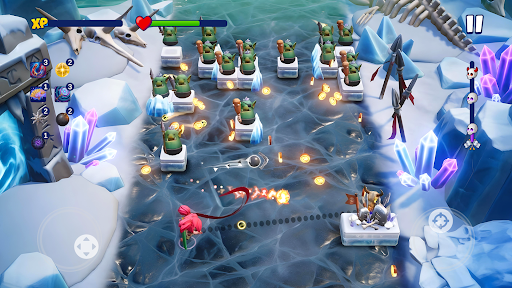
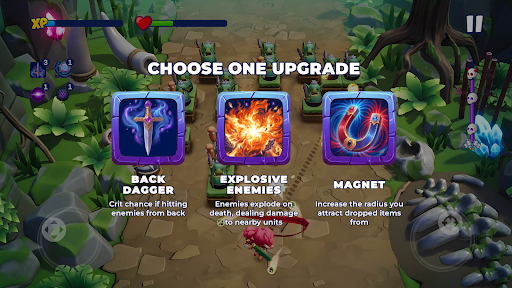
Bounce Madness is a fast-paced fantasy action roguelite where brick-breaking impact meets pinball chaos. Unleash an arsenal of ricocheting balls, clear waves of enemies, and build wild combinations while the battle keeps moving.
In combat, every bounce matters. Read the angles, use the arena, and turn a well-placed shot into a chain reaction. Balls keep flying, hits keep stacking, and enemies keep advancing. There is no reset after every volley—the battle keeps moving, and every decision matters.
Non-Stop Bouncing Action
Keep your arsenal in motion through fast, real-time battles. React to changing threats, maintain the pressure, and watch the arena fill with satisfying collisions and cascading hits.
Combine and experiment!
Discover different balls and combine their strengths to create powerful builds. Experiment with new setups, find unexpected synergies, and shape a strategy that fits the way you play. With a huge variety of possible combinations, every run is a new opportunity to try something different.
Master Ricochets and Chain Reactions
Use smart angles and rebounds to make every attack count. A carefully placed ball can keep bouncing through the arena, extend a combo, and transform the flow of battle.
Explore a Fantasy World
Progress through new locations, overcome increasingly dangerous encounters, and push deeper into a world of magical action. Each stage brings new pressure and another chance to refine your build.
Roguelite Runs, Fresh Possibilities
Adapt as the run unfolds. Choose balls that work together, respond to unexpected challenges, and discover new ways to turn bouncing chaos into a winning strategy.
Bounce Madness combines the satisfying impact of a brick breaker, the unpredictable motion of pinball, and the build-crafting excitement of an action roguelite.
Play Bounce Madness now and unleash unstoppable ball combos!
If you have a problem with this game, please contact us via email at support.bounce@my.games.
- For information about how we collect and use your data, please read our privacy policy at: https://documentation.my.games/terms/mygames_privacy
- Terms of Use: https://documentation.my.games/terms/mygames_eula
© 2026 MY.GAMES HOLDINGS LTD. Published by KEYSTORM HOLDINGS LTD. All rights reserved. All trademarks are the property of their respective owners.
Show more

1. Download MEmu installer and finish the setup

2. Start MEmu then open Google Play on the desktop

3. Search Bounce Madness in Google Play
Install
4. Download and Install Bounce Madness
5. On install completion click the icon to start

6. Enjoy playing Bounce Madness on PC with MEmu
MEmu Play is the best Android emulator and 100 million people already enjoy its superb Android gaming experience. The MEmu virtualization technology empowers you to play thousands of Android games smoothly on your PC, even the most graphic-intensive ones.
Bigger screen with better graphics; Long duration, without limitation of battery or mobile data.
Full Keymapping support for precise control of keyboard and mouse or gamepad.
Multiple game accounts or tasks on single PC at one time with Multi-Instance manager.
Play Bounce Madness on PC by following steps: