BRAVE FRONTIER LEGION
Updated
Current Version
Offered By

With your passion for BRAVE FRONTIER LEGION, you shouldn’t have to limit yourself to the small screen of a phone. Play like a pro and take full control of the game using a keyboard and mouse. MEmu gives you everything you’re looking for. Download and play BRAVE FRONTIER LEGION on PC. Play as long as you want — no more worries about battery life, mobile data, or unexpected calls. The all-new MEmu 9 is the best way to play BRAVE FRONTIER LEGION on PC. With our expertly designed keymapping system, BRAVE FRONTIER LEGION feels just like a real PC game. The MEmu multi-instance manager lets you run two or more accounts on the same device at the same time. Most importantly, our exclusive emulation engine unlocks your PC’s full potential, delivering smooth and seamless performance.
Show more
Download BRAVE FRONTIER LEGION on PC with MEmu Android Emulator. Enjoy playing on big screen. oin Legion Battles to get up to 1,000 Summons!

oin Legion Battles to get up to 1,000 Summons!!
That power is the ancient art of Summoning.
One who awakens the slumbering souls of heroes and gods from otherworldly realms—the "Summoner".
Inheriting that power, you step into the epic world of "BRAVE FRONTIER LEGION".
Command countless Units, forge the ultimate Legion, and dive into epic battles in this co-op competitive RPG—beginning now.
◆ Encounters with Units, and a Tale Walked Together
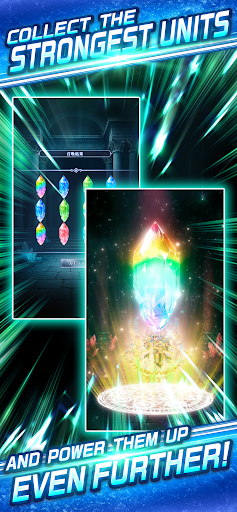
Units, each with unique personalities and abilities, will answer your call.
The more you train them, the more their power grows, undergoing Evolution into ever more striking and majestic forms.
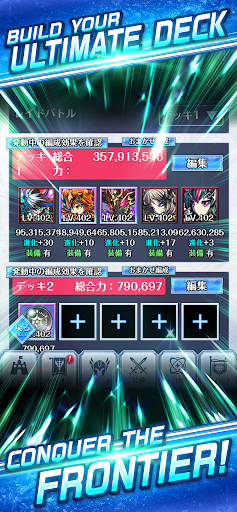
Building your dream Lineup with your favorite Units is an adventure all its own.
Whether you're a longtime fan of the series or stepping into this world for the very first time, an enthralling story that everyone can lose themselves in begins right here.
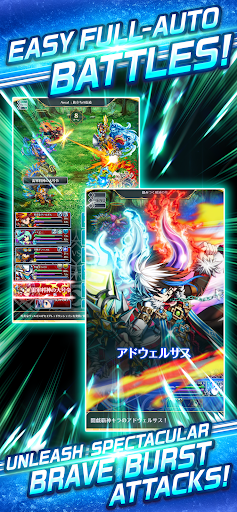
◆Ultra-Flashy Battles at Your Fingertips
Simple controls, fast-paced battles.
Thrilling Skill animations and your Units' graceful movements bring the battlefield to life.
One of the greatest charms of this world is being able to pick up your adventure anytime, anywhere, whenever you have a moment in your day.
◆Take on Legion Battles with Bonds and Tactics!
Co-op Battles featuring clashes of up to 10 vs 10 players.
Teamwork with your allies, clever strategies, and split-second decisions will lead you to victory.
Connect through chat and stickers, and aim for the top together!
◆ Another tale woven alongside your allies
Strategize with your Legionmates, unite your strength to take on challenges, and share laughs over casual chat—
It's these everyday moments that expand our world and give it greater depth.
The stories you weave with the allies you meet in "BRAVE FRONTIER LEGION" are sure to add vibrant new color to your adventure.
Show more

1. Download MEmu installer and finish the setup

2. Start MEmu then open Google Play on the desktop

3. Search BRAVE FRONTIER LEGION in Google Play
Install
4. Download and Install BRAVE FRONTIER LEGION
5. On install completion click the icon to start

6. Enjoy playing BRAVE FRONTIER LEGION on PC with MEmu
MEmu Play is the best Android emulator and 100 million people already enjoy its superb Android gaming experience. The MEmu virtualization technology empowers you to play thousands of Android games smoothly on your PC, even the most graphic-intensive ones.
Bigger screen with better graphics; Long duration, without limitation of battery or mobile data.
Full Keymapping support for precise control of keyboard and mouse or gamepad.
Multiple game accounts or tasks on single PC at one time with Multi-Instance manager.
Play BRAVE FRONTIER LEGION on PC by following steps: