Burger Shop 2 Deluxe
Updated
Current Version
1.3.7
Offered By

With your passion for Burger Shop 2 Deluxe, you shouldn’t have to limit yourself to the small screen of a phone. Play like a pro and take full control of the game using a keyboard and mouse. MEmu gives you everything you’re looking for. Download and play Burger Shop 2 Deluxe on PC. Play as long as you want — no more worries about battery life, mobile data, or unexpected calls. The all-new MEmu 9 is the best way to play Burger Shop 2 Deluxe on PC. With our expertly designed keymapping system, Burger Shop 2 Deluxe feels just like a real PC game. The MEmu multi-instance manager lets you run two or more accounts on the same device at the same time. Most importantly, our exclusive emulation engine unlocks your PC’s full potential, delivering smooth and seamless performance.
Show more
Download Burger Shop 2 Deluxe on PC with MEmu Android Emulator. Enjoy playing on big screen. Burger Shop 2 Deluxe is the paid version of Burger Shop 2 with exactly the same gameplay and levels.
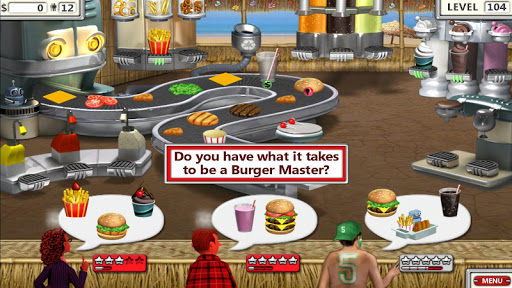
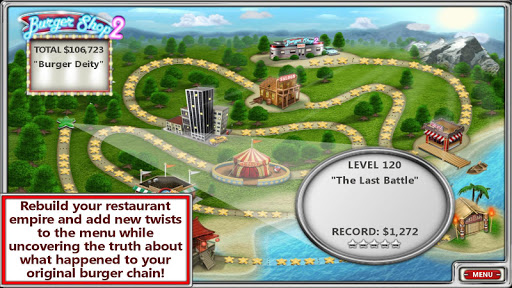
Burger Shop 2 Deluxe is the paid version of Burger Shop 2 with exactly the same gameplay and levels. Our Deluxe game versions show NO ADS, collect NO USER DATA, and are completely playable forever with a small one-time purchase!
Burger Shop 2, the sequel to the wildly successful food making game, Burger Shop, is now available!
In Burger Shop, you successfully created a universal chain of restaurants and found fame and fortune... Until one day, you found yourself in a dumpster with a bump on your head, your diner boarded up, and no memory of how any of it happened.
Now in Burger Shop 2 you must rebuild your restaurant empire, adding new twists to your menu to entice new customers while uncovering the truth about what happened to your original hamburger chain. Use your time management skills cooking and serving food for hungry customers. Upgrade your kitchen to provide your customers with different types of food like hamburgers, cheese burgers, chicken sandwiches, French fries, onion rings, salads, pizza, donuts, waffles, pancakes, pasta, steak, cakes, pies, ice cream sundaes and much, much more! Can you dash around serving hungry customers tasty food and discover the truth of what happened to your original burger chain?
Join the Burger Shop 2 craze and grab ingredients from the BurgerTron 2000 to create tasty food items to serve hungry customers in this fast-paced food shop game!
GAME FEATURES:
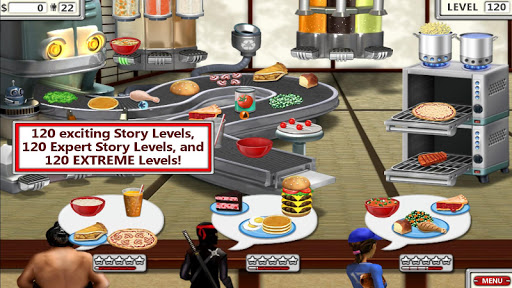
• 120 Story Levels and 120 Expert Levels!
• Challenge Modes and Relax Modes!
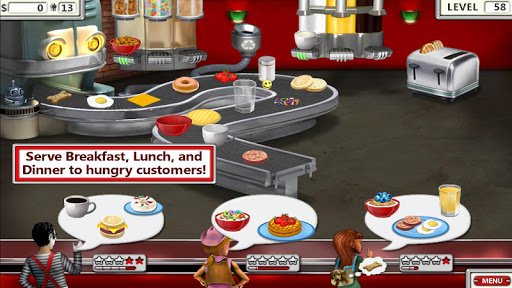
• Serve breakfast, lunch, and dinner!
• Over 100 different food items!
• Over 100 trophies to collect!
• Unlimited play!
Burger Shop 2 offers endless play with four different game modes!
GAME MODES:
• Story Mode - Rebuild your restaurant empire, and solve the mystery of who or what destroyed your original burger chain.
• Challenge Mode - Play fever-pitched, fast one-minute rounds - but don't lose a customer or it's all over! It's Burger Mania!
• Relax Mode - Serve food without any pressure or stress. Customers are infinitely patient.
• Expert Mode - So, you think you are the Burger Master Chef? Put your food-making skills to the test!
Available in 11 languages: English, German, Spanish, French, Italian, Dutch, Portuguese, Swedish, Indonesian, Russian, and Japanese.
Show more

1. Download MEmu installer and finish the setup

2. Start MEmu then open Google Play on the desktop

3. Search Burger Shop 2 Deluxe in Google Play
Install
4. Download and Install Burger Shop 2 Deluxe
5. On install completion click the icon to start

6. Enjoy playing Burger Shop 2 Deluxe on PC with MEmu
MEmu Play is the best Android emulator and 100 million people already enjoy its superb Android gaming experience. The MEmu virtualization technology empowers you to play thousands of Android games smoothly on your PC, even the most graphic-intensive ones.
Bigger screen with better graphics; Long duration, without limitation of battery or mobile data.
Full Keymapping support for precise control of keyboard and mouse or gamepad.
Multiple game accounts or tasks on single PC at one time with Multi-Instance manager.
Play Burger Shop 2 Deluxe on PC by following steps: