Bus Simulator 27
Updated
Current Version
Offered By

With your passion for Bus Simulator 27, you shouldn’t have to limit yourself to the small screen of a phone. Play like a pro and take full control of the game using a keyboard and mouse. MEmu gives you everything you’re looking for. Download and play Bus Simulator 27 on PC. Play as long as you want — no more worries about battery life, mobile data, or unexpected calls. The all-new MEmu 9 is the best way to play Bus Simulator 27 on PC. With our expertly designed keymapping system, Bus Simulator 27 feels just like a real PC game. The MEmu multi-instance manager lets you run two or more accounts on the same device at the same time. Most importantly, our exclusive emulation engine unlocks your PC’s full potential, delivering smooth and seamless performance.
Show more
Download Bus Simulator 27 on PC with MEmu Android Emulator. Enjoy playing on big screen. Bus Simulator 27 APK is for players who want more than following a fixed bus route.
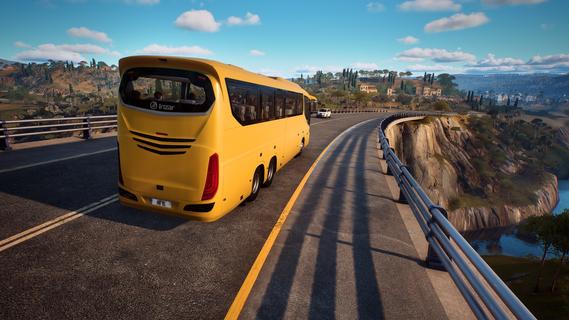
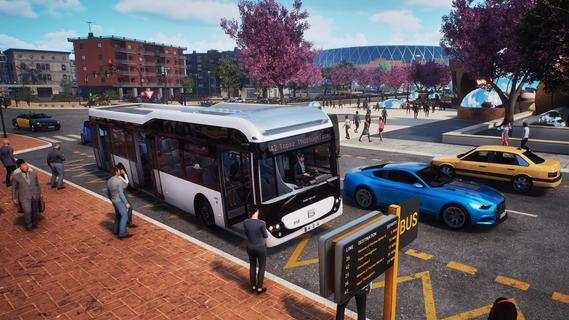
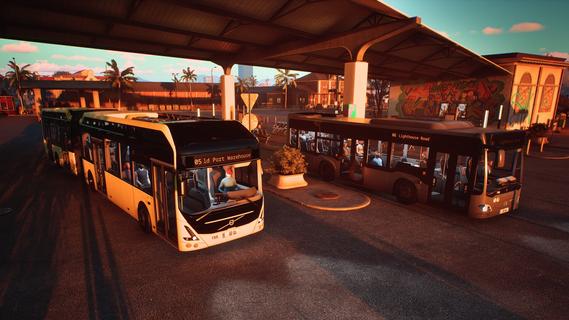
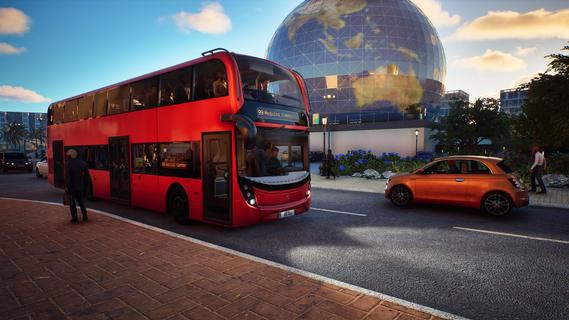
Bus Simulator 27 APK is for players who want more than following a fixed bus route. It places you in a Southern European setting inspired by Spain and Portugal, where public transport work connects two active cities. You can approach the game as a driver or focus on building a transport business over time. Meanwhile, changing conditions and city activity give each service day different situations to handle.Bus Simulator 27 featuresLicensed bus fleetBus Simulator 27 includes more than 45 licensed buses from 13 manufacturers, including Solaris, Mercedes-Benz, MAN, IVECO BUS, Scania, and Volvo. You can drive rigid buses, articulated buses, double deckers, and electric models. The fleet also introduces coach buses, which are designed for longer-distance services.Drive across Felicia BayYou operate services in Felicia Bay, a region made up of the twin cities of Alcaztelar and Mequina. The map covers 20 districts with streets, landmarks, and places to explore on foot. In addition, weather and the day-and-night cycle can change the conditions during a route.Run a transport companyBus Simulator 27 lets you plan services as well as drive them. You can create routes, set timetables, assign lines, hire drivers, and manage the buses in your fleet. Vehicle wraps and advertisements also let you change the appearance of buses used by your company.Choose a role and game modeYou can play as a driver, inspector, or passenger, depending on the experience you want from the city. Story mode provides a structured way to play, while Career mode focuses on progressing with your transport business. Sandbox mode gives you space to explore and set up services without following the same path as the other modes.Respond to events on the roadYou need to consider passenger needs while operating routes through busy areas. Traffic accidents, incidents inside the bus, and other on-road events can affect a service. You can play alone, or join friends through four-player cooperative crossplay.What to consider before playing Bus Simulator 27Bus Simulator 27 combines two connected activities: operating buses and bus company management. Players who prefer direct driving can focus on routes and city travel, while players interested in planning can work with timetables, drivers, lines, and fleet assignments. Since both parts are included, the game suits different play styles without limiting the player to one role.Felicia Bay is not limited to a single central area. Alcaztelar and Mequina contain multiple districts, and the environment includes traffic, passengers, landmarks, and changing conditions. This means a route can involve city navigation and unexpected situations rather than only picking up passengers at stops.How to play Bus Simulator 27Start by deciding whether you want to drive, manage services, or explore another role in the city. The Bus Simulator 27 latest version can be approached through Story, Career, or Sandbox mode, so choose the mode that matches how structured you want the session to be. Then use the available buses and city areas to build your routine.Choose Story, Career, or Sandbox mode, then select whether you want to begin as a driver, inspector, or passenger.Select a bus that fits the service you plan to operate, such as a rigid, articulated, electric, double decker, or coach bus.Drive through Felicia Bay and follow the route while watching for passenger needs, traffic, and events that occur during service.When managing a company, create lines and timetables, then assign buses and hired drivers to keep services organized.Continue expanding your operations or join other players in cooperative sessions to handle routes in the same city.Get started with Bus Simulator 27Bus Simulator 27 brings bus driving, route planning, and company operations together in Felicia Bay. Download Bus Simulator 27 if you want to operate licensed buses while also managing the services behind them. Right now, there's no package available. Once the game is rolled out on mobile, you can download Bus Simulator 27 APK from APKPure.
Show more

1. Download MEmu installer and finish the setup

2. Start MEmu then open Google Play on the desktop

3. Search Bus Simulator 27 in Google Play
Install
4. Download and Install Bus Simulator 27
5. On install completion click the icon to start

6. Enjoy playing Bus Simulator 27 on PC with MEmu
MEmu Play is the best Android emulator and 100 million people already enjoy its superb Android gaming experience. The MEmu virtualization technology empowers you to play thousands of Android games smoothly on your PC, even the most graphic-intensive ones.
Bigger screen with better graphics; Long duration, without limitation of battery or mobile data.
Full Keymapping support for precise control of keyboard and mouse or gamepad.
Multiple game accounts or tasks on single PC at one time with Multi-Instance manager.
Play Bus Simulator 27 on PC by following steps:

















































