CABAL RED
Updated
Current Version
1.0
Offered By

With your passion for CABAL RED, you shouldn’t have to limit yourself to the small screen of a phone. Play like a pro and take full control of the game using a keyboard and mouse. MEmu gives you everything you’re looking for. Download and play CABAL RED on PC. Play as long as you want — no more worries about battery life, mobile data, or unexpected calls. The all-new MEmu 9 is the best way to play CABAL RED on PC. With our expertly designed keymapping system, CABAL RED feels just like a real PC game. The MEmu multi-instance manager lets you run two or more accounts on the same device at the same time. Most importantly, our exclusive emulation engine unlocks your PC’s full potential, delivering smooth and seamless performance.
Show more
Download CABAL RED on PC with MEmu Android Emulator. Enjoy playing on big screen. An action MMORPG set in a sci-fi-fantasy world, available on cross-platform (PC + Mobile), featuring fast-paced, intense, and spectacular combat with an unparalleled combo skill system.
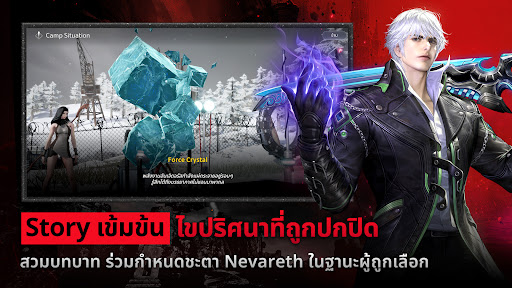
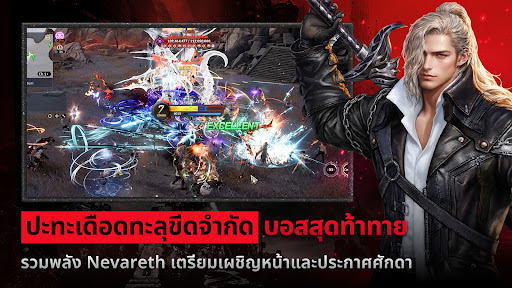
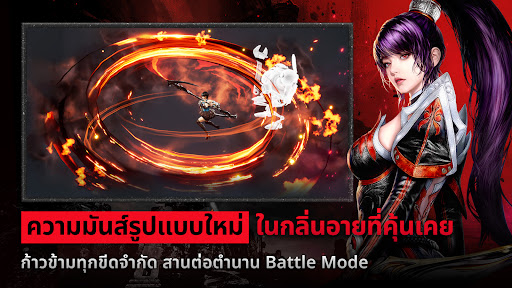

An action MMORPG set in a sci-fi-fantasy world, available on cross-platform (PC + Mobile), featuring fast-paced, intense, and spectacular combat with an unparalleled combo skill system. It boasts unique and challenging dungeons, all combined with stunningly deep graphics powered by Unreal Engine, creating a fresh new gaming experience for Thai gamers.
○ Sci-fi-Fantasy World: Set on the continent of Nevareth, blending magic with cutting-edge technology such as high-tech armor and futuristic vehicles.
○ The Revolution of Action: Breaking the mold of traditional leveling with a combo system where players must time their skills to unleash continuous and spectacular damage.
○ Unparalleled Charm: Unique graphics and a skill-based combat system that relies on timing and skill continue to attract both veteran players who miss the classic feel and new players looking for a classic challenge.
○ Battle Mode: Transformations completely alter the combat system, adding grandeur and destructive power.
○ Embrace the Spirit of a Class That Reflects Your Identity: Each character has a unique growth path, style, and combat technique. ○ Develop your skills to unlock your potential. Continuously enhance your abilities in the perfect rhythm. Your character will become stronger as you progress. This isn't just about swiping skills; it's an art of timing, concentration, and growth that makes every victory meaningful.
○ Forged Friendships: The party and guild system fosters strong bonds, transforming into powerful forces. Not just for victory, but for shared memories and meaning.
○ A Vast World: Mysterious dungeons and formidable bosses test your skill and courage. Every battle yields valuable resources to upgrade equipment and continuously enhance your strength. Transcend from adventurer to guardian, defending the land from all threats.
Show more

1. Download MEmu installer and finish the setup

2. Start MEmu then open Google Play on the desktop

3. Search CABAL RED in Google Play
Install
4. Download and Install CABAL RED
5. On install completion click the icon to start

6. Enjoy playing CABAL RED on PC with MEmu
MEmu Play is the best Android emulator and 100 million people already enjoy its superb Android gaming experience. The MEmu virtualization technology empowers you to play thousands of Android games smoothly on your PC, even the most graphic-intensive ones.
Bigger screen with better graphics; Long duration, without limitation of battery or mobile data.
Full Keymapping support for precise control of keyboard and mouse or gamepad.
Multiple game accounts or tasks on single PC at one time with Multi-Instance manager.
Play CABAL RED on PC by following steps: