Cloud Spirits
Updated
Current Version
Offered By

With your passion for Cloud Spirits, you shouldn’t have to limit yourself to the small screen of a phone. Play like a pro and take full control of the game using a keyboard and mouse. MEmu gives you everything you’re looking for. Download and play Cloud Spirits on PC. Play as long as you want — no more worries about battery life, mobile data, or unexpected calls. The all-new MEmu 9 is the best way to play Cloud Spirits on PC. With our expertly designed keymapping system, Cloud Spirits feels just like a real PC game. The MEmu multi-instance manager lets you run two or more accounts on the same device at the same time. Most importantly, our exclusive emulation engine unlocks your PC’s full potential, delivering smooth and seamless performance.
Show more
Download Cloud Spirits on PC with MEmu Android Emulator. Enjoy playing on big screen. Follow Us for More News & Rewards.
Follow Us for More News & Rewards
Facebook Official: https://www.facebook.com/CloudSpiritsOfficial
Discord Official: https://discord.gg/R6SjNtu2xX
Cloud Spirits
Begin a Fantasy Adventure Where Every Hero Has a Spirit Companion!
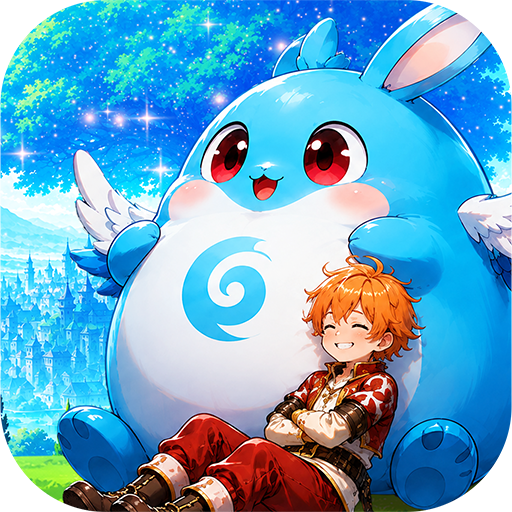
Welcome to Cloud Spirits, a charming fantasy world where cuteness meets the heart of a true adventurer! Set out on an unforgettable journey with your heroes and loyal Spirit companions. Build your team your way, overcome challenging battles, and meet fellow adventurers from around the world.
Whether you enjoy strategic combat, intense PvP battles, or simply relaxing and having fun with friends and someone special, your adventure begins here!
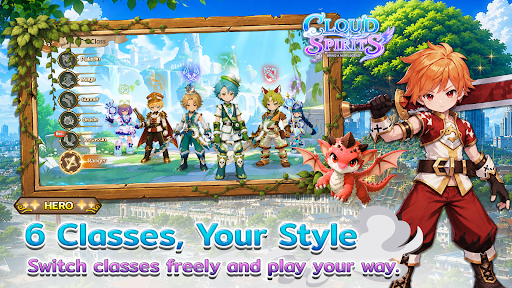
Choose Your Class. Create Your Own Fighting Style!
Begin your journey with 6 basic classes, then develop your character into specialized paths. Each class can branch into 2 unique advanced paths, giving you the freedom to create a playstyle that truly fits you.
Combine the power of your hero and Spirit through the Soul Resonance system to enhance your main character and unleash devastating power by transforming into a Spirit at critical moments!
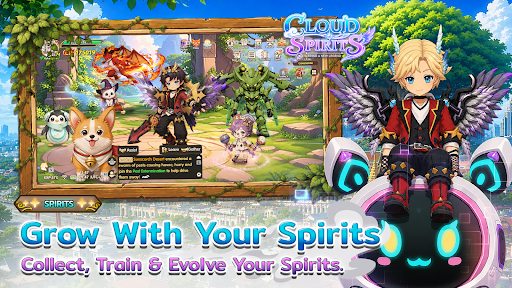
Spirit Companions: Power That Grows With You
Discover a wide variety of Spirits, each with their own unique personality, appearance, and abilities. Choose the right companions, plan your team, and make the most of their powers in every situation to create a team that no one can stop!
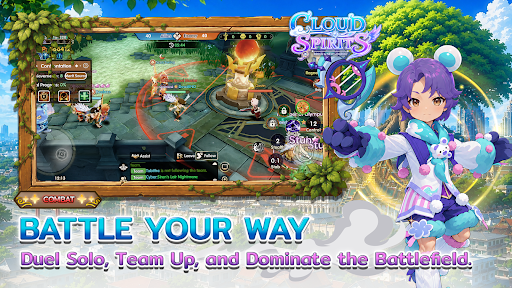
Prove Your Skills in Intense PvP Battles!
○ Survival 7v7 — Assemble your team and fight your way through! When one fighter is defeated, the next teammate enters the battle while the opponent keeps their remaining HP.
○ Apex Clash Tournament — Survive as the safe zone gradually shrinks. Search for Gold Ore to obtain items and randomly unlock skills, or defeat opponents to secure your chance to advance to the final 32-player stage and fight for the championship!
○ Laureate League 3v3 — An intense team battle where each player can choose only one Spirit companion, making every decision and every move count.
○ Ranking Martial 2v2 / 3v3 — Battle your way up the rankings and prove yourself against other players.
○ Rag War 5v5 — Team up, destroy enemy towers, and fight for victory in an all-out team war!
Watch, Cheer & Predict the Action
Follow other players' battles, watch exciting matches, and predict the winners using in-game Gold Coins. Choose correctly and you may earn exciting rewards!
An Adventure Beyond Battle
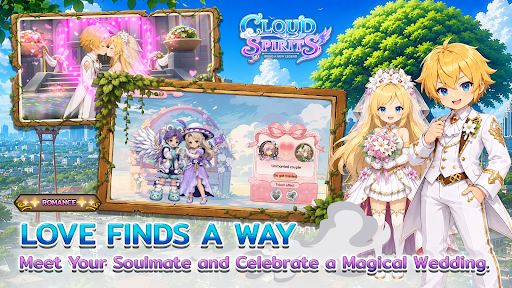
Take a break from the battlefield and create unforgettable memories in the world of Cloud Spirits. Make new friends, join a Guild, and experience the Marriage System as you embark on a special journey with someone important to you.
Cloud Spirits
Begin a New Legend with Your Spirit Companions.
Cloud Spirits — Bring a New Legend.
Show more

1. Download MEmu installer and finish the setup

2. Start MEmu then open Google Play on the desktop

3. Search Cloud Spirits in Google Play
Install
4. Download and Install Cloud Spirits
5. On install completion click the icon to start

6. Enjoy playing Cloud Spirits on PC with MEmu
MEmu Play is the best Android emulator and 100 million people already enjoy its superb Android gaming experience. The MEmu virtualization technology empowers you to play thousands of Android games smoothly on your PC, even the most graphic-intensive ones.
Bigger screen with better graphics; Long duration, without limitation of battery or mobile data.
Full Keymapping support for precise control of keyboard and mouse or gamepad.
Multiple game accounts or tasks on single PC at one time with Multi-Instance manager.
Play Cloud Spirits on PC by following steps: