Backgammon
Updated
Current Version
2.32.0
Offered By

With your passion for Backgammon, you shouldn’t have to limit yourself to the small screen of a phone. Play like a pro and take full control of the game using a keyboard and mouse. MEmu gives you everything you’re looking for. Download and play Backgammon on PC. Play as long as you want — no more worries about battery life, mobile data, or unexpected calls. The all-new MEmu 9 is the best way to play Backgammon on PC. With our expertly designed keymapping system, Backgammon feels just like a real PC game. The MEmu multi-instance manager lets you run two or more accounts on the same device at the same time. Most importantly, our exclusive emulation engine unlocks your PC’s full potential, delivering smooth and seamless performance.
Show more
Download Backgammon on PC with MEmu Android Emulator. Enjoy playing on big screen. Backgammon Legends is the most social backgammon board game you'll ever see.
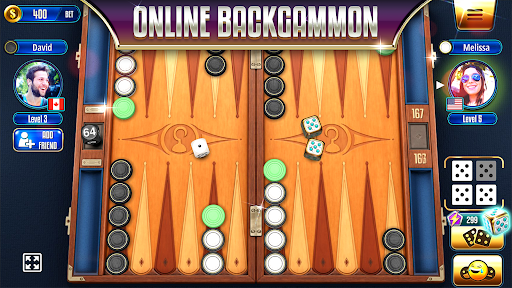
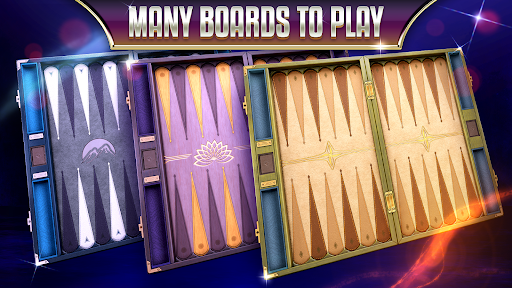

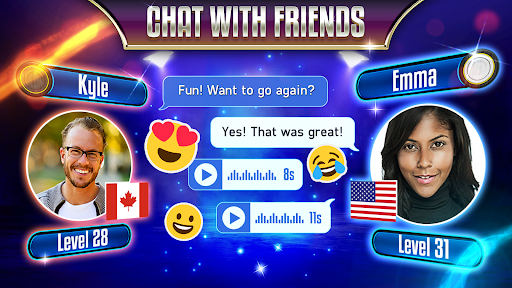
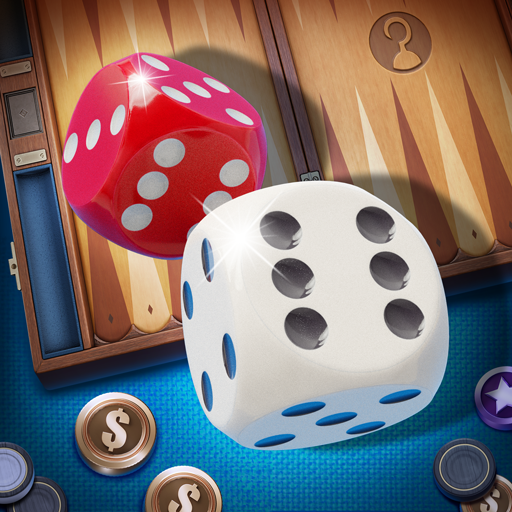
Backgammon Legends is the most social backgammon board game you'll ever see. Connect with your friends, meet new people and share strategies in real-time as you play. Experience the seamless integration of plentiful social features and smooth gameplay with beautiful 3D artwork. Use your wits to become the leading Backgammon player in the world for everyone to admire!
Roll your lucky dice
Backgammon is a time-proven 2 player strategy board game played around the world for millennia. Thanks to modern technology, Backgammon Legends allows you to enjoy the game on your mobile device anytime, anywhere! Roll your lucky dice, use tactics to gain an advantage, move your checkers and defeat real opponents for amazing rewards!
Become a Legend with Backgammon Legends
The experienced development team at Ahoy Games once again is raising the bar for quality board games. Try Backgammon Legends for free and see for yourself!
● Online Multiplayer with fair and fast matchmaking for players of every skill level.
● Real-time chat with emoticons and friend list.
● Compete in weekly tournaments and events for amazing rings, coin rewards and bragging rights.
● Progress towards the top of local and global leader boards.
● A large variety of stunning Backgammon boards with full 3D animations.
● Smooth and responsive gameplay focused on delivering the best experience and feedback.
● Fair and truly random dice rolls!
● Create your profile using your own picture or our colorful custom avatar.
● Learn new strategies by watching others play using our Spectator Mode.
● Practice your Backgammon skills against our entertaining yet advanced Backgammon AI.
● Play Backgammon with your friends on a single device using Local Player vs Player mode.
● Realistic and immersive sound effects.
● Login with Facebook, always have access to your Backgammon Legends account and discover your friends.
● Collect free bonus coins every few hours.
● Compare your in-game statistics with other players and see how better you are at Backgammon than others.
● Many supported languages: English, French, German, Spanish, Hebrew, Greek, Italian, Turkish, and many others.
● Free To Play!
New to the game? Get ready with our beginner-friendly interactive in-game tutorial that will explain the rules to you in no time!
Offline Play Support
The game requires a stable internet connection. However, if you don't have an internet connection. You can still play Backgammon Legends using the Player VS AI and Player vs Player modes. These Backgammon modes become accessible on the login screen after waiting a few seconds.
Coins
If you are low on coins, you can keep enjoying Backgammon Legends by purchasing in-game currency or you can wait for the next hourly bonus to be ready. Alternatively, you can choose to watch a promotional video and get just enough coins to get back to the game.
Push notifications
Push notifications for the hourly bonus, in-game chat messages, and others are configurable via the Notifications panel in the Settings menu. The Settings menu is accessible from the icon on the top-right of the main menu.
Coin Logs
If you have any doubt about your Backgammon account's coin activity. You can access 'Coin Logs' from the Settings menu and check your account history, just like you can do at a bank.
Tournament mode and rings
Every week the ring and the boards of each rank change. Complete all 5 ranks to collect the weekly ring.
Arena mode
Once you enter the arena, you must have 3 wins in a row to win the reward.
Come and become one of the legends, Backgammon Legends!
For free coins, follow and like Backgammon Legends on Facebook:
https://fb.me/backgammonlegends
Want to get in touch with us?
Contact us at contact@ahoygames.com
Show more

1. Download MEmu installer and finish the setup

2. Start MEmu then open Google Play on the desktop

3. Search Backgammon in Google Play
Install
4. Download and Install Backgammon
5. On install completion click the icon to start

6. Enjoy playing Backgammon on PC with MEmu
MEmu Play is the best Android emulator and 100 million people already enjoy its superb Android gaming experience. The MEmu virtualization technology empowers you to play thousands of Android games smoothly on your PC, even the most graphic-intensive ones.
Bigger screen with better graphics; Long duration, without limitation of battery or mobile data.
Full Keymapping support for precise control of keyboard and mouse or gamepad.
Multiple game accounts or tasks on single PC at one time with Multi-Instance manager.
Play Backgammon on PC by following steps: