機甲變變變
Updated
Current Version
1.6.12
Offered By

With your passion for 機甲變變變, you shouldn’t have to limit yourself to the small screen of a phone. Play like a pro and take full control of the game using a keyboard and mouse. MEmu gives you everything you’re looking for. Download and play 機甲變變變 on PC. Play as long as you want — no more worries about battery life, mobile data, or unexpected calls. The all-new MEmu 9 is the best way to play 機甲變變變 on PC. With our expertly designed keymapping system, 機甲變變變 feels just like a real PC game. The MEmu multi-instance manager lets you run two or more accounts on the same device at the same time. Most importantly, our exclusive emulation engine unlocks your PC’s full potential, delivering smooth and seamless performance.
Show more
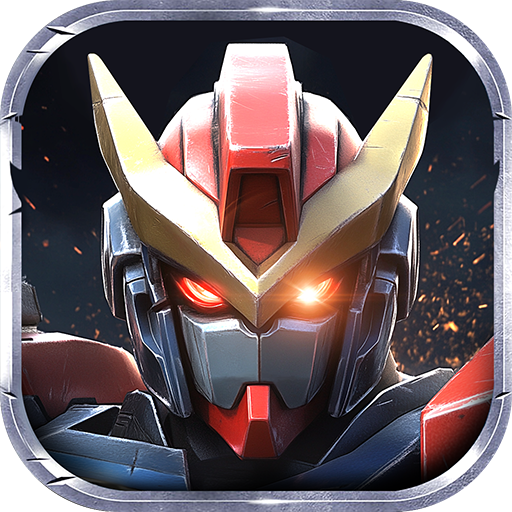
Download 機甲變變變 on PC with MEmu Android Emulator. Enjoy playing on big screen. The sudden change, the mecha as the last line of defense, against the mutant zombies.


The sudden change, the mecha as the last line of defense, against the mutant zombies.
After each failure, although the mecha is destroyed, the collected data or resources provide help for the next battle, forming a cycle. ...
You will assemble your unique super mecha, weapons can be changed at will, the shape can be changed at will, crush all the invading enemies!
Game features:
[See one shoot one]
Relaxed and casual, super decompression, crazy shooting, sweeping the battlefield, see one shoot one, can't stop at all.
[Collect various big excitement]
Incarnate as an ace driver, there are dozens of lifelike robots, gundams, robot police and other mechas for you to choose.
[Show you my big weapons]
Meteor cannons, energy shields, super missiles... Various destructive weapons and abilities to eliminate any zombies that block everything.
[Easily kill thousands of people]
Control the handsome mecha with one hand and chop wildly! Attack fiercely, facing the infinite zombie tide, easily clear the screen and mow the grass crazily.
[No matter how many battles you have, you are not afraid]
The zombie army is coming. Survive in the chaos, stand out, and write your legend in the history of the apocalypse!
Show more

1. Download MEmu installer and finish the setup

2. Start MEmu then open Google Play on the desktop

3. Search 機甲變變變 in Google Play
Install
4. Download and Install 機甲變變變
5. On install completion click the icon to start

6. Enjoy playing 機甲變變變 on PC with MEmu
MEmu Play is the best Android emulator and 100 million people already enjoy its superb Android gaming experience. The MEmu virtualization technology empowers you to play thousands of Android games smoothly on your PC, even the most graphic-intensive ones.
Bigger screen with better graphics; Long duration, without limitation of battery or mobile data.
Full Keymapping support for precise control of keyboard and mouse or gamepad.
Multiple game accounts or tasks on single PC at one time with Multi-Instance manager.
Play 機甲變變變 on PC by following steps: