Home Design Star : Decorate & Vote
Updated
Current Version
1.3.9
Offered By

With your passion for Home Design Star : Decorate & Vote, you shouldn’t have to limit yourself to the small screen of a phone. Play like a pro and take full control of the game using a keyboard and mouse. MEmu gives you everything you’re looking for. Download and play Home Design Star : Decorate & Vote on PC. Play as long as you want — no more worries about battery life, mobile data, or unexpected calls. The all-new MEmu 9 is the best way to play Home Design Star : Decorate & Vote on PC. With our expertly designed keymapping system, Home Design Star : Decorate & Vote feels just like a real PC game. The MEmu multi-instance manager lets you run two or more accounts on the same device at the same time. Most importantly, our exclusive emulation engine unlocks your PC’s full potential, delivering smooth and seamless performance.
Show more
Download Home Design Star : Decorate & Vote on PC with MEmu Android Emulator. Enjoy playing on big screen. Get satisfaction from the interior design!

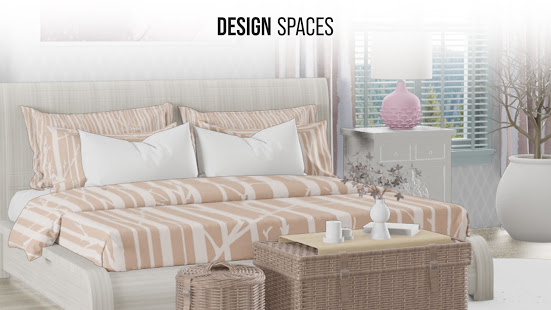
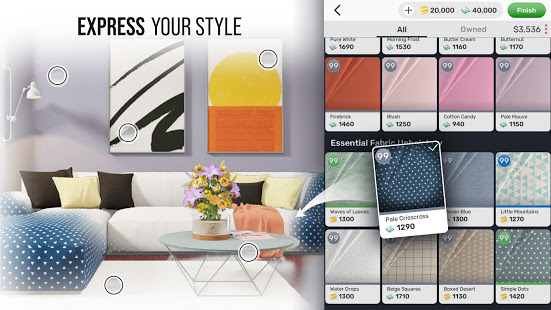
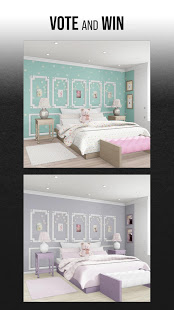
Get satisfaction from the interior design! Play with various colors and textures, create aesthetic home decor styles, and express your creativity. Access tons of relaxing episodes with pristine virtual rooms and sharpen your decorating skills.
Participate in Daily home design challenges such as designing a living space with a specific purpose (bedroom, living room, kitchen, or bathroom), using Pinterest inspired decor items and furniture. Learn about other people's designs and become a part of our dynamic interior decorator community.
How to play:
*Enter a daily challenge;
*As a designer, you are given a specified amount of cash to create your dream design;
*Select an item you wish to decorate;
*Scroll down through the options;
*Read the Design Brief and impress your fellow Designers by choosing the best combination of colors, textures, and materials;
*Vote for other players’ designs and have an impact on the results.
Design Star is an inspiring and relaxing game that allows you to develop your Interior Design skills while creating rooms of your dreams. Here, you are encouraged to explore and experiment.
Features:
*Relax by exploring impeccable designs in ultra-quality graphics;
*Win rewards through Daily Challenges;
*Play with realistic home decor inspired by Pinterest;
*Gain inspiration from top trending Pinterest home designs;
*Play with IKEA like furniture and apply your new ideas in your real life;
*Design, renovate and retouch the old buildings and rooms into modern homes
*Express yourself with an incredible variety of high-end designer furniture, lighting, flooring and other decor.
It's time to start a new creative hobby!
Design Star: Home Makeover is free to play, though some in-game items can also be purchased for real money.
Enjoying Design Star? Join our vibrant home design community on:
-Facebook: https://www.facebook.com/DesignStarApp
-Instagram: https://www.instagram.com/homedesignstar/
Show more

1. Download MEmu installer and finish the setup

2. Start MEmu then open Google Play on the desktop

3. Search Home Design Star : Decorate & Vote in Google Play
Install
4. Download and Install Home Design Star : Decorate & Vote
5. On install completion click the icon to start

6. Enjoy playing Home Design Star : Decorate & Vote on PC with MEmu
MEmu Play is the best Android emulator and 100 million people already enjoy its superb Android gaming experience. The MEmu virtualization technology empowers you to play thousands of Android games smoothly on your PC, even the most graphic-intensive ones.
Bigger screen with better graphics; Long duration, without limitation of battery or mobile data.
Full Keymapping support for precise control of keyboard and mouse or gamepad.
Multiple game accounts or tasks on single PC at one time with Multi-Instance manager.
Play Home Design Star : Decorate & Vote on PC by following steps: