
少女迷境
Updated
Current Version
1.0.0
Offered By

With your passion for 少女迷境, you shouldn’t have to limit yourself to the small screen of a phone. Play like a pro and take full control of the game using a keyboard and mouse. MEmu gives you everything you’re looking for. Download and play 少女迷境 on PC. Play as long as you want — no more worries about battery life, mobile data, or unexpected calls. The all-new MEmu 9 is the best way to play 少女迷境 on PC. With our expertly designed keymapping system, 少女迷境 feels just like a real PC game. The MEmu multi-instance manager lets you run two or more accounts on the same device at the same time. Most importantly, our exclusive emulation engine unlocks your PC’s full potential, delivering smooth and seamless performance.
Show more
Download 少女迷境 on PC with MEmu Android Emulator. Enjoy playing on big screen. 一睜開眼,被百位少女圍在身邊是什麼體驗?

一睜開眼,被百位少女圍在身邊是什麼體驗?
高冷御姐、軟萌貓娘、元氣少女……還沒反應過來,她們的體溫與香氣便已將你退路封死。明明是來冒險的,怎麼第一個淪陷的,反而是自己?
在「少女迷境」,世界等著你去拯救,而少女們,正等待與你相遇!
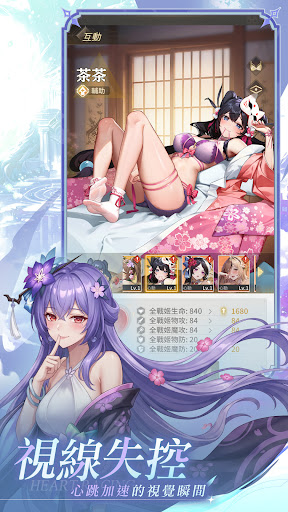
視線失控|心跳加速的視覺瞬間
指尖一碰就動,眼神隨你流轉。不只是畫得美,Live2D 讓她們跨越螢幕與你真實互動,極致純欲畫面全螢幕暴擊,每一眼都正中你的XP!
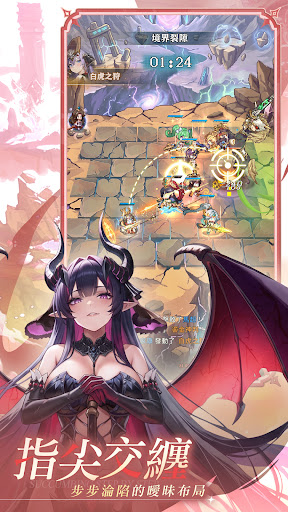
指尖交纏|步步淪陷的策略布局
看準屬性克制,排好前後陣型。不用拼手速,靠智慧也能在博弈間逆轉勝負,一鍵發動華麗合擊,看她在漫天特效中為你收割戰場,輕鬆策略,一指逆轉,優雅地贏下每一場戰鬥。
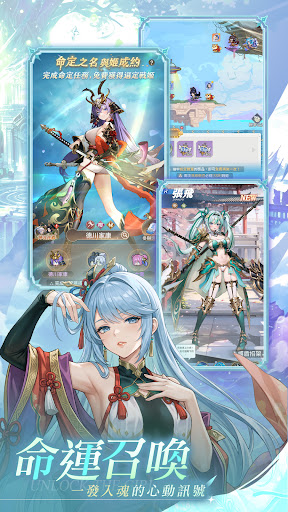
命運召喚|一發入魂的心動訊號
開局百抽直送,心儀本命一發入魂。不用苦苦刷首抽,命定的重逢就在此刻開啟,最豐厚的資源與稀有少女,只為讓你與她的浪漫契約驚喜開啟,福利領滿,開局巔峰,這就是最爽的開局邂逅,沒有之一。
耳邊私語|解鎖少女的臉紅日常
天天送禮互動,解鎖專屬約會。從陌生到深情,每一份相處都是靈魂共鳴,當羈絆覺醒,她將為你迎來華麗蛻變,戰力與美感同步爆表,你以為在養成她?其實是她,一步步讓你離不開。
甜蜜補給|睜眼醒來的滿滿福利
掛著也能變強,醒來就有收穫。全天候離線打資源,默默為你積攢一切,等你醒來一鍵收割,她便羞紅著臉,把帶著餘溫的豐厚獎勵,全塞進你懷裡。
Show more

1. Download MEmu installer and finish the setup

2. Start MEmu then open Google Play on the desktop

3. Search 少女迷境 in Google Play
Install
4. Download and Install 少女迷境
5. On install completion click the icon to start

6. Enjoy playing 少女迷境 on PC with MEmu
MEmu Play is the best Android emulator and 100 million people already enjoy its superb Android gaming experience. The MEmu virtualization technology empowers you to play thousands of Android games smoothly on your PC, even the most graphic-intensive ones.
Bigger screen with better graphics; Long duration, without limitation of battery or mobile data.
Full Keymapping support for precise control of keyboard and mouse or gamepad.
Multiple game accounts or tasks on single PC at one time with Multi-Instance manager.
Play 少女迷境 on PC by following steps: