刀剣乱舞ぱずぎり
Updated
Current Version
Offered By

With your passion for 刀剣乱舞ぱずぎり, you shouldn’t have to limit yourself to the small screen of a phone. Play like a pro and take full control of the game using a keyboard and mouse. MEmu gives you everything you’re looking for. Download and play 刀剣乱舞ぱずぎり on PC. Play as long as you want — no more worries about battery life, mobile data, or unexpected calls. The all-new MEmu 9 is the best way to play 刀剣乱舞ぱずぎり on PC. With our expertly designed keymapping system, 刀剣乱舞ぱずぎり feels just like a real PC game. The MEmu multi-instance manager lets you run two or more accounts on the same device at the same time. Most importantly, our exclusive emulation engine unlocks your PC’s full potential, delivering smooth and seamless performance.
Show more
Download 刀剣乱舞ぱずぎり on PC with MEmu Android Emulator. Enjoy playing on big screen. ■なぞって、つなげて、簡単パズル!
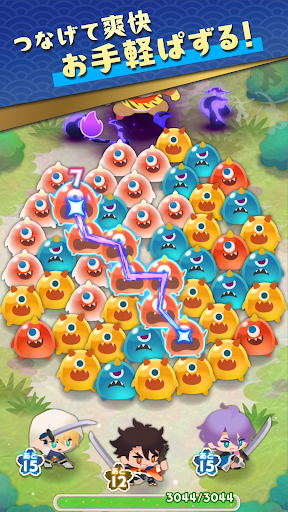
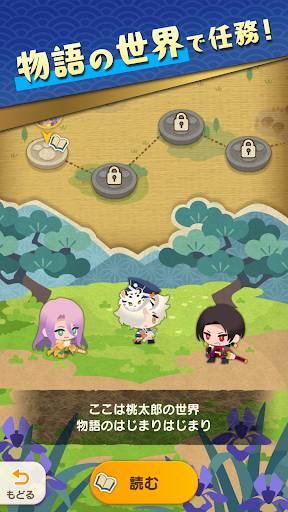
■なぞって、つなげて、簡単パズル!
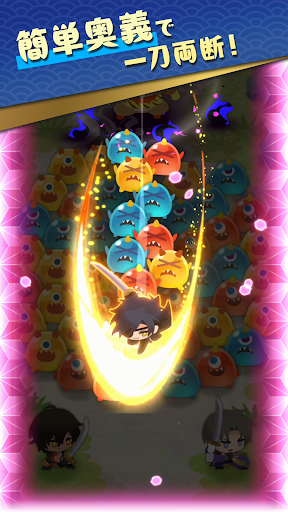
同じ色の鬼をなぞってつなげると、刀剣男士が一刀両断!
たくさんつなげるほど攻撃は強力になり、サクッと爽快感を楽しめるパズルRPG!
■個性豊かな刀剣男士
刀剣男士は、それぞれ異なる奥義を持っています。
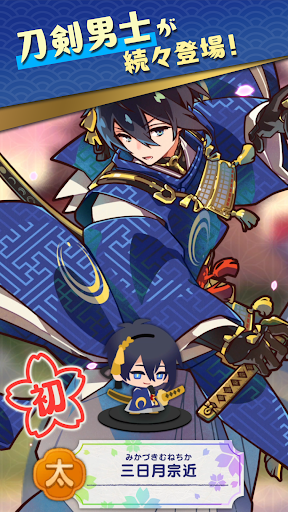
中には物語の力を得て、新たな姿になった刀剣男士も……!?
個性豊かな刀剣男士を仲間にして、あなただけの部隊をつくりましょう!
■日々の思い出を活動記録で残そう
刀剣乱舞ぱずぎりでの日々は、活動記録として残ります。
戦いの記録や、刀剣男士の成長やふれあいの瞬間が記録されることも。
たくさんプレイして、あなただけの物語を紡いでいきましょう。
▼こんな人におすすめ!
・パズルゲームが好き
・爽快パズルでストレスを発散したい
・スキマ時間で手軽に遊びたい
・気軽にパズルRPGを楽しみたい
・物語を楽しみたい
・刀剣乱舞が好き
・刀剣男士の新たな姿を見たい
▼『刀剣乱舞ONLINE』とは?
名だたる刀剣が戦士へと姿を変えた"刀剣男士"。あなたは彼らを率いる"審神者"となり、歴史を守る戦いに出ます。
短刀、脇差、打刀、太刀、大太刀、薙刀、槍、剣の計8種の個性豊かな刀剣男士を集めて育て、あなただけの部隊を結成!
様々な合戦場を攻略していく、刀剣育成シミュレーションゲームです。
https://play.games.dmm.com/game/tohken
▼キャスト(五十音順)
石川界人、興津和幸、鳥海浩輔、濱健人、前野智昭、増田俊樹 ほか
©2026 EXNOA LLC/NITRO PLUS
Show more

1. Download MEmu installer and finish the setup

2. Start MEmu then open Google Play on the desktop

3. Search 刀剣乱舞ぱずぎり in Google Play
Install
4. Download and Install 刀剣乱舞ぱずぎり
5. On install completion click the icon to start

6. Enjoy playing 刀剣乱舞ぱずぎり on PC with MEmu
MEmu Play is the best Android emulator and 100 million people already enjoy its superb Android gaming experience. The MEmu virtualization technology empowers you to play thousands of Android games smoothly on your PC, even the most graphic-intensive ones.
Bigger screen with better graphics; Long duration, without limitation of battery or mobile data.
Full Keymapping support for precise control of keyboard and mouse or gamepad.
Multiple game accounts or tasks on single PC at one time with Multi-Instance manager.
Play 刀剣乱舞ぱずぎり on PC by following steps: