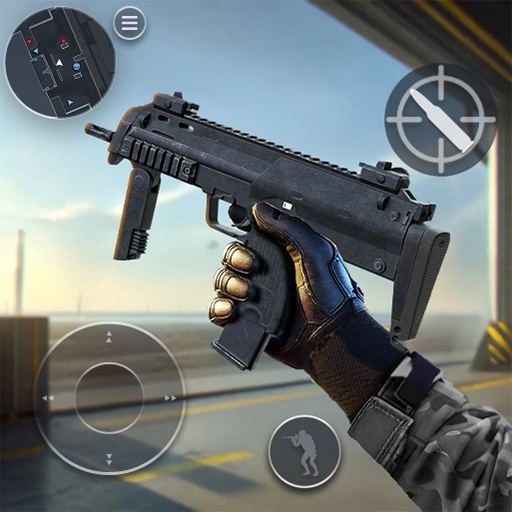
Tactical OPS-FPS Shooting Game
Updated
Current Version
0.78
Offered By

With your passion for Tactical OPS-FPS Shooting Game, you shouldn’t have to limit yourself to the small screen of a phone. Play like a pro and take full control of the game using a keyboard and mouse. MEmu gives you everything you’re looking for. Download and play Tactical OPS-FPS Shooting Game on PC. Play as long as you want — no more worries about battery life, mobile data, or unexpected calls. The all-new MEmu 9 is the best way to play Tactical OPS-FPS Shooting Game on PC. With our expertly designed keymapping system, Tactical OPS-FPS Shooting Game feels just like a real PC game. The MEmu multi-instance manager lets you run two or more accounts on the same device at the same time. Most importantly, our exclusive emulation engine unlocks your PC’s full potential, delivering smooth and seamless performance.
Show more
Download Tactical OPS-FPS Shooting Game on PC with MEmu Android Emulator. Enjoy playing on big screen. Get ready for epic action in this shooter!
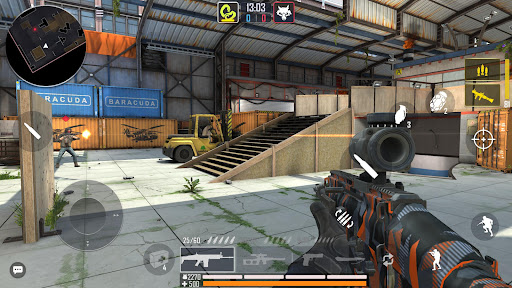
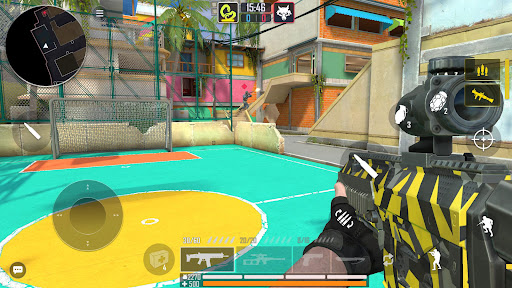
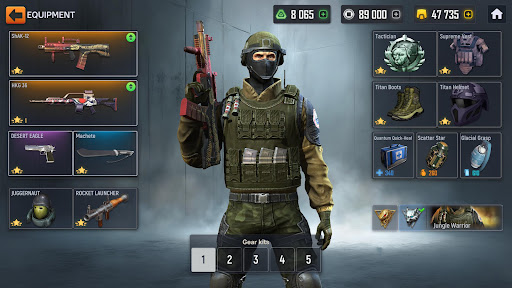
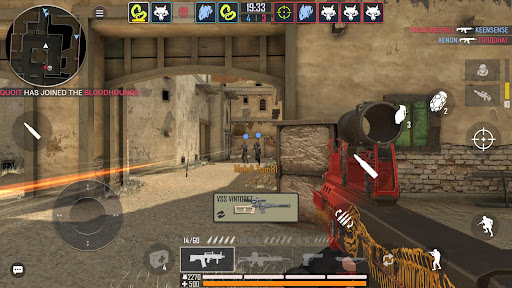
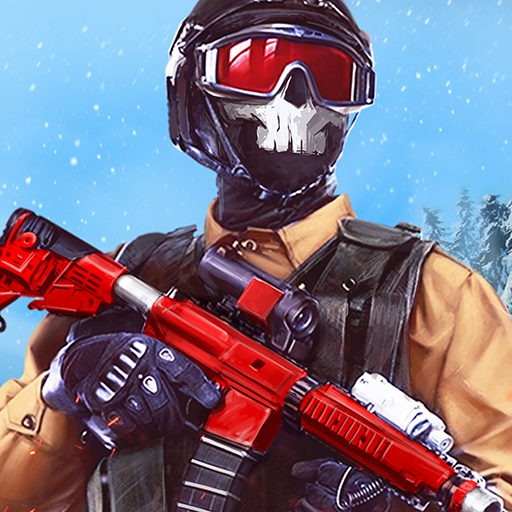
Get ready for epic action in this shooter! Dive into real-time multiplayer battles on your mobile phone. Whether you're a fan of shooting games or crave the thrill of first-person shooters, this is the ultimate mobile experience for you! Join the battle, gear up, and play to win.
DESIGN YOUR IDEAL WEAPON
In Tactical OPS, there's a weapon for everyone! Choose from sniper and assault rifles, pistols, shotguns, and more. Customize and enhance your guns to test them in thrilling online PvP combat! Experience the depth of shooter games as you adjust your strategy to the ever-changing battlefield. With extensive customization options, every player can create a unique loadout tailored to their playstyle, making this game a standout among FPS titles.
CUSTOMIZE YOUR CHARACTER
Tactical OPS allows you to create your ultimate soldier—tailor your skills, pick your gear, and stand out in the battlefield! Personalize your loadout in this dynamic gun game to dominate the competition with your custom-built character. Take advantage of skill trees and strategic planning to maximize your impact in battle.
EXPERIENCE THE BEST OF GUN GAMES
This shooting game merges fast combat, deep customization, and competitive multiplayer into one of the most dynamic gun games available. Whether you're a newcomer or an FPS veteran, this game offers a perfect mix of strategy and action. Feel the rush of tactical combat as you engage in intense battles across varied game modes designed to challenge every player.
GET READY FOR DYNAMIC BATTLES!
Experience thrilling FPS action, featuring multiple combat modes, stunning graphics, and user-friendly controls. Engage in intense online multiplayer shooting experiences and participate in epic PvP battles to achieve victory and dominate the competition. This mobile PvP shooter draws inspiration from popular titles like Call of Duty (COD), CSGO, PUBG, Modern Warfare, Black Ops, and other SWAT-style shooter games.
HERE'S WHAT YOU CAN EXPECT IN TACTICAL OPS:
√ Epic 5v5 Team Battles: Join friends or go solo in tactical team-based skirmishes across dynamic maps, the perfect challenge for any fan of shooting games.
√ Multiple Game Modes: Enjoy classic modes like Team Deathmatch, Capture the Flag, and Free-For-All, or test your skills in special events. Every match will test your reflexes and strategy in this exciting FPS.
√ 10 diverse maps: Explore unique landscapes and styles for PvP online battles.
√ Customizable Weapons & Characters: Unlock a wide range of weapons, from assault rifles to sniper rifles, and customize your loadout with powerful upgrades. Craft the perfect arsenal in the world of gun games.
√ Skill development trees: Enhance your soldier's abilities to tailor them to your strategy and playstyle.
√ Daily rewards: Claim prizes simply by playing this multiplayer gun game.
√ Extensive equipment and guns: Upgrade and customize your arsenal for maximum impact.
√ Variety of skins: Personalize your weapons with different skins.
√ Simple and intuitive controls: Easy to adapt for newcomers to FPS gameplay.
√ Realistic Graphics & Immersive Sound: Experience top-tier visuals and intense sound effects that bring the battlefield to life, delivering the best in shooting games for mobile devices.
FOLLOW US:
Facebook: https://www.facebook.com/tactical.ops.official
Instagram: https://www.instagram.com/tactical.ops.official
YouTube: https://www.youtube.com/channel/UCtVNQDXXPifEsXpYilxVWcA
SUPPORT
If you have any questions or concerns, please contact our customer service at tacticalops@edkongames.com
*Important note: This application requires a persistent internet connection.
Show more

1. Download MEmu installer and finish the setup

2. Start MEmu then open Google Play on the desktop

3. Search Tactical OPS-FPS Shooting Game in Google Play
Install
4. Download and Install Tactical OPS-FPS Shooting Game
5. On install completion click the icon to start

6. Enjoy playing Tactical OPS-FPS Shooting Game on PC with MEmu
MEmu Play is the best Android emulator and 100 million people already enjoy its superb Android gaming experience. The MEmu virtualization technology empowers you to play thousands of Android games smoothly on your PC, even the most graphic-intensive ones.
Bigger screen with better graphics; Long duration, without limitation of battery or mobile data.
Full Keymapping support for precise control of keyboard and mouse or gamepad.
Multiple game accounts or tasks on single PC at one time with Multi-Instance manager.
Play Tactical OPS-FPS Shooting Game on PC by following steps: