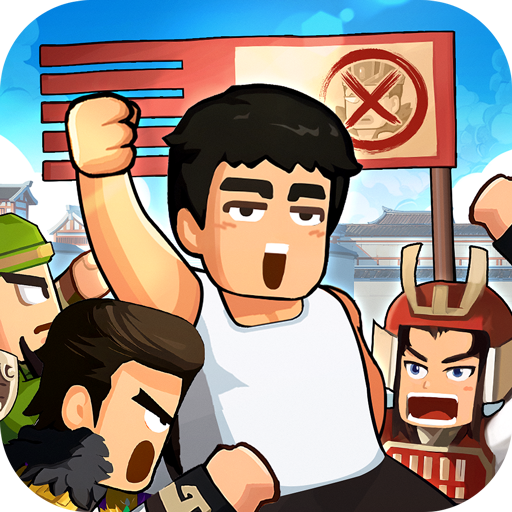
熱血大作戰
Updated
Current Version
2.1.355
Offered By

With your passion for 熱血大作戰, you shouldn’t have to limit yourself to the small screen of a phone. Play like a pro and take full control of the game using a keyboard and mouse. MEmu gives you everything you’re looking for. Download and play 熱血大作戰 on PC. Play as long as you want — no more worries about battery life, mobile data, or unexpected calls. The all-new MEmu 9 is the best way to play 熱血大作戰 on PC. With our expertly designed keymapping system, 熱血大作戰 feels just like a real PC game. The MEmu multi-instance manager lets you run two or more accounts on the same device at the same time. Most importantly, our exclusive emulation engine unlocks your PC’s full potential, delivering smooth and seamless performance.
Show more
Download 熱血大作戰 on PC with MEmu Android Emulator. Enjoy playing on big screen. [Busy Savior], a wacky tree-cutting RPG that tickles your funny bone and jogs your childhood memories.

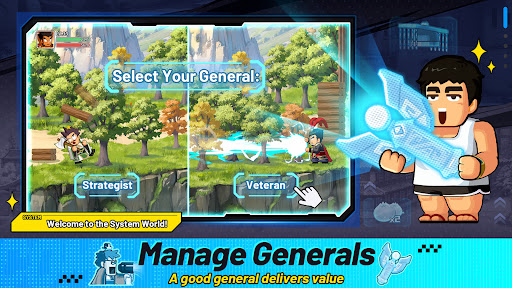
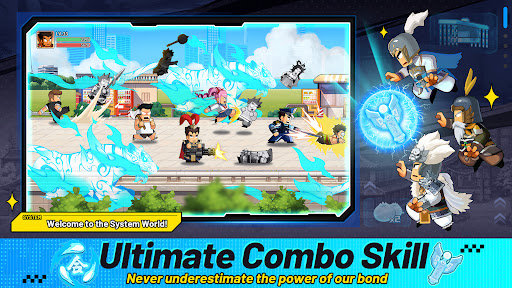
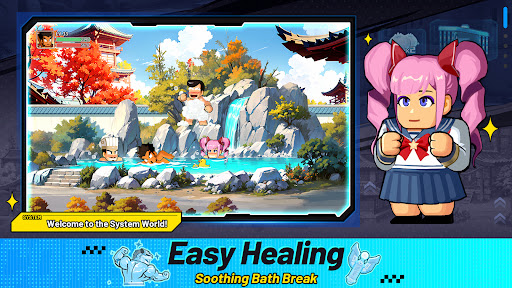
[Busy Savior], a wacky tree-cutting RPG that tickles your funny bone and jogs your childhood memories. Dive in its diverse gameplay and rediscover the unique charm of games!
Look at this guy! He time traveled and stumbled upon a mysterious system. Overwhelmed by a flood of praises, he was forced into chores and errands. Luckily, you knew a bit of management and saved him from all those dirty work by hiring versatile generals to work for him. However, the System is asking for more. This time, you are required to save... the world?!
Game Features
[Wacky, Isn't It?]
A cute idle game loved by all! Retro vibe, zany art, unique characters, rich content... No more hesitation, come play with your friends!
[Assign Generals]
He who isn't versatile is not a good general. Chop trees, harvest wheat, make buns, train soldiers... Customize duty rosters and delegate to your heart's content!
[Unique Combos]
Explore unique lineups and unleash powerful combos. Levitate, repel, and topple enemies... Use your imagination and be the Brawl King!
[Innovative Gameplay]
Life is more than fighting and killing. It's time to unwind and spice it up! A zany alliance sports meet would just hit the spot—roof surfing, sprint swimming... There's always something just for you!
[Join Alliances]
Meet like-minded gamers, create or join an alliance. Together, you shall embark on a thrilling Samkok journey. The vast world is out there for you to explore!
The game involves moderate violence and is rated for 12+ in accordance with app rating regulations.
*The game is free to play and provides in-game purchase that includes virtual currency, items, etc.
*Please plan your playtime and avoid addiction.
*MEBACK LTD. is the licensed agent of [Busy Savior] in Hong Kong, Macao and Taiwan regions.
*To support the picture upload function in Moments, we may require players to upload pictures. Thank you for your understanding!
Company address: Taipei City
Show more

1. Download MEmu installer and finish the setup

2. Start MEmu then open Google Play on the desktop

3. Search 熱血大作戰 in Google Play
Install
4. Download and Install 熱血大作戰
5. On install completion click the icon to start

6. Enjoy playing 熱血大作戰 on PC with MEmu
MEmu Play is the best Android emulator and 100 million people already enjoy its superb Android gaming experience. The MEmu virtualization technology empowers you to play thousands of Android games smoothly on your PC, even the most graphic-intensive ones.
Bigger screen with better graphics; Long duration, without limitation of battery or mobile data.
Full Keymapping support for precise control of keyboard and mouse or gamepad.
Multiple game accounts or tasks on single PC at one time with Multi-Instance manager.
Play 熱血大作戰 on PC by following steps: