HEY CLAY®
Updated
Current Version
2.12.10.30899
Offered By

With your passion for HEY CLAY®, you shouldn’t have to limit yourself to the small screen of a phone. Play like a pro and take full control of the game using a keyboard and mouse. MEmu gives you everything you’re looking for. Download and play HEY CLAY® on PC. Play as long as you want — no more worries about battery life, mobile data, or unexpected calls. The all-new MEmu 9 is the best way to play HEY CLAY® on PC. With our expertly designed keymapping system, HEY CLAY® feels just like a real PC game. The MEmu multi-instance manager lets you run two or more accounts on the same device at the same time. Most importantly, our exclusive emulation engine unlocks your PC’s full potential, delivering smooth and seamless performance.
Show more
Download HEY CLAY® on PC with MEmu Android Emulator. Enjoy playing on big screen. Tauche mit REWE in die farbenfrohe Welt von HEY CLAY ein!
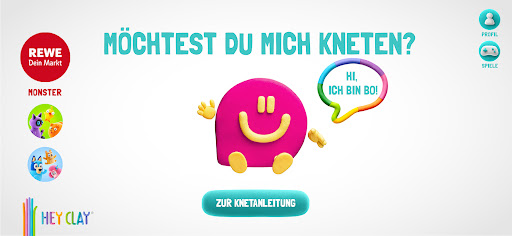
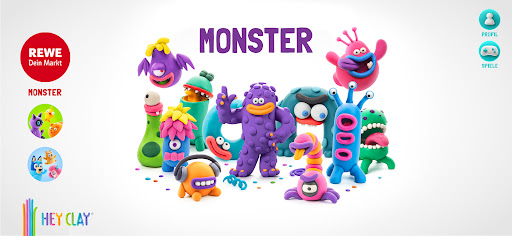
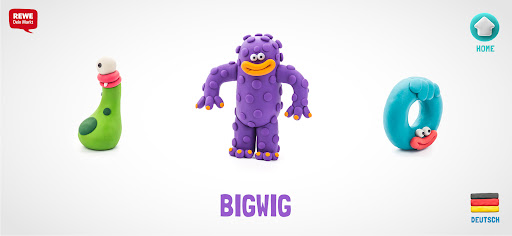
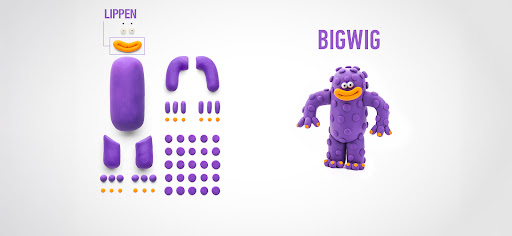
Tauche mit REWE in die farbenfrohe Welt von HEY CLAY ein!
Möchtest du deinem Kind spielerisch das Formen mit Knete beibringen? HEY CLAY macht es möglich. Angefangen wird mit einfachen Kugeln oder Rollen und schon bald entstehen ganze Figuren!
Die App enthält inspirierende und lustige Knet-Animationen, mit denen Kinder komplette Figuren gestalten können. Das Spielen mit Knete unterstützt Kinder dabei, ihre feinen motorischen Fähigkeiten auf einfache und unterhaltsame Weise zu verbessern.
Kinder entdecken, wie man die Knete rollt, plattdrückt und in die tollsten Formen und Figuren verwandelt. Dank der leicht verständlichen Anleitungen in der App wird das Kneten zu einer spannenden Entdeckungsreise. Die App zeigt dir, wie du deine ganz eigene Version von Bigwig, Trio, Muzon und vielen weiteren lustigen Kreaturen gestalten kannst.
Inhalte in der App:
• Das exklusive REWE Monster-Set – gratis für dich!
• Viele weitere spannende Sets sind in der App zum Kauf erhältlich
• Lustige und bunte Animationen der Charaktere
• 5 interaktive Spiele in unterschiedlichen Schwierigkeitsstufen
• Keine Werbung von Drittanbietern
• Interaktive und kinderfreundliche Benutzeroberfläche
12 Figuren aus dem Monster-Set sind im Rahmen der REWE Sammelaktion vom 03.11.2025 bis zum Ende der Aktion kostenlos verfügbar. Weitere Schritt-für-Schritt-Anleitungen für Weihnachtszeit, Bluey, Minions, Hundegeschichte, Regenbogen-Einhörner, Tiere, Waldtiere, Dinosaurier, Farm-Vögel und Ozean sind in der App außerhalb der REWE Sammelaktion käuflich erhältlich.
Für die besten Kreationen empfiehlt sich die lufttrocknende Knete von HEY CLAY. So können die Figuren nach dem Aushärten auch als Spielzeug verwendet werden.
In der App können zudem Fotos gemacht und die Kreationen ganz einfach mit Freunden und der Familie geteilt werden.
Viel Spaß beim Entdecken und Kneten mit der HEY CLAY App!
Show more

1. Download MEmu installer and finish the setup

2. Start MEmu then open Google Play on the desktop

3. Search HEY CLAY® in Google Play
Install
4. Download and Install HEY CLAY®
5. On install completion click the icon to start

6. Enjoy playing HEY CLAY® on PC with MEmu
MEmu Play is the best Android emulator and 100 million people already enjoy its superb Android gaming experience. The MEmu virtualization technology empowers you to play thousands of Android games smoothly on your PC, even the most graphic-intensive ones.
Bigger screen with better graphics; Long duration, without limitation of battery or mobile data.
Full Keymapping support for precise control of keyboard and mouse or gamepad.
Multiple game accounts or tasks on single PC at one time with Multi-Instance manager.
Play HEY CLAY® on PC by following steps: