Chicken Police – Paint it RED!
Updated
Current Version
1.0.8
Offered By

With your passion for Chicken Police – Paint it RED!, you shouldn’t have to limit yourself to the small screen of a phone. Play like a pro and take full control of the game using a keyboard and mouse. MEmu gives you everything you’re looking for. Download and play Chicken Police – Paint it RED! on PC. Play as long as you want — no more worries about battery life, mobile data, or unexpected calls. The all-new MEmu 9 is the best way to play Chicken Police – Paint it RED! on PC. With our expertly designed keymapping system, Chicken Police – Paint it RED! feels just like a real PC game. The MEmu multi-instance manager lets you run two or more accounts on the same device at the same time. Most importantly, our exclusive emulation engine unlocks your PC’s full potential, delivering smooth and seamless performance.
Show more
Download Chicken Police – Paint it RED! on PC with MEmu Android Emulator. Enjoy playing on big screen. MEET THE CHICKEN POLICE .
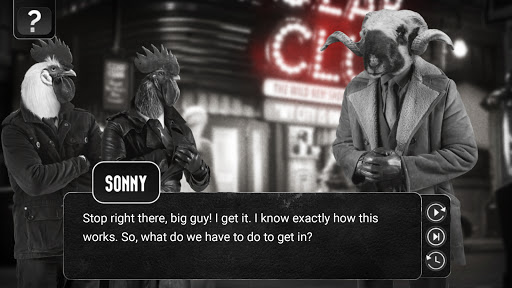
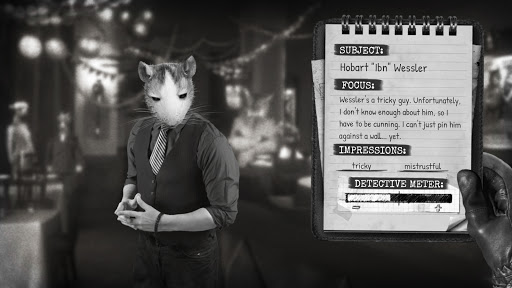
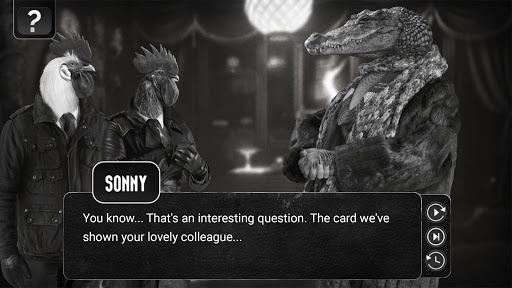
MEET THE CHICKEN POLICE
Sonny Featherland and Marty MacChicken were once a legendary detective duo, called the Chicken Police. But that was almost a decade ago, and time had ruthlessly passed them by. Now Sonny and Marty are forced to work together on a case that is weirder than anything they've ever encountered before!
NARRATIVE-DRIVEN, DETECTIVE GAMEPLAY
Chicken Police is a story-rich, dialogue-heavy game that combines elements of visual novels and classic adventure games. The game features more than 30 characters to talk to, some of whom need to be seriously interrogated. Collect tons of clues, evidence, and highly sensitive personal information from the shady characters of Clawville to use ruthlessly against them!
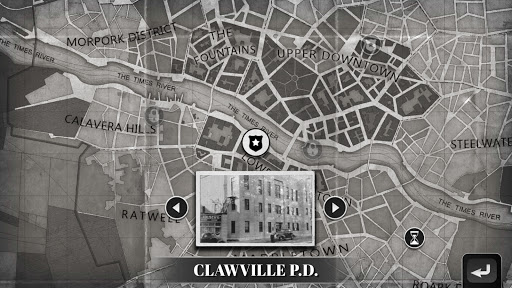
EXPLORE THE CITY OF CLAWVILLE (again, and again...)
There are more than 30 places to visit, and some of them will change several times during the story. You can return to previous locations on several occasions, to find hidden secrets, meet new characters, and gather information about the world and its inhabitants.
A CINEMATIC EXPERIENCE
Chicken Police has a weirdly stunning visual style made with real photos and photo-realistic 3D backgrounds, inspired by classic film noir and influenced by animated features. Its noir mood is enhanced by an original music soundtrack, backed by professional voice acting for all characters, totaling more than 8 hours of spoken dialogue!
Chicken Police is a satire that recalls the mood and atmosphere of 40's film noir, and, like the best noirs and hardboiled detective stories, it's so gritty and hopeless that it can only be served with a lot of cynical humor.
KEY FEATURES
· A thrilling, rich storyline with a classic film-noir twist
· Professional voiceover with more than 8 hours of spoken dialogue!
· A carefully crafted, "colorful" world
· A complex interrogation system
· More than 30 unique, fully voiced characters
· A cinematic film noir-like experience with more than 20 cutscenes!
· Lots of clues, information, and collectibles to find
· A beautiful original soundtrack
· Audio language: EN only
AWARDS
Dev GAMM „Excellence in Audio“
IGN Japan “GOATY 2020”
Aggie Awards 2020 “Best Music (Reader’s Choice)”
Gamescom “Game of the show (Gamer’s Pick)”
Metacritic “#43 Best PC Game 2020”
WTLW Gamescom Awards “Best Atmosphere”
© HandyGames 2026
Show more

1. Download MEmu installer and finish the setup

2. Start MEmu then open Google Play on the desktop

3. Search Chicken Police – Paint it RED! in Google Play
Install
4. Download and Install Chicken Police – Paint it RED!
5. On install completion click the icon to start

6. Enjoy playing Chicken Police – Paint it RED! on PC with MEmu
MEmu Play is the best Android emulator and 100 million people already enjoy its superb Android gaming experience. The MEmu virtualization technology empowers you to play thousands of Android games smoothly on your PC, even the most graphic-intensive ones.
Bigger screen with better graphics; Long duration, without limitation of battery or mobile data.
Full Keymapping support for precise control of keyboard and mouse or gamepad.
Multiple game accounts or tasks on single PC at one time with Multi-Instance manager.
Play Chicken Police – Paint it RED! on PC by following steps:















































![[3D Platformer] Super Bear Adventure PC](https://dl.memuplay.com/new_market/img/com.Earthkwak.Platformer.icon.2024-09-08-15-16-43.png)









